Framery 2Q Huddle
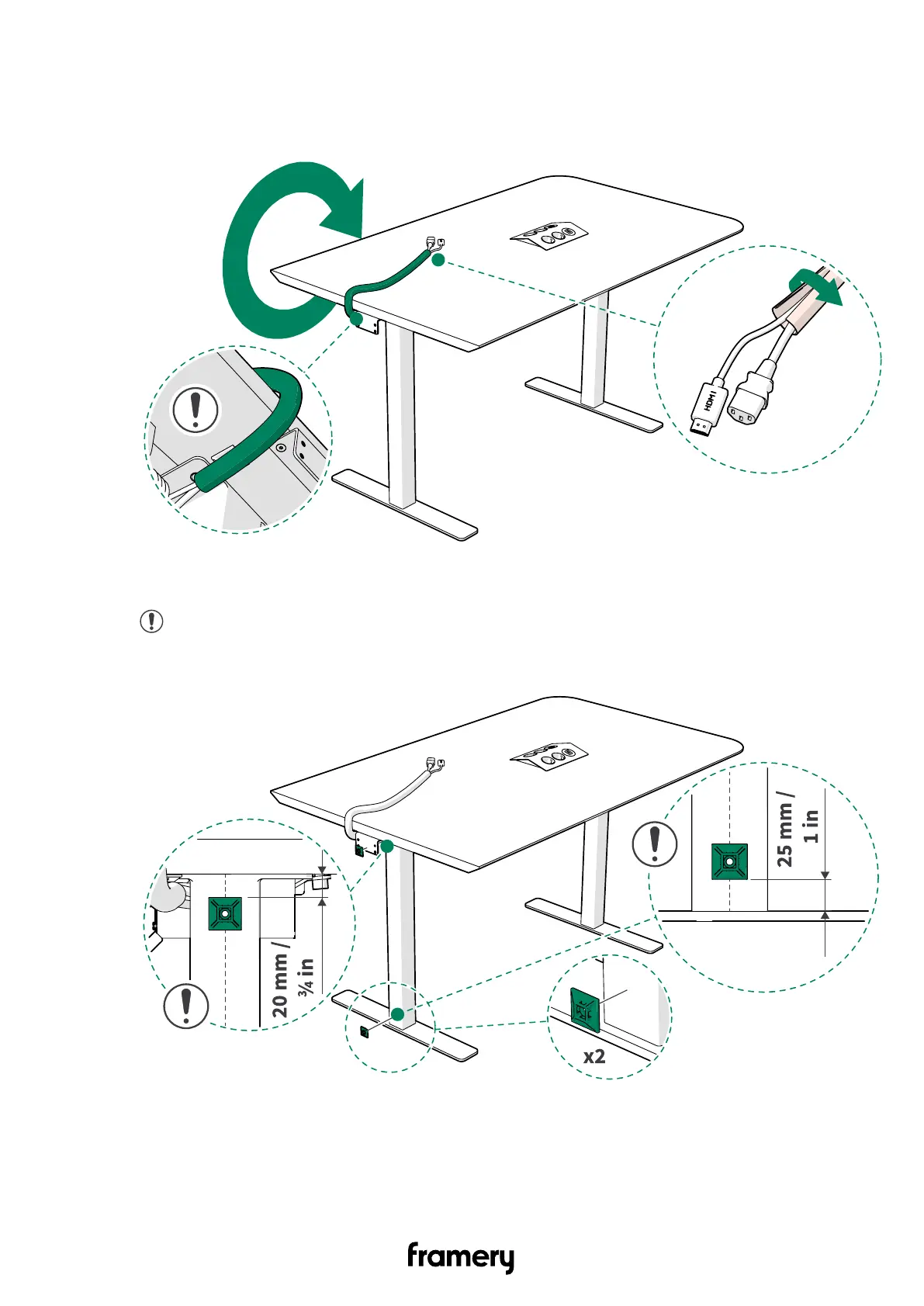
5. Guide the HDMI cord and the display power cord into a cable wrap and place the cable
wrap on the table.
Guide the cable wrap over the the first cable holder.
6. Attach the adhesive cable holders (2 pcs) to the left-hand side table leg.
Note: Make sure that the cable holders are installed to the mid-point of the
table leg.
140
Installation instructions
info@frameryacoustics.com


 To Next Page