EasyManua.ls Logo

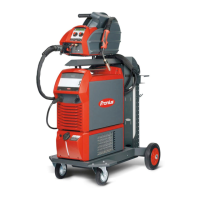
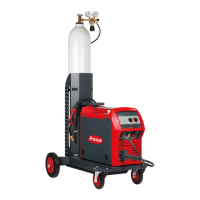
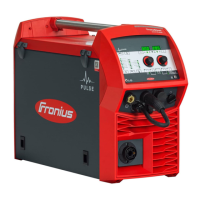
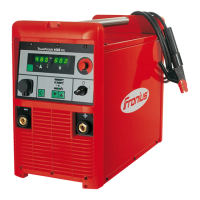
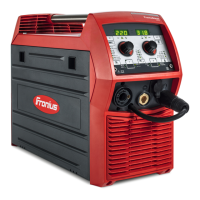
Fronius TransSteel 2200c - User Manual

Fronius TransSteel 2200c
128 pages
Print Icon
To Next Page IconTo Next Page
Loading...
/ Perfect Charging / Perfect Welding / Solar Energy
42,0426,0241,EN 003-08012018
TransSteel 2200c
Operating Instructions
MIG/MAG Power source
EN

Table of Contents

Other manuals for Fronius TransSteel 2200c

Questions and Answers

  • E
    evargasSep 12, 2025
    Why is there no welding current in my Fronius Welding System?
    • J
      Jeremy FloydSep 12, 2025
      If your Fronius Welding System isn't producing welding current, examine the grounding (earthing) connection to ensure it has the correct polarity. Also, if there is a break in the power cable in the welding torch, replace the welding torch.
  • S
    Susan SampsonAug 25, 2025
    What does 'to0 | xxx' error mean on a Fronius TransSteel 2200c?
    • K
      Kirsten AustinAug 25, 2025
      If your Fronius Welding System shows 'to0 | xxx', it means there's overtemperature in the primary circuit of the power source. Allow the power source to cool down, check the air filter and clean if necessary, and make sure the fan is running.
  • D
    Donna PalmerAug 26, 2025
    What does 'to6 | xxx' error signify on a Fronius Welding System?
    • I
      Isaac GrayAug 27, 2025
      If your Fronius Welding System displays 'to6 | xxx', it indicates overtemperature on the power source transformer. To resolve this, allow the power source to cool down, check the air filter and clean if necessary, and ensure that the fan is working.
  • K
    Kyle BirdAug 27, 2025
    What does 'to1 | xxx' indicate on my Fronius TransSteel 2200c?
    • C
      carrieevansAug 28, 2025
      If your Fronius Welding System displays the error code 'to1 | xxx', it indicates overtemperature on the booster located in the power source. Allow the power source to cool down, check the air filter and clean it if necessary, and ensure the fan is functioning.
  • C
    Christian RiceAug 29, 2025
    What does error code 'to2 | xxx' mean on Fronius Welding System?
    • A
      adamsjenniferAug 29, 2025
      If your Fronius Welding System shows 'to2 | xxx', it means there's overtemperature in the secondary circuit of the power source. Allow the power source to cool down, check the air filter, clean it if necessary, and ensure the fan is running.
  • A
    Andrea SmithAug 31, 2025
    What does 'to4 | xxx' error mean on a Fronius TransSteel 2200c?
    • K
      Karen BeltranAug 31, 2025
      If your Fronius Welding System displays 'to4 | xxx', it means there is overtemperature in the welding torch. Allow the welding torch to cool down.
  • B
    Bethany JohnsonNov 20, 2025
    What does 'Err | IP' mean on a Fronius TransSteel 2200c?
    • M
      michelle55Nov 20, 2025
      If your Fronius Welding System displays an 'Err | IP' message, it indicates a primary overvoltage detected by the power source's control unit. Check the mains voltage. If the service code remains, switch off the power source, wait 10 seconds, and switch it back on. If the error persists, contact After-Sales Service. This error can also mean that the mains voltage has fallen below or risen above the tolerance range, so check the mains voltage. Also, this error may appear due to fault in the wirefeed system (overcurrent in wirefeeder drive), so arrange the hosepack in as straight a line as possible; check that there are no kinks or dirt in the inner liner; check the contact pressure on the 2-roller drive. Finally, it may be caused by the wirefeeder motor sticking or being defective, so check...
  • K
    Kevin KingSep 13, 2025
    How to resolve irregular wire speed on Fronius Welding System?
    • G
      Gloria MitchellSep 13, 2025
      If your Fronius Welding System is experiencing irregular wire speed, it could be due to several reasons. Loosen the brake if the braking force has been set too high. Use a suitable contact tip if the hole in the contact tip is too narrow. Check the inner liner in the welding torch for kinks or dirt, and replace if necessary. Ensure the wirefeeder rollers are suitable for the wire electrode being used, and optimize the contact pressure of the feed rollers.
  • D
    Darrell MosesSep 10, 2025
    What to do if Fronius Welding System has no welding current?
    • K
      Kristin BarberSep 12, 2025
      If your Fronius Welding System has no welding current, consider these potential causes: Check the duty cycle to avoid overloading. If the thermostatic automatic circuit breaker has been tripped, wait for the power source to automatically come back on after the cooling phase. Ensure accessibility to cooling air ducts and clean the air filter if there's a limited supply of cooling air. If the fan in the power source is faulty, contact After-Sales Service.
  • M
    michael61Sep 7, 2025
    How to fix no shielding gas issue in Fronius TransSteel 2200c?
    • C
      Christopher JonesSep 7, 2025
      If your Fronius Welding System isn't dispensing shielding gas, check these potential causes: * Ensure the gas hose is connected to the correct connection socket for your welding process. * Replace the gas cylinder if it's empty. * Replace the gas pressure regulator if it's faulty. * Fit or change the gas hose if it's damaged or not fitted. * Change the welding torch if it's faulty. * If the gas solenoid valve is faulty, contact After-Sales Service.

Summary

Safety Guidelines

Safety Rules and Symbol Explanation

Explains safety rules, the meaning of warning symbols (Danger, Warning, Caution, Note, Important) and general safety requirements.

Proper Use and Environmental Conditions

Defines intended use, proper operation, mains connection, and environmental operating limits for the device.

Risks and Hazards

Covers operator obligations, protection from sparks, fumes, electric shock, and noise.

Safety Measures and Disposal

Covers safety during installation, transport, operation, maintenance, and proper disposal of the equipment.

General Information

Device Concept and Features

Explains the device's digital concept, microprocessor control, and the 'Power limitation' function for MIG/MAG.

Application Areas

Illustrates the device's application in MIG/MAG, MMA, and TIG welding processes.

Warning Notices on the Device

Highlights the importance of warning notices and safety symbols affixed to the power source.

Control Elements and Connections

Synergic Central Control Panel

Details the synergic central control panel, its indicators, parameter selection buttons, and the keylock function.

Connections and Components

Illustrates and describes the various connections, switches, and mechanical components on the front, rear, and side of the device.

Side View Components

Details the components visible from the side view, including wirespool holders and the roller drive.

Before Installation and Commissioning

Setup Regulations and Mains Connection

Covers device setup, IP protection, mains connection requirements, and potential installation issues.

Generator-Powered Operation

Explains compatibility with generators, calculation of required apparent power, and voltage considerations.

Mains Fuse Protection

Details adjustable mains fuse protection and the welding current limitations based on mains voltage and fuse rating.

MIG;MAG Welding

Start-up Procedures

Guides on connecting torch, feed rollers, wirespools, and feeding the wire electrode.

Adjusting Wirespool Brake

Explains how to adjust the brake on D100 and D200 wirespool holders for optimum wire feed.

MIG;MAG Operating Modes

Describes modes like 2-step, 4-step, spot welding, and stitch welding for MIG/MAG processes.

MIG;MAG Standard Welding

Details manual and synergic MIG/MAG welding processes, available parameters, and corrections during welding.

TIG Welding

TIG Start-up and Commissioning

Covers commissioning, setting gas pressure, and basic TIG welding procedures.

TIG Operating Modes

Explains TIG operating modes, symbols, and their explanations for 2-step, 4-step, and pulse welding.

Pulse Welding

Details the pulse welding process, its operating principle, and adjustable parameters for thin sheets and pipe welding.

Rod Electrode (MMA) Welding

Preparatory Work and MMA Welding

Covers preparatory work for rod electrode welding and the steps for MMA welding using the STICK process.

Optimising Welding Quality

Measuring Welding Circuit Resistance;Inductivity

Explains how to measure welding circuit resistance and display inductivity for optimal weld results.

Laying Hosepacks Correctly

Highlights the importance of correct hosepack arrangement for welding circuit inductivity and performance.

Troubleshooting and Maintenance

Display Service Parameters

Guides on how to retrieve and interpret various service parameters for troubleshooting.

Fault Diagnosis and Error Codes

Provides a systematic approach to fault diagnosis, listing common causes, remedies, and displayed service codes.

Care, Maintenance, and Disposal

Outlines routine care, maintenance intervals, and proper disposal procedures for the welding system.

Technical Data

Special Voltages and Duty Cycle

Explains special voltages, the definition of duty cycle, and its implications for device operation.

Device Specifications (TSt 2200 c)

Lists detailed technical specifications for the TSt 2200c model, including electrical, mechanical, and environmental data.

Device Specifications (TSt 2200 c MV)

Presents detailed technical specifications for the TSt 2200c MV model, including electrical and mechanical data.

Fronius TransSteel 2200c Specifications

General IconGeneral
BrandFronius
ModelTransSteel 2200c
CategoryWelding System
LanguageEnglish

Related product manuals