X20/X20S and Ethos v1.0.11 User Manual
Step 7. Add a VFR alert
The Valid Frame Rate sensor has been introduced with ACCESS, and provides a measure of
Link Quality, where 100% is perfect. At this stage there is no built in alert for VFR%, but
you can easily set one up as follows:
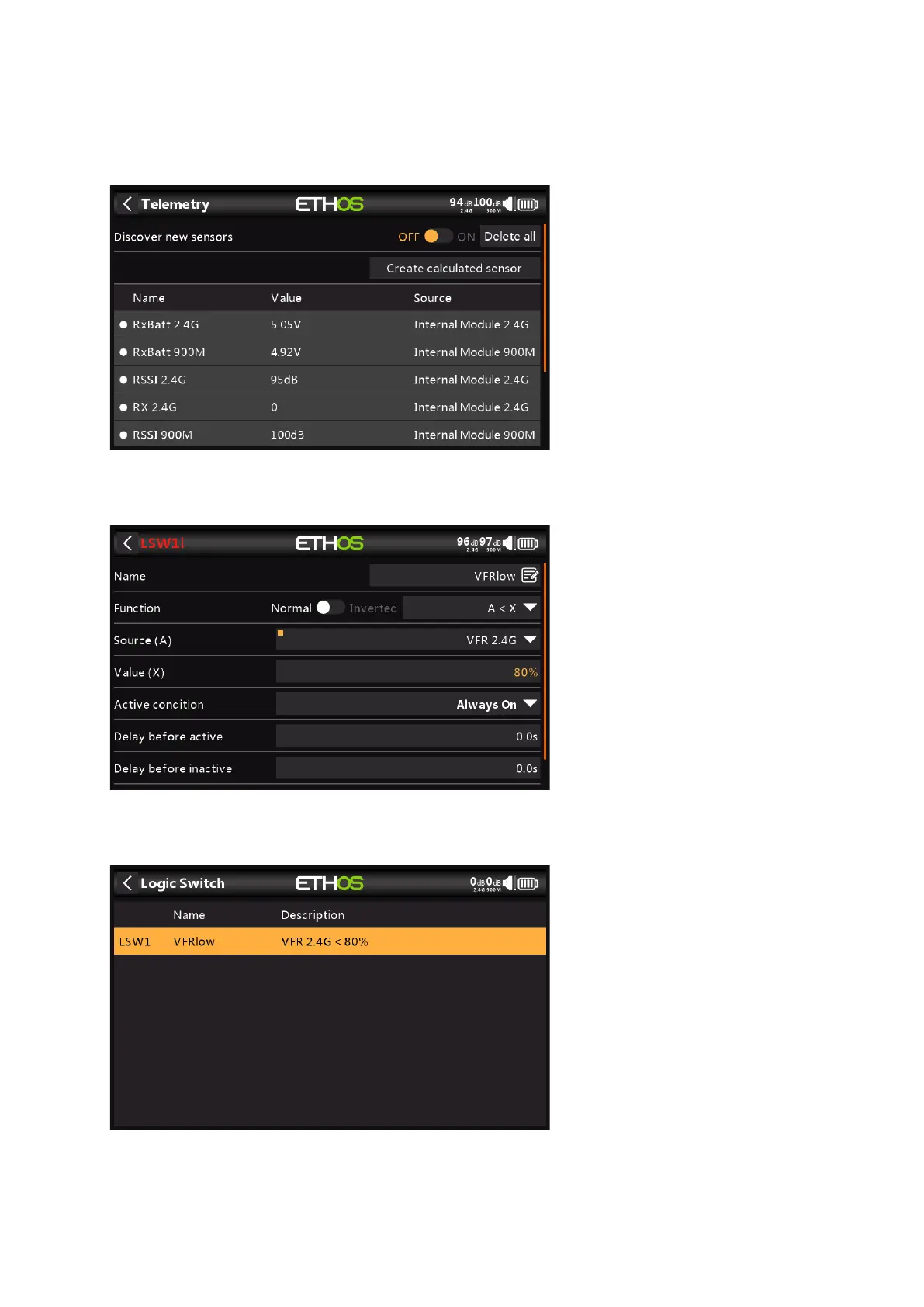
a) Enable the 'Discover new sensors' option in Model / Telemetry. You should see sensors
similar to the example above, including VFR.
b) Tap on the '+' in Model / Logical Switches to add a Logical Switch.
c) Configure the Logical Switch to become True when VFR drops below say 80%.
d) The completed Logical Switch is shown above.



 To Next Page