X20/X20S and Ethos v1.0.11 User Manual
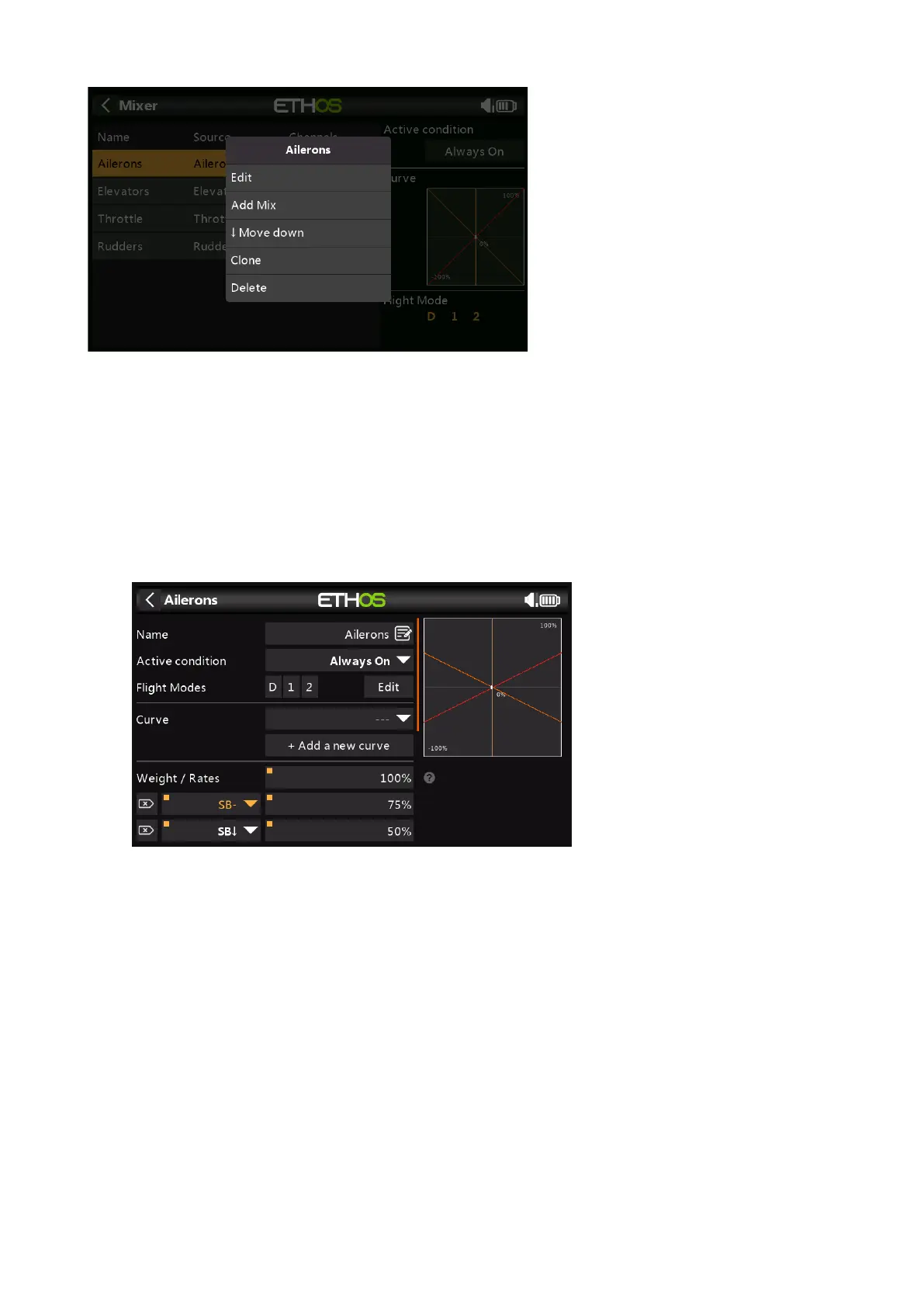
There is one mix line for each control/mix and a graphic display for that mix. To edit a mixer
line, touch the mixer and touch again for the popup menu, then select Edit.
Please note that inactive mixer lines are shown greyed out, to assist in debugging.
The radio asks for confirmation before deleting a mix, in case of inadvertent selection.
Aileron, Elevator, Rudder Mixer
We will use the Ailerons as an example, but the Elevator and Rudder mixes are very similar.
Name
Ailerons has been filled in as the default name, but it can be changed.
Active Condition
The default active condition is ‘Always On’, which is appropriate for Ailerons. It may be
made conditional by choosing from switch or button positions, function switches, logic
switches, a system event such as throttle cut or hold, or trim positions.
Flight Modes
If any flight modes have been defined, the mix can be made conditional to one or more
flight modes. Click on ‘Edit’ and check the boxes for the flight modes in which this mixer
line must be active.



 To Next Page