X20/X20S and Ethos v1.0.11 User Manual
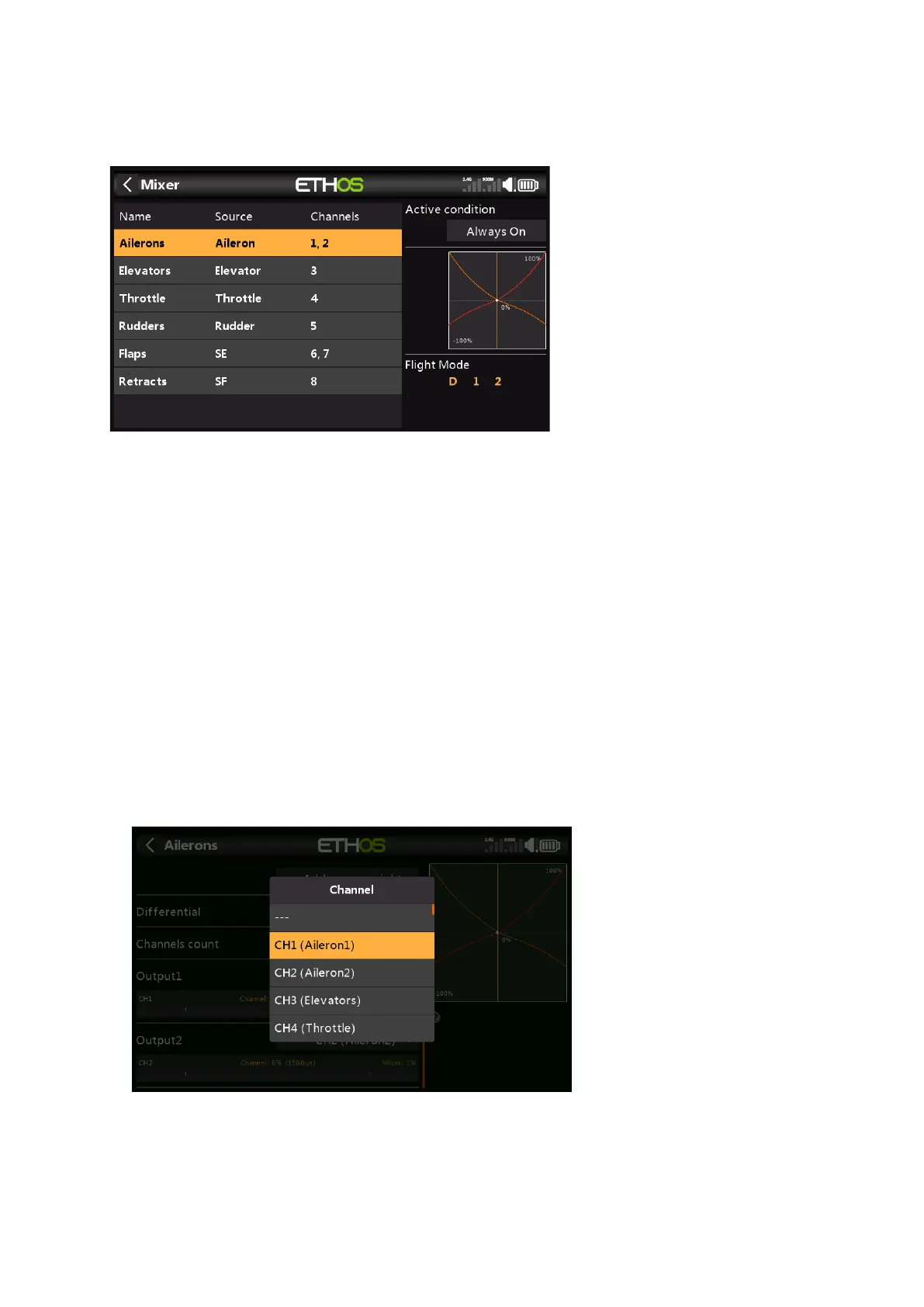
5. How to reorder channels e.g. for SR8/SR10
You may wish to convert an existing model for use with an FrSky stabilized receiver. This
might involve re-ordering the channels.
Your current model may have a channel order of AAETRFF.
CH1 Aileron1 (Right)
CH2 Aileron2 (Left)
CH3 Elevator
CH4 Throttle
CH5 Rudder
CH6 Flap1 (Right)
CH7 Flap2 (Left)
CH8 Retracts.
The FrSky stabilized receivers have a defined channel order AETRAE as follows:
CH1 Aileron (Left)
CH2 Elevator
CH3 Throttle
CH4 Rudder
CH5 Aileron2 (Right)
CH6 Elevator2
1. Change CH1 (Aileron1) to CH9
First we move CH1 (Aileron1) out of the way.
a) Go to Model / Mixers, and tap on CH1 (Aileron1) to highlight it.
b) Tap again, and select Edit from the popup dialog.
c) Scroll down to Output1, and tap on CH1, then select CH9.



 To Next Page