X20/X20S and Ethos v1.0.11 User Manual
'How To' section
1. How to set up a low battery voltage warning
In this age of telemetry, a better battery management approach is to monitor the battery
voltage under load, and raise an alert when the voltage drops below the chosen threshold.
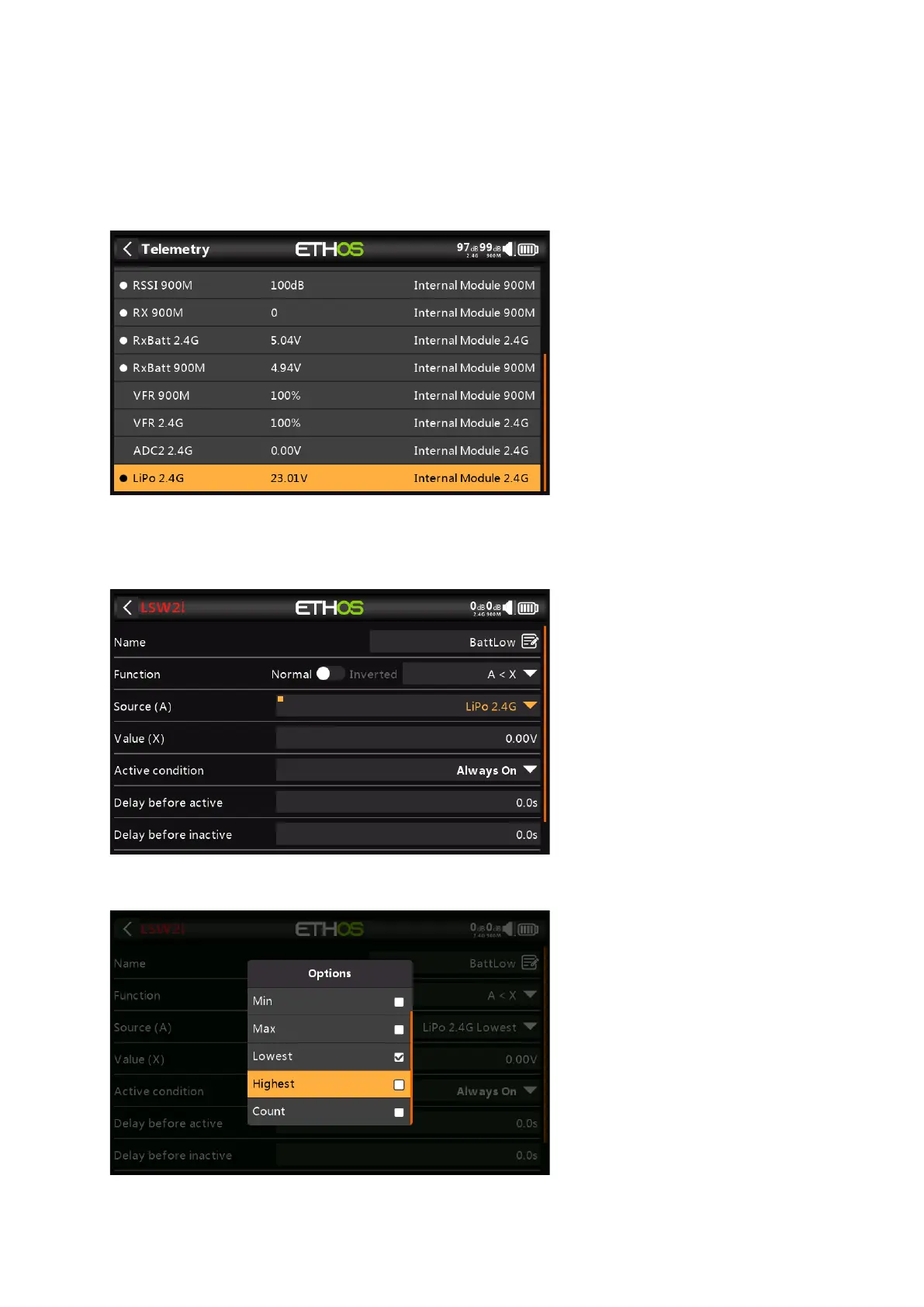
For this a battery voltage sensor such as the FrSky FLVSS can be used.
Connect the FLVSS to your receiver via an S.Port cable, and enable the 'Discover new
sensors' option in Model / Telemetry. The additional LiPo sensor is shown in the example
above.
Add a new Logical Switch and select the Lipo sensor as the Source.



 To Next Page