X20/X20S and Ethos v1.0.11 User Manual
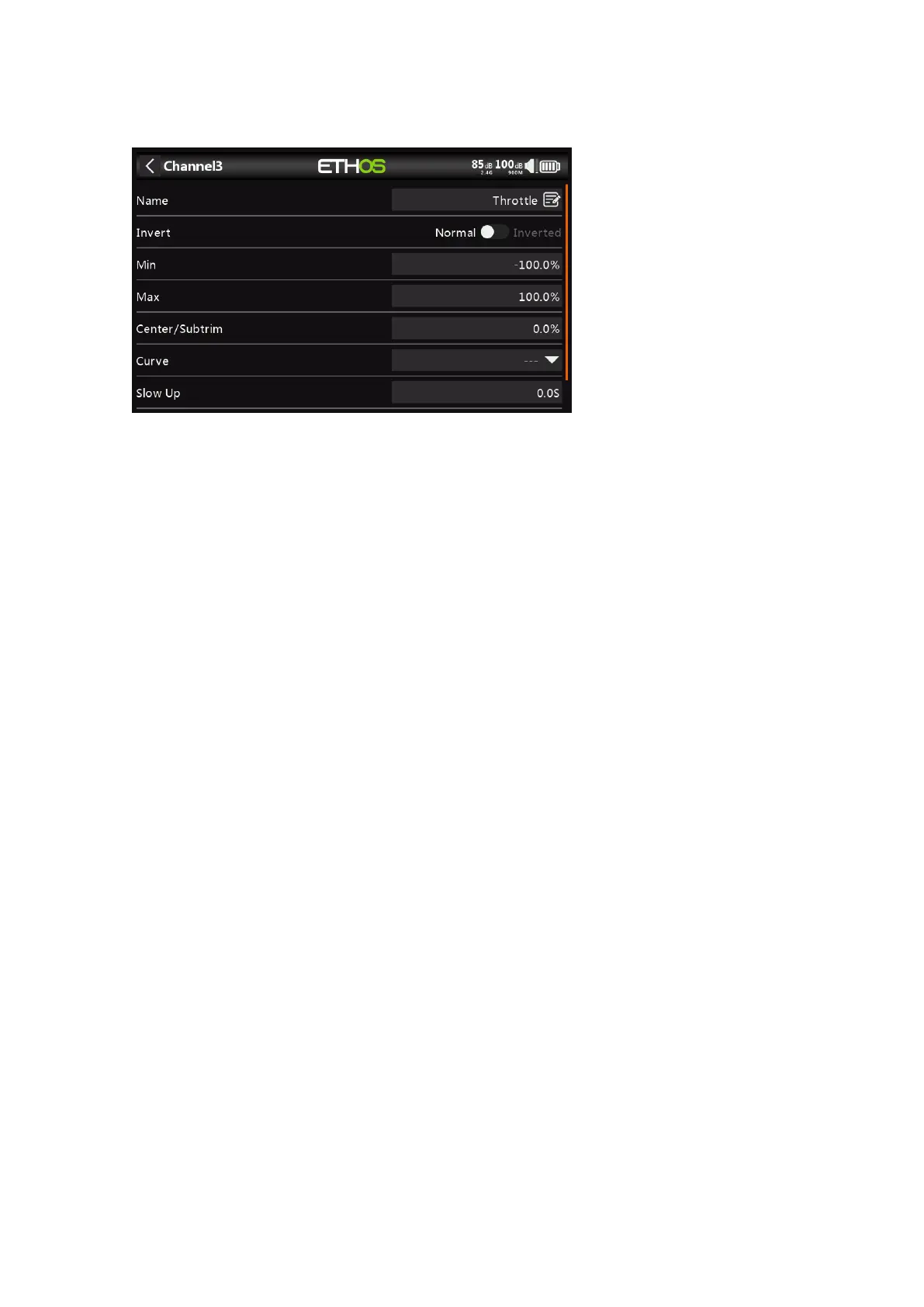
Outputs Setup
Tap on the Output channel to be edited or reviewed.
Name
The name can be edited.
Invert
Will Invert the channel output, typically to reverse servo direction.
Min/Max
The Channel min and max settings are ‘hard’ limits, i.e. they will never be overridden.
They should be set to avoid mechanical binding. Note that they serve as gain or ‘end
point’ settings, so reducing these limits will reduce throw rather than induce clipping.
Note that the limits default to +/- 100.0%, but may be increased here to +/- 150.0%.
Center/Subtrim
Used to introduce an offset on the output, typically used to center a servo arm.
Curve
Allows you to select an Expo or custom curve to condition the output. The popup allows
to to either select an existing curve, or to add a new curve. After configuring the curve,
an Edit button is added so that you can edit the curve easily.
Curves are a quicker and more flexible way of configuring the center and min/max limits
of the outputs, and you get a nice graphic. Use a 3-point curve for most outputs, but use
a 5-point curve for things such as the second aileron and flap, so you can synchronize
the travel at 5 points. When using a curve it is good practice to leave Min, Max and
Subtrim at their 'pass thru' values of -100, 100 and 0 respectively (or -150, 150 and 0 if
using extended limits).
Slow Up/Down
Response of the output can be slowed down with regard to the input change. Slow could
for example be used to slow retracts that are actuated by a normal proportional servo.
The value is time in seconds that the output will take to cover the -100 to +100% range.
Delay
Please note that a delay function is available under Logic Switches.



 To Next Page