X20/X20S and Ethos v1.0.11 User Manual
Flight Modes
Flight modes bring incredible flexibility to a model setup, because they allow models to be set
up for switch selectable specific tasks or flight behavior. For example, gliders may be set up to
have switch selectable modes such as Launch, Cruise, Speed and Thermal. Power planes may
have flight modes for Normal precision flying, Take Off, and Landing with either half or full
flaps deployed. Helicopters have modes such as Normal for spool up and take off/landing, Idle
Up 1 for aerobatic flying, and Idle Up 2 for perhaps 3D.
Flight modes remove much of the switching and trimming burden from the pilot.
The great power of flight modes is that they support independent trims and mixer Variables,
and can also be used to enable Mixer lines. Together, these features allow for great flexibility.
Please refer to the Tutorial section to see examples of these features applied.
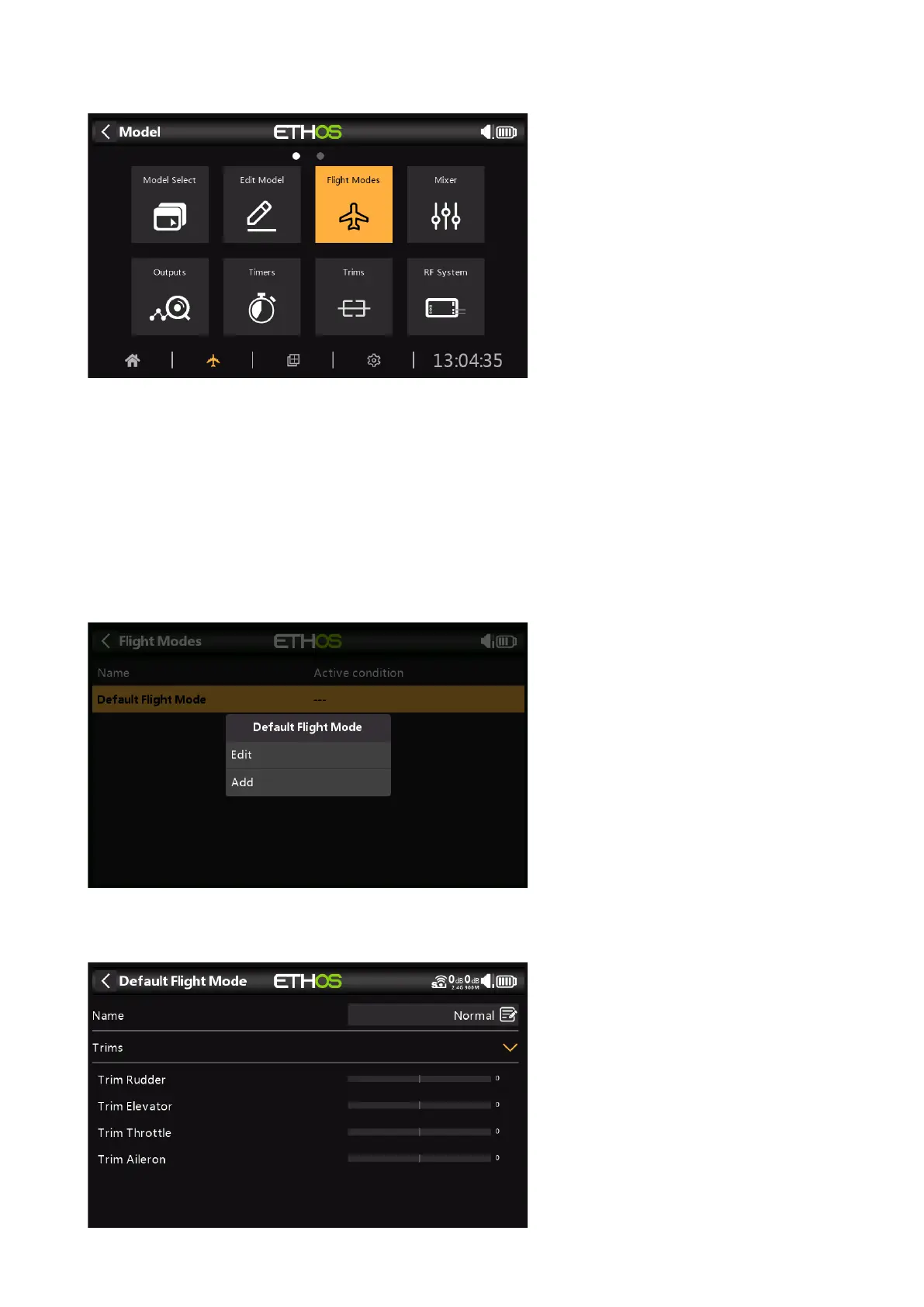
There are no default flight modes defined. Tap on the default flight mode, and select Edit if you
wish to rename it, otherwise select Add to define a new flight mode.



 To Next Page