X20/X20S and Ethos v1.0.11 User Manual
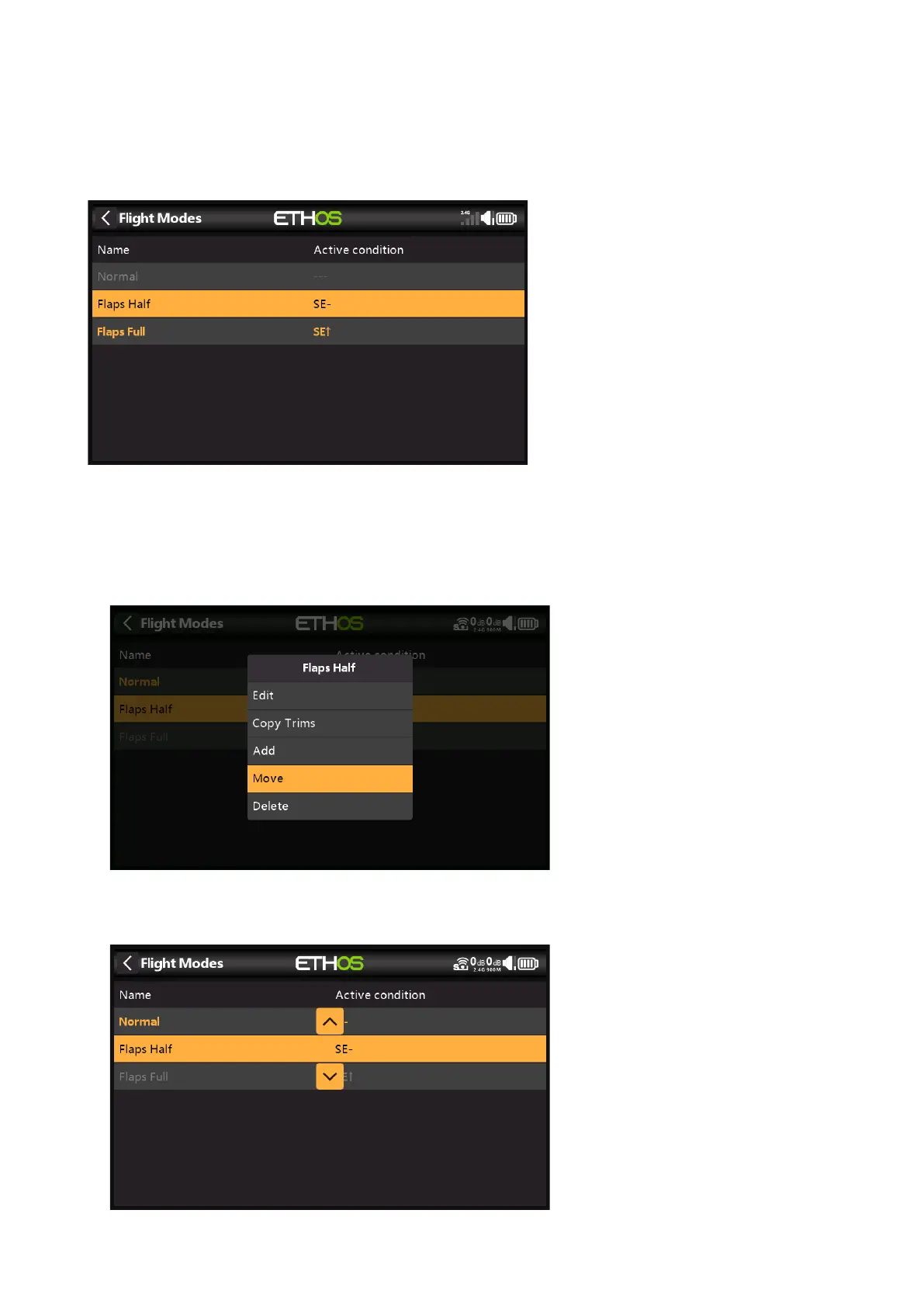
You can name each flight mode, and define its active condition, which can be a switch or
button position, a function or logic switch, a system event such as throttle cut or hold, or a
trim position. Note that the default flight mode does not have an active condition parameter,
because this is the flight mode that is always active when no other flight mode is active. The
first flight mode that has its switch ON is the active one.
Once programed the flight mode selections are displayed in the mixers. Up to 100 flight modes
can be programmed. Like most functions in ETHOS the user can program descriptive text
Flight Mode names such as Cruise, Speed, Thermal or Normal, Take Off, Landing.
Flight Mode Management
Tap on a flight mode to bring up a menu which allows you to edit, copy trims, add a new
flight mode or delete flight modes.



 To Next Page