X20/X20S and Ethos v1.0.11 User Manual
3. How to set up a battery capacity warning using a calculated sensor
This is another example of monitoring battery usage by measuring the energy or mAh
consumed, so that the remaining battery capacity can be calculated. If your ESC does not
have this capability, a current sensor such as the FrSky FASxxx series may be used with a
calculated Consumption sensor.
Connect the telemetry port of the FASxxx current sensor to your receiver via an S.Port
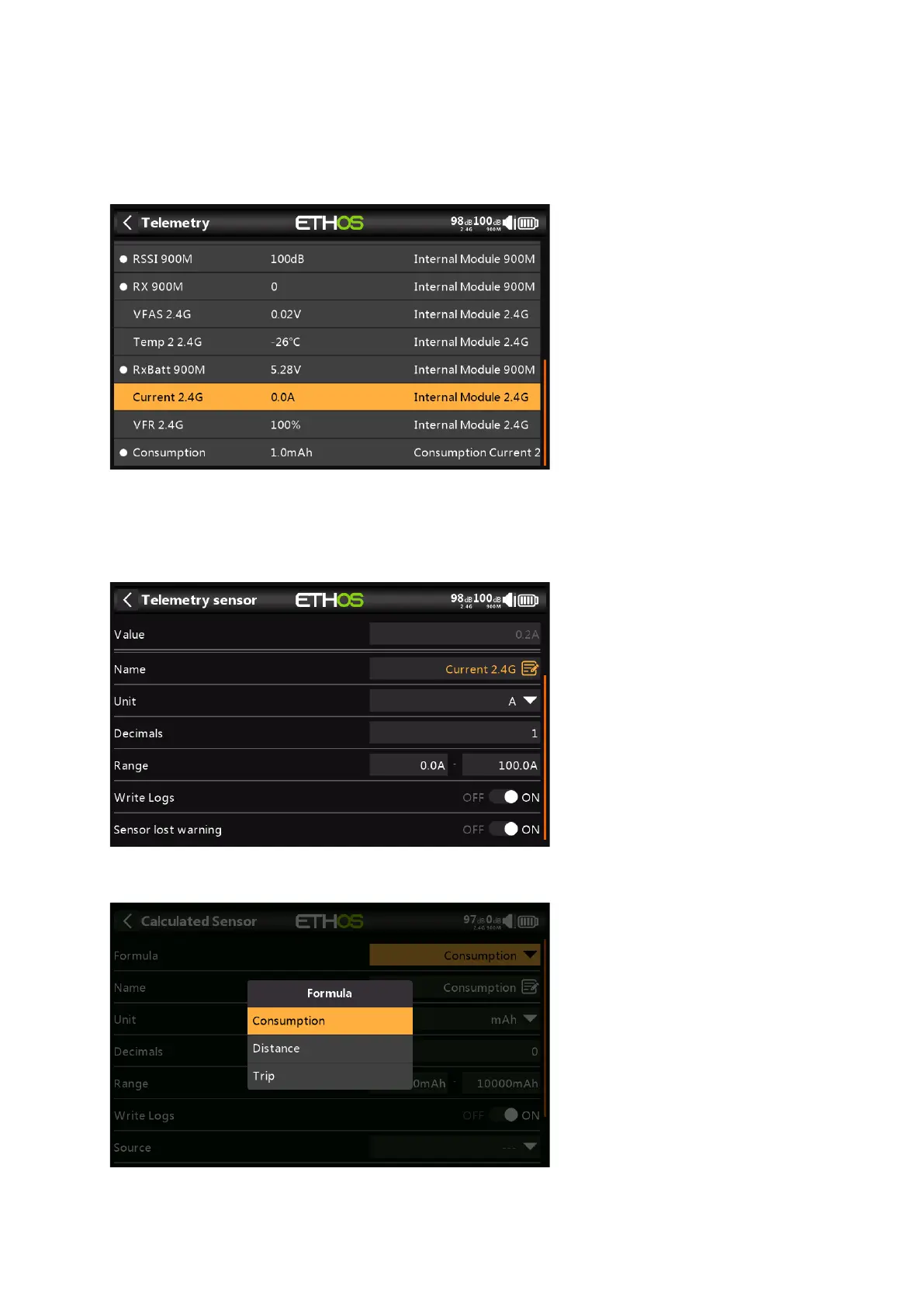
cable, and enable the 'Discover new sensors' option in Model / Telemetry. The additional
sensors are shown in the example above. (The Consumption calculated sensor is added
below).
In this example a FAS100 was used, so the Range is set to 0-100A.
In Telemetry click on 'Create Calculated Sensor' and select 'Consumption' from the popup
dialog.



 To Next Page