X20/X20S and Ethos v1.0.11 User Manual
Predefined Mixes
Free Mix
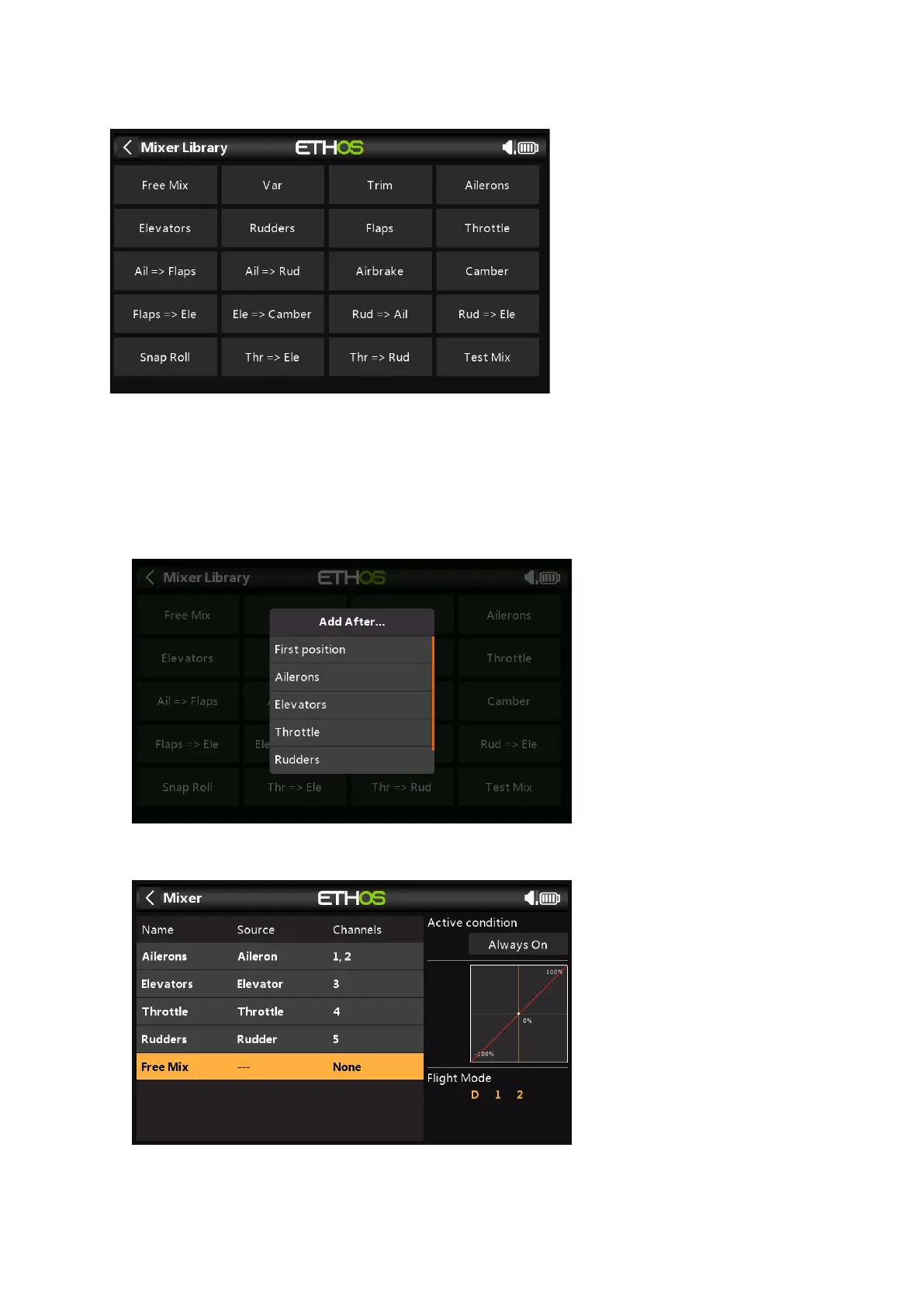
The Mixer function can best be described by making use of a Free Mix, which we will add
to the above mixes for illustration purposes. Tap on any Mixer line, and select ‘Add Mix’
from the popup menu to add a new mixer line.
Select Free Mix from the list of available predefined mixes in the Mixer Library.
Next the position for the new mixer line must be chosen, in this example after ‘Rudders’.
Tap on ‘Free Mix’ to bring up the edit sub-menu.



 To Next Page