X20/X20S and Ethos v1.0.11 User Manual
During >= '0.0s
During is in two parts [t1:t2]. With t1 of During a positive value (say 3.0s) and
t2= '---' (Falling Edge), the logic switch becomes True (for the period specified
in 'Duration') when the 'Trigger On Condition' transitions from True to False,
having been True for at least 3 seconds.
Pulse option
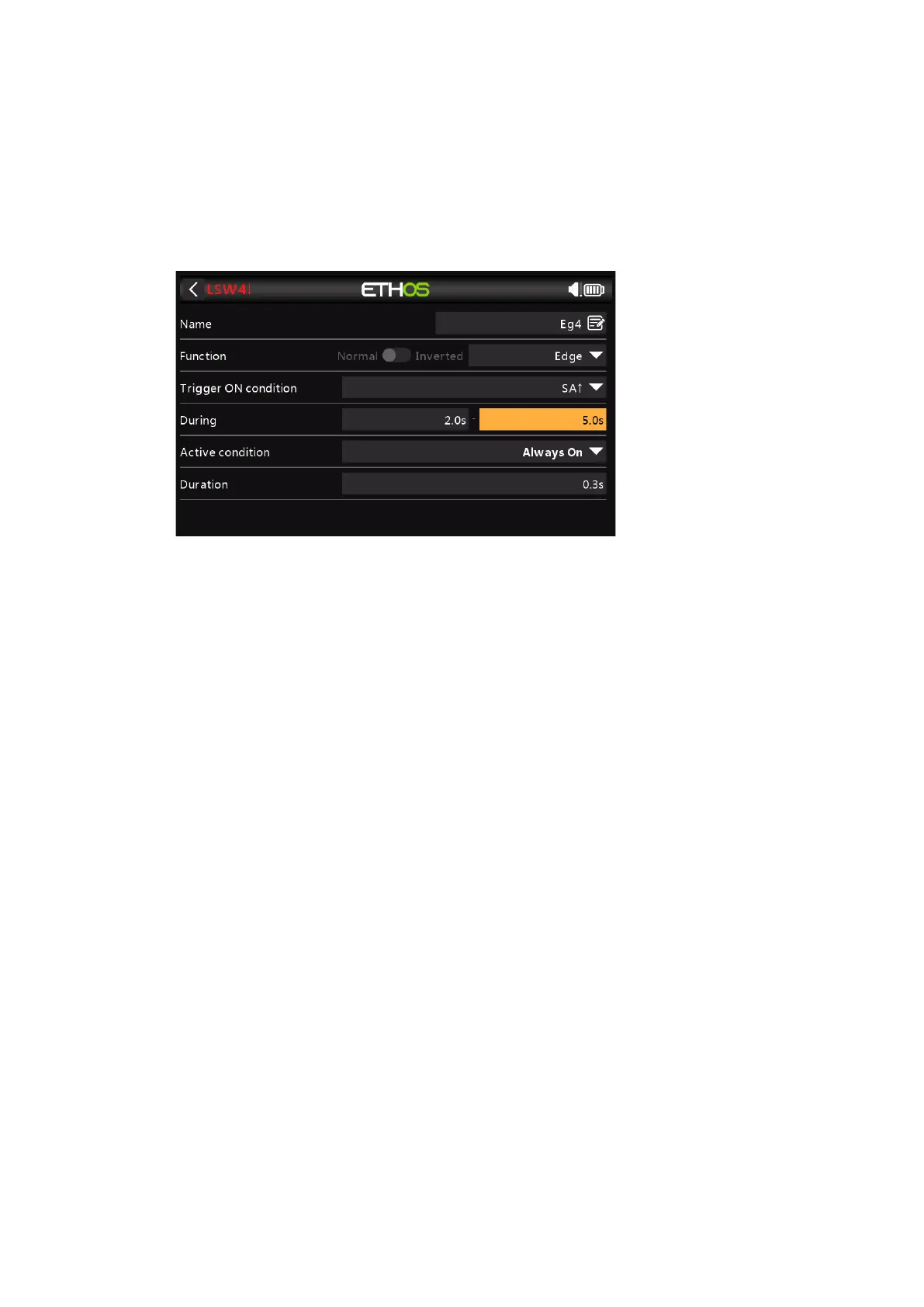
During is in two parts [t1:t2]; if values are entered for both t1 and t2, then a pulse
is needed to trigger the logic switch.
In the example above the logic switch will become True for the 'Duration' period if
the 'Trigger On Condition' goes from False to True, and then goes from True to
False after at least 2 seconds but no later than 5 seconds.
Logic Switches – Shared Parameters
The Logic Switches all have a number of shared parameters:
Active Condition
The Logic Switches can be gated by the optional ‘Active Condition’ parameter. This
means that if the ‘Active Condition’ is True, then the Logical Switch output follows the
Function's condition. However, if the ‘Active Condition’ is False, then the Logical Switch
output is also held False.
Note that the Sticky function continues to operate, even if its output is gated by the
‘Active Condition’ switch. As soon as the ‘Active Condition’ switch condition becomes True
again, the Function's condition is switched through to the Logic Switch output.
Delay before active
This value determines the time for which the Logic Switch conditions have to be True
before the Logic Switch output becomes True. (Not relevant to Timer Generator and
Edge.)
Delay before inactive
Similarly, this value determines the time for which the Logic Switch conditions have to be
False before the Logic Switch output becomes False. (Not relevant to Timer Generator
and Edge.)
Min Duration
Once the Logic Switch becomes True, it will remain True for the duration specified. If the
duration is the default 0.0s, the logic switch will only become True for one mixer
processing cycle, which is too short to see, so the LSW line will not go bold.



 To Next Page