X20/X20S and Ethos v1.0.11 User Manual
Step 9. Add a mix for retracts
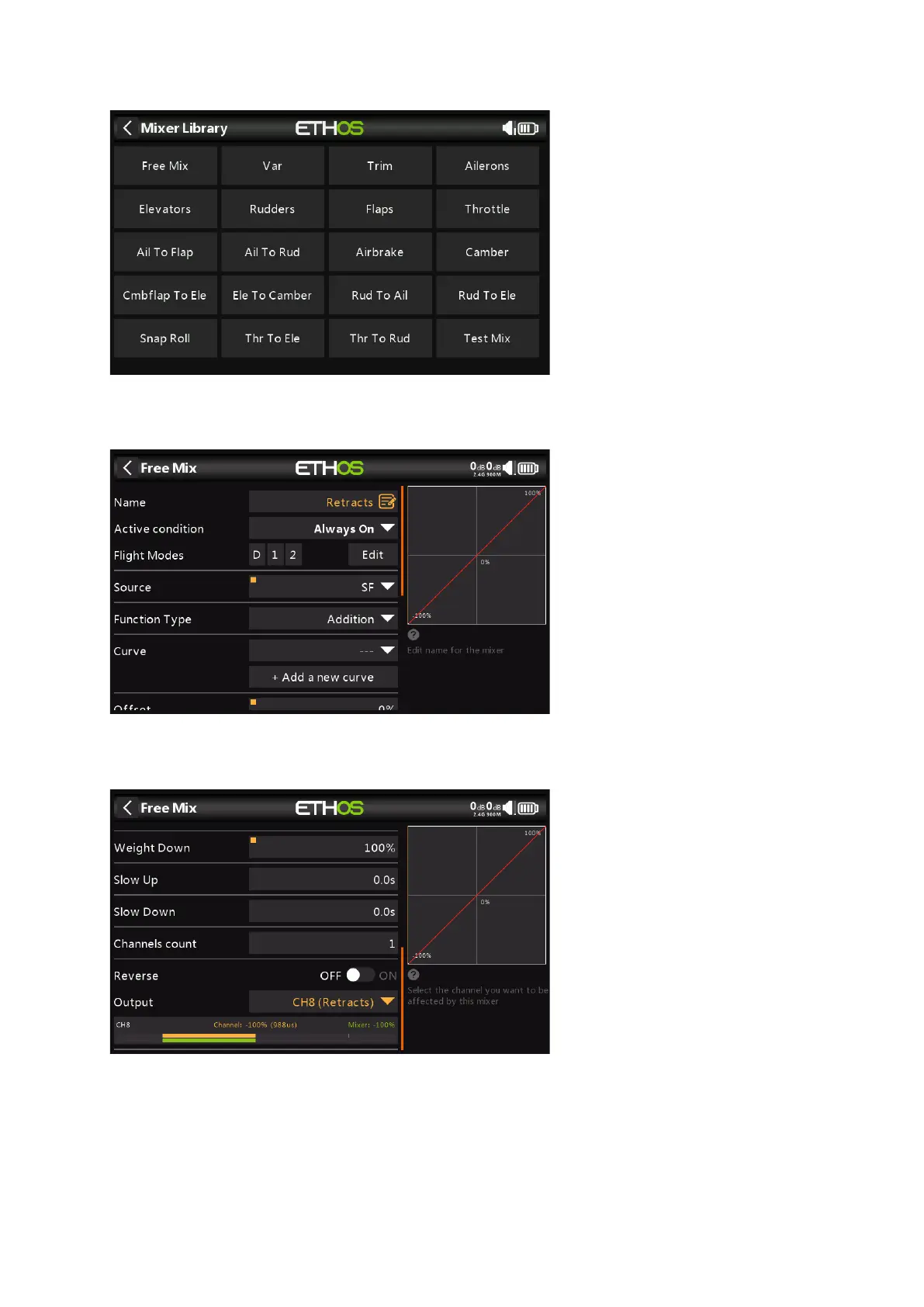
Tap on a mixer line and select 'Add Mix' from the popup menu. This will open the Mixer
Library. Select 'Free Mix'.
For this example name the Free Mix as 'Retracts'. The mix can always be on, and the Source
can be switch SF.
The lower half of the Free Mix settings shows that channel 8 has been allocated to the
retracts.



 To Next Page