X20/X20S and Ethos v1.0.11 User Manual
6.How to configure a Butterfly mix
For this example it will be assumed that a Butterfly mix is to be added to a glider, which
typically uses the throttle stick for braking. You may want to configure the mix so that no
butterfly is added with the throttle up, and progressively butterfly increases as the stick is
moved down. You probably also want elevator compensation using a curve because the
response is non-linear.
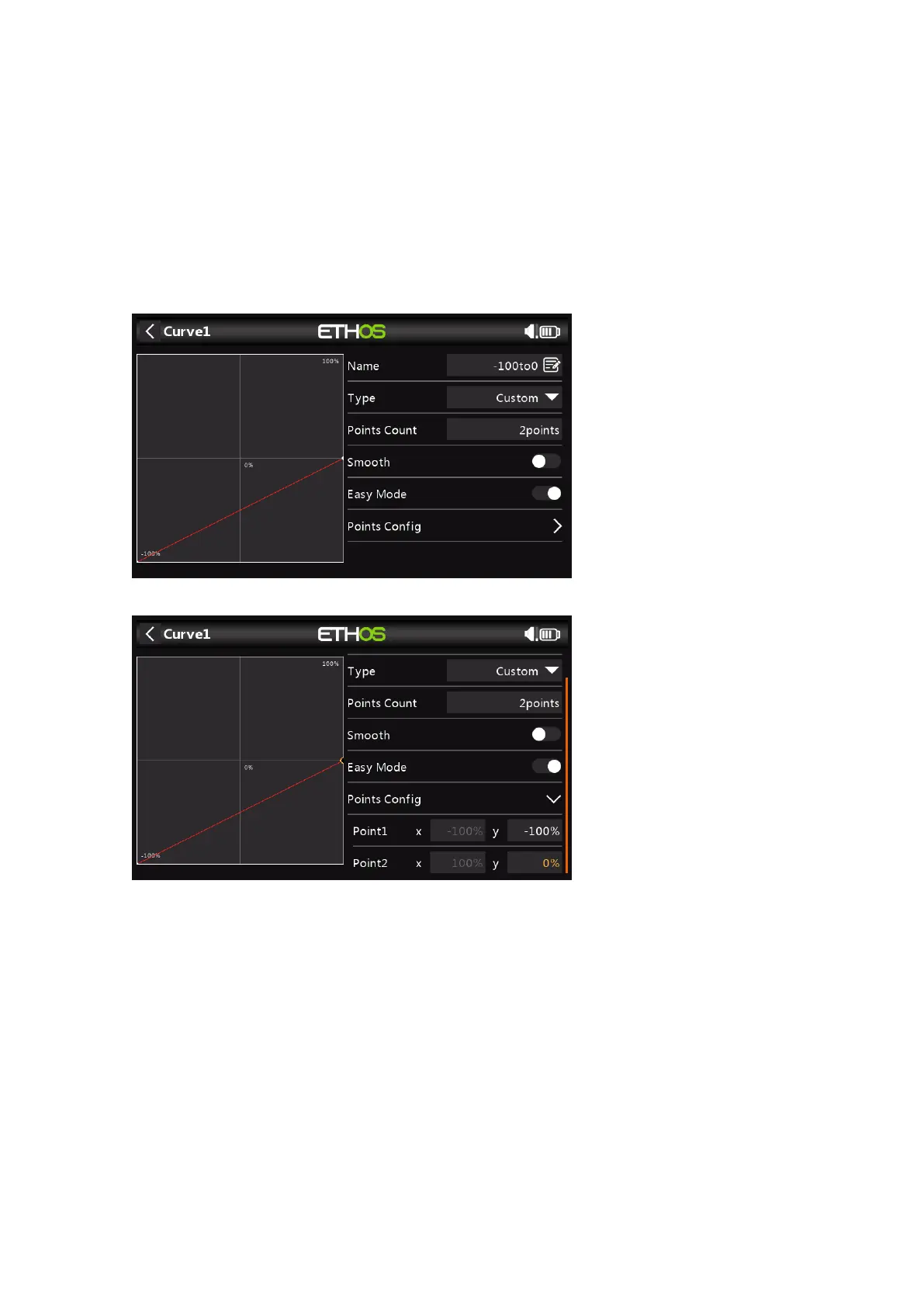
1. Use a curve to convert the slider to a -100 to 0 range
To do this a curve may be used to convert the -100 to +100 range coming from the
slider
Name the curve -100to0.
We need a 2 point custom curve with endpoints of (-100%, -100%) and (+100%, 0%).
2. Add the Butterfly mix



 To Next Page