X20/X20S and Ethos v1.0.11 User Manual
Selecting a Model
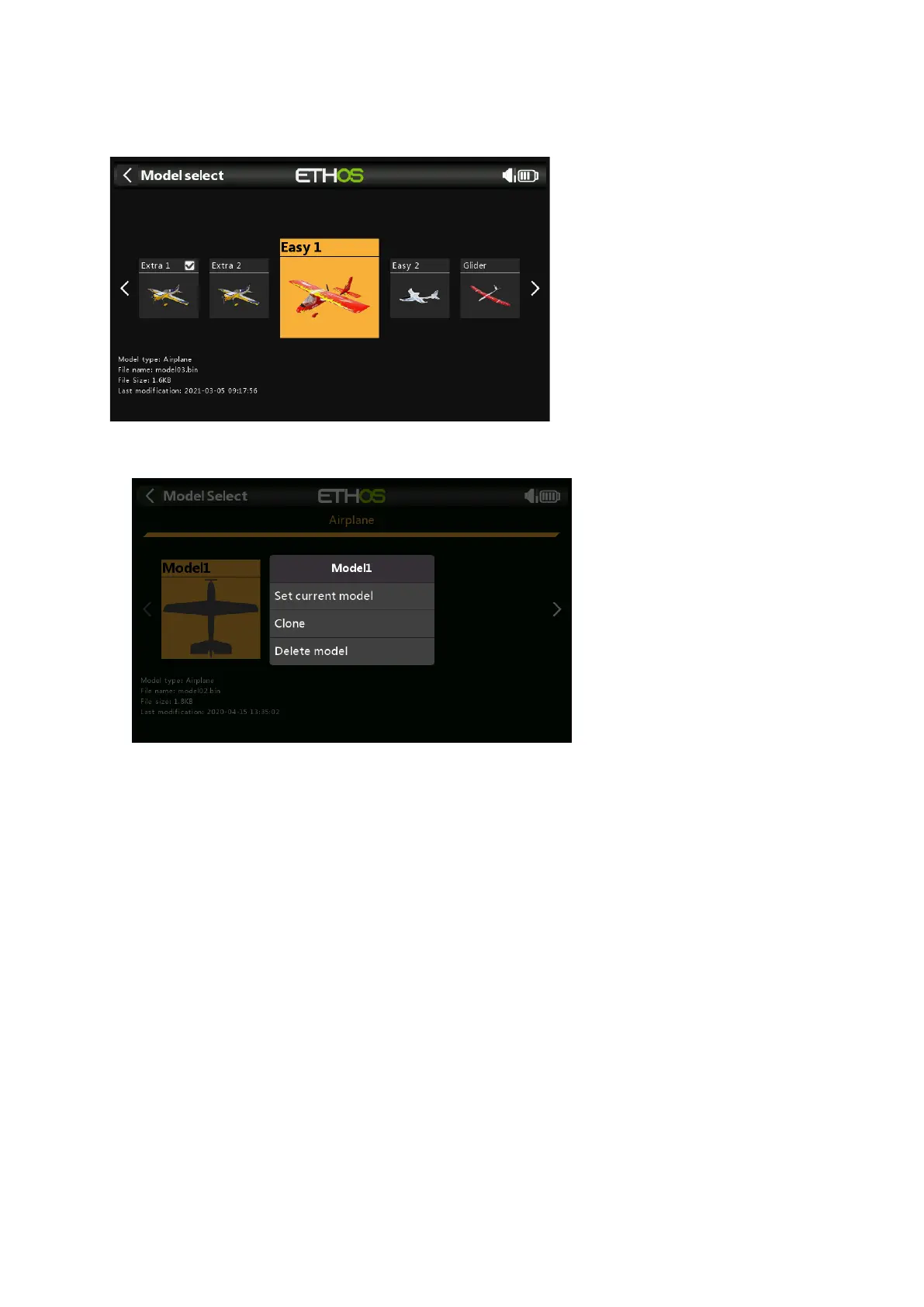
Tap on ‘Model select’ to bring up a list of your models. Detailed info of the model is shown
below the icon: the model type, name, model file size and the last modification time stamp.
Tap on a model to select it, then tap on it again to bring up the model management menu.
Model Management Menu
The model management menu allows you to make the selected model the current model.
You can also Clone the model, which will duplicate the model. Alternatively, you can
Delete the model. Note that the Delete option only appears if the selected model is not
the current model.



 To Next Page