X20/X20S and Ethos v1.0.11 User Manual
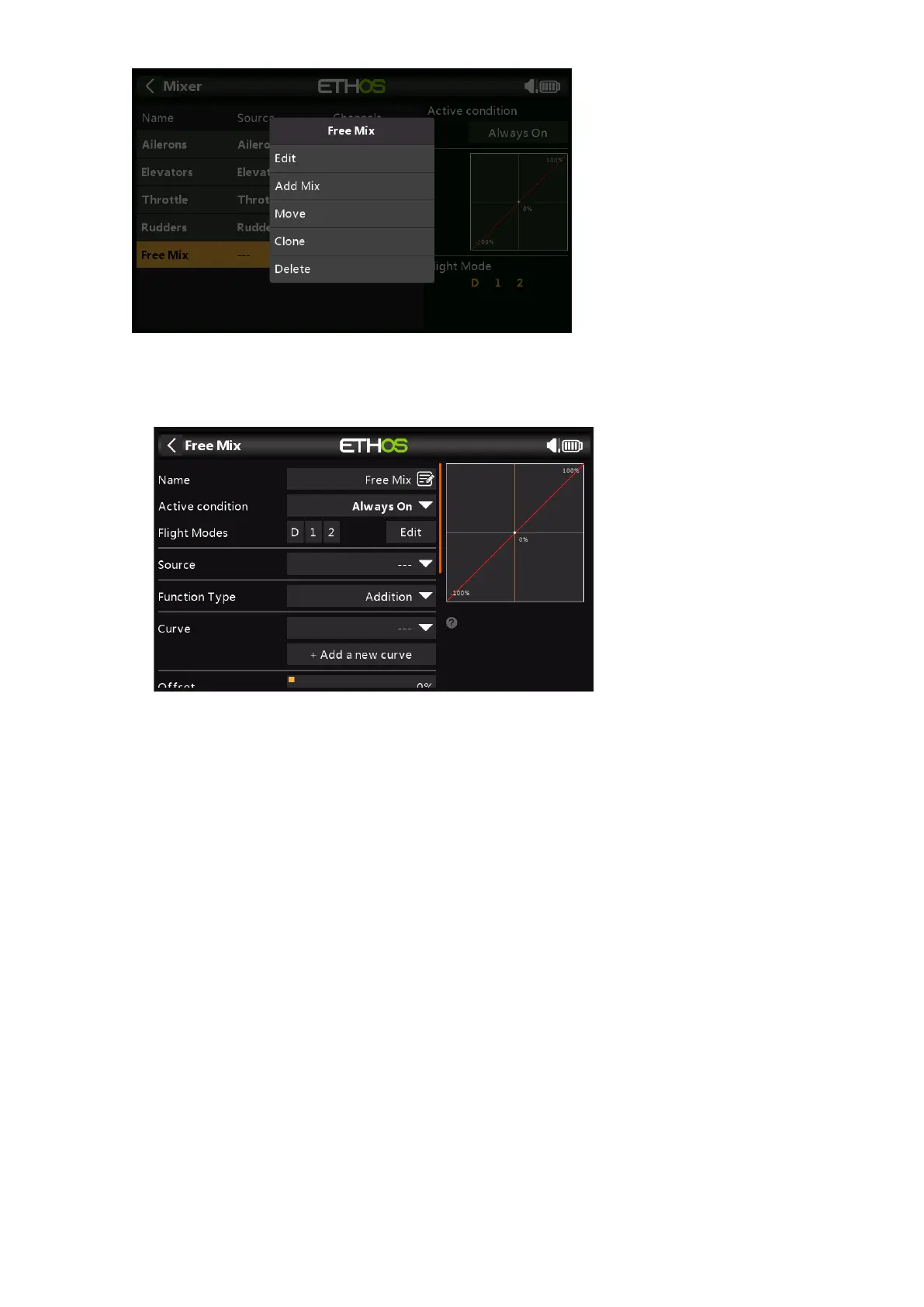
Select Edit to open a new screen showing the detailed parameters for the ‘Free Mix’. The
graph display on the right will display the mixer output, and the effect of any setting
changes that are made.
Name
A descriptive name can be entered for the Free Mix.
Active Condition
The default active condition is ‘Always On’. It may be made conditional by choosing
from switch or button positions, function switches, logic switches, a system event such
as throttle cut or hold, or trim positions.
Flight Modes
If any flight modes have been defined, the mix can be made conditional to one or
more flight modes. Click on ‘Edit’ and check the boxes for the flight modes in which
this mixer line must be active.
Source
The source or input to this mix can be chosen from:
a) analog inputs such as the sticks, pots and sliders
b) the toggle switches or buttons
c) any defined logic switches
d) the trim switches
e) any defined channels
f) a gyro axis
g) a trainer channel
h) a timer
i) a telemetry sensor
j) a system value (e.g. main radio voltage or RTC battery voltage)



 To Next Page