X20/X20S and Ethos v1.0.11 User Manual
Curve
A standard curve option is Expo, which by default has a value of 0, which means the
response is linear (i.e. no curve). A positive value will soften the response around 0,
while a negative value will sharpen the response.
Any previously defined curve may also be selected. The mixer output will then modified
by this curve. Alternatively, a new curve may be added.
Weight / Rates
Multiple rates can be defined, subject to a switch position, function switch, logic switch,
trim position or flight mode. A line is added for each rate. The default rate (i.e. first rates
line) is active when none of the other rates are active. There is a small cross inside an
arrow on the left of defined rates that can be used to delete a rates line. In the example
above three rates have been set up on switch SB.
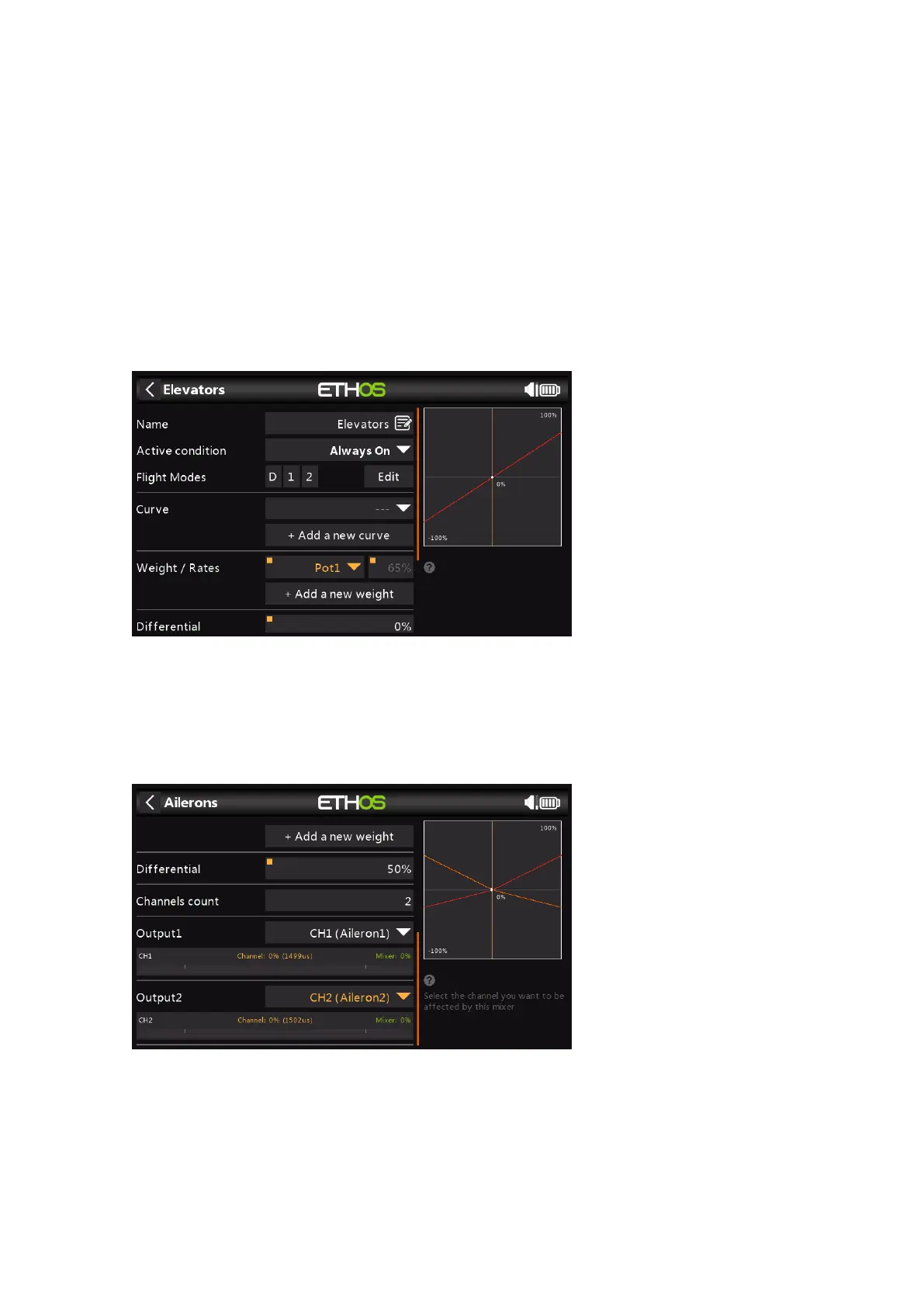
In this example a long press on Enter brought up the dialog to select a source instead of
the default fixed value, in this case Pot1 was selected. The graph on the right shows that
the pot is at 65%, so this would be the weight for the Aileron Rates, but adjustable in
flight.
Differential
On Ailerons differential (typically more up aileron travel than down) is utilized to reduce
adverse yaw and to improve turning/ handling characteristics. A positive value will result
in the ailerons having less downward travel, as can be seen in the graph above. (Default
= 0. Range -100 to +100). On Elevator differential may be used for planes wanting less
down than up elevator, typically in racing situations.



 To Next Page