X20/X20S and Ethos v1.0.11 User Manual
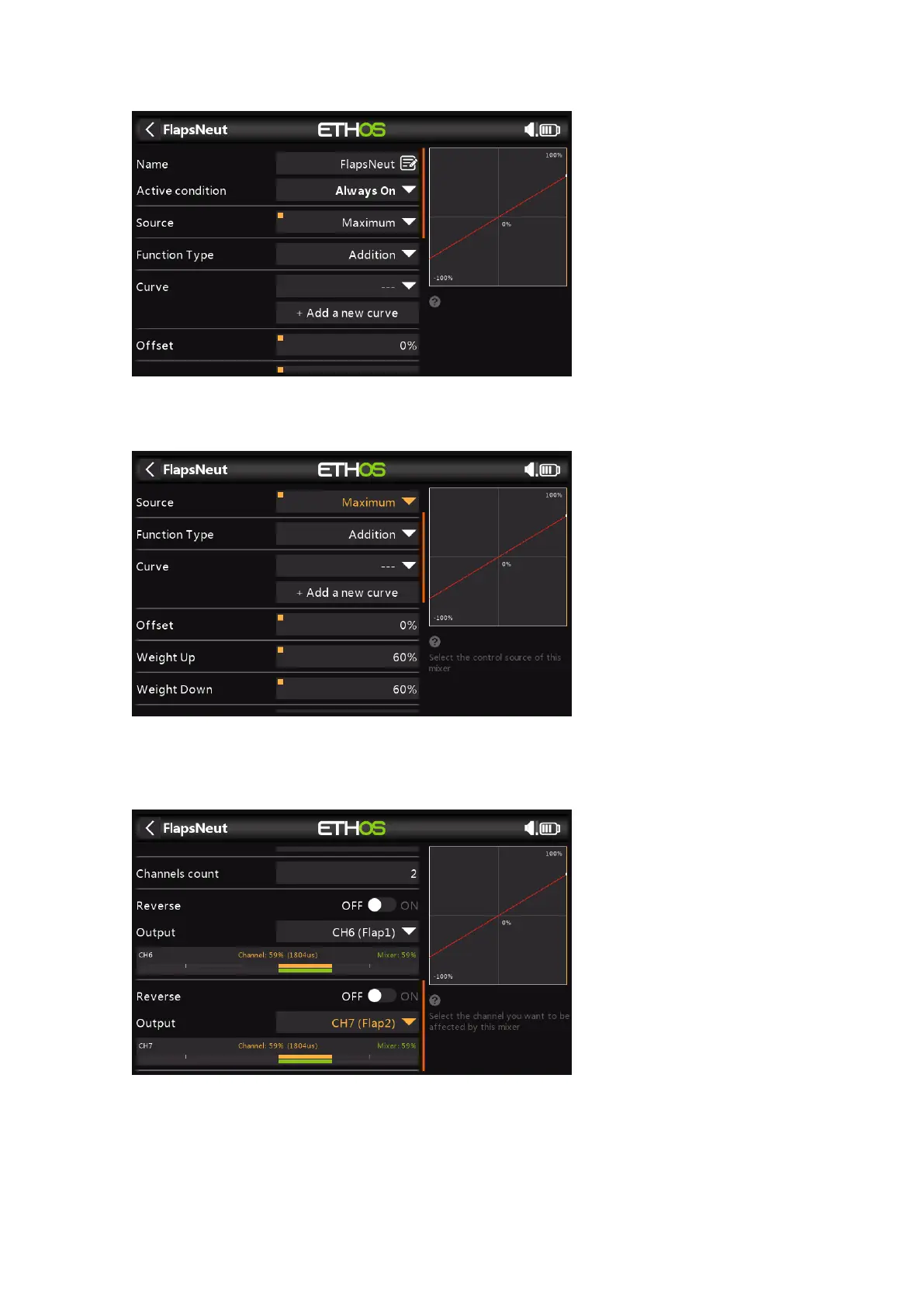
3. Add a 'Flaps Neutral' offset mix
Add a Free Mix and set the source to Maximum. In the current version of Ethos, this mix
must be inserted before any other mixes that act on the flaps channels.
Set the Weights so that the flaps are brought up to their neutral position with the
Butterfly mix off, i.e. the throttle stick up. In this example they are set to an indicative
60%.
Finally, set the 'Channels count' to 2, and the Outputs to your flaps channels. In this
example the flaps are on channels 6 and 7.
4. Add the Elevator compensation curve and mix



 To Next Page