X20/X20S and Ethos v1.0.11 User Manual
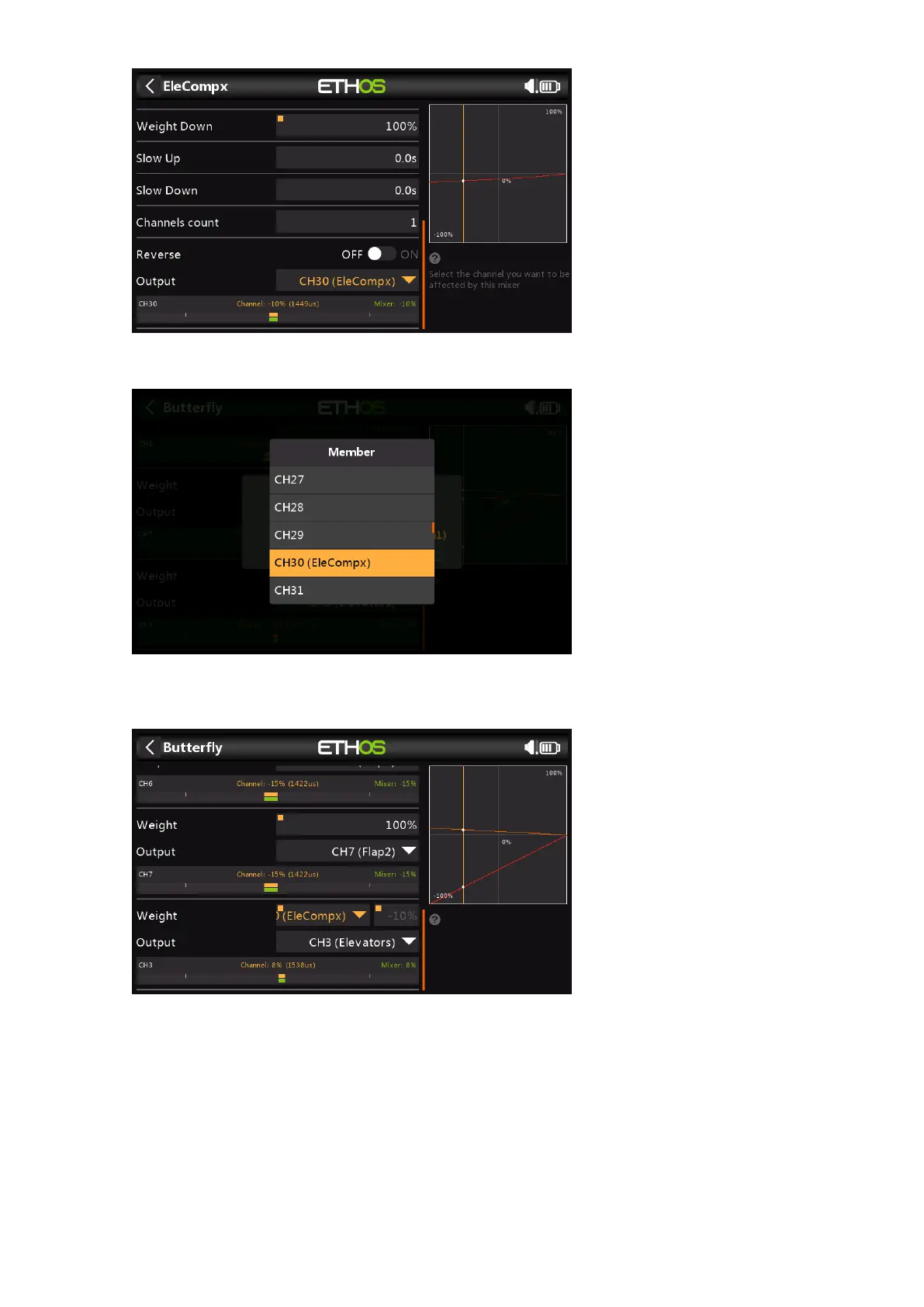
Finally assign the EleCompx mix output to a high channel such as CH30.
Now go back to the Butterfly mix, and long-press [ENT] on the Weight for the Elevator
Output, then select 'Use a source', and navigate to CH30 (EleCompx).
The Butterfly mix is now configured.



 To Previous Page