X20/X20S and Ethos v1.0.11 User Manual
Phase Two – Binding, and Module Options
Receiver binding enables a registered receiver to be bound to one of the transmitters
it has been registered with in phase 1, and will then respond to that transmitter until
re-bound to another transmitter. Be certain to perform a range check before flying the
model.
Receiver No: Confirm the receiver number the model is to operate under. Receiver
matching is still as important as it was before ACCESS. The receiver number defines
the behavior of the Smart Match function. This number is sent to the receiver during
binding, which will then only respond to the number it was bound to. The Model ID can
be changed manually.
Bind
Warning – Very Important
Do not perform the binding operation with an electric motor connected or an
internal combustion engine running.
1. Turn the receiver power off.
2. Confirm that you are in ACCESS mode.
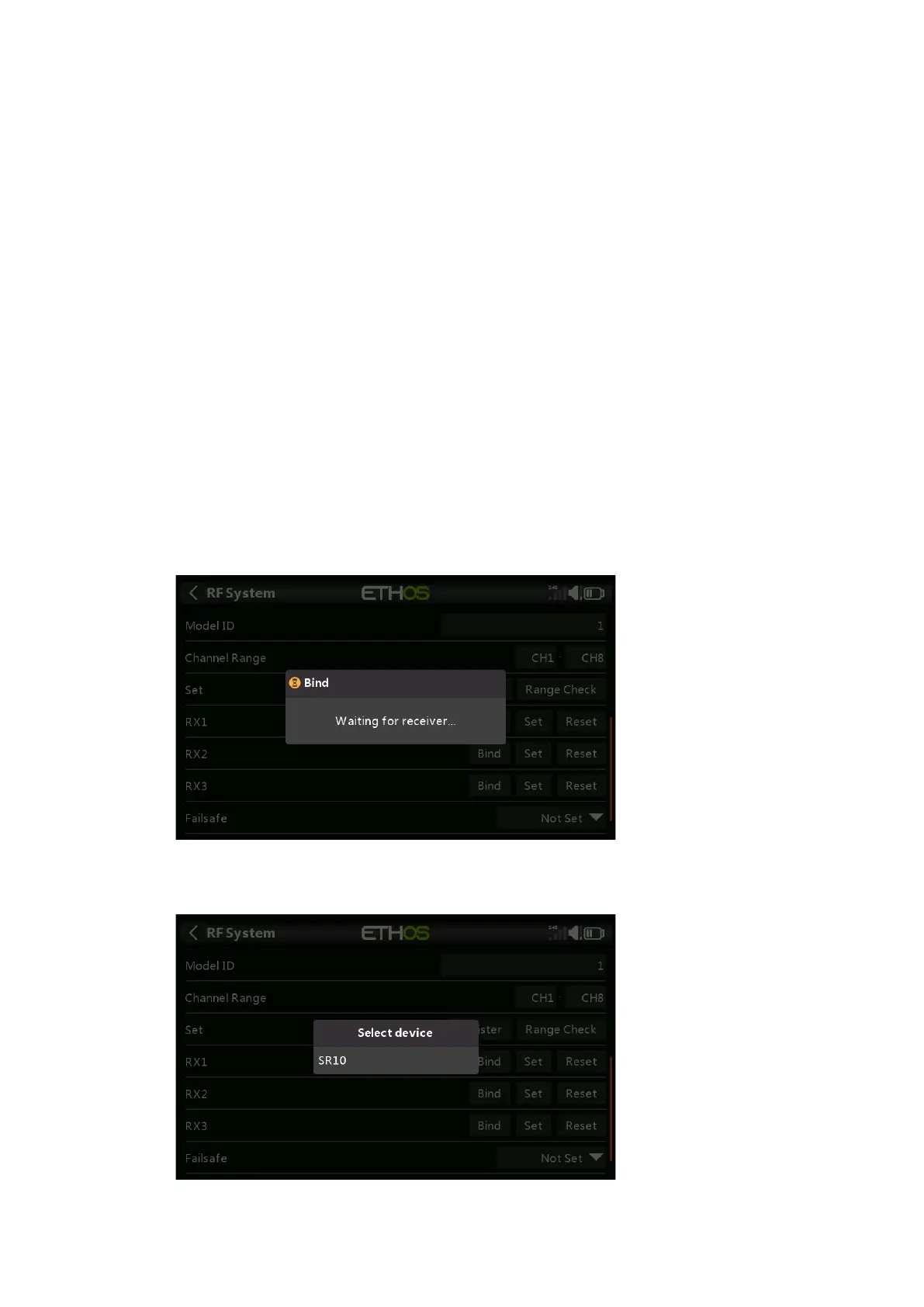
3. Receiver 1 [Bind]: Initiate the binding process by selecting [Bind]. A voice alert
will announce ‘Bind’ every few seconds to confirm that you are in bind mode. A
popup will display ‘Waiting for receiver….’.
4. Power up the receiver without touching the F/S bind button. A message box will
pop up 'Select device' and the name of the receiver you have just powered on.
5. Scroll to the receiver name and select it. A message box will pop up indicating
that binding was successful.



 To Next Page