X20/X20S and Ethos v1.0.11 User Manual
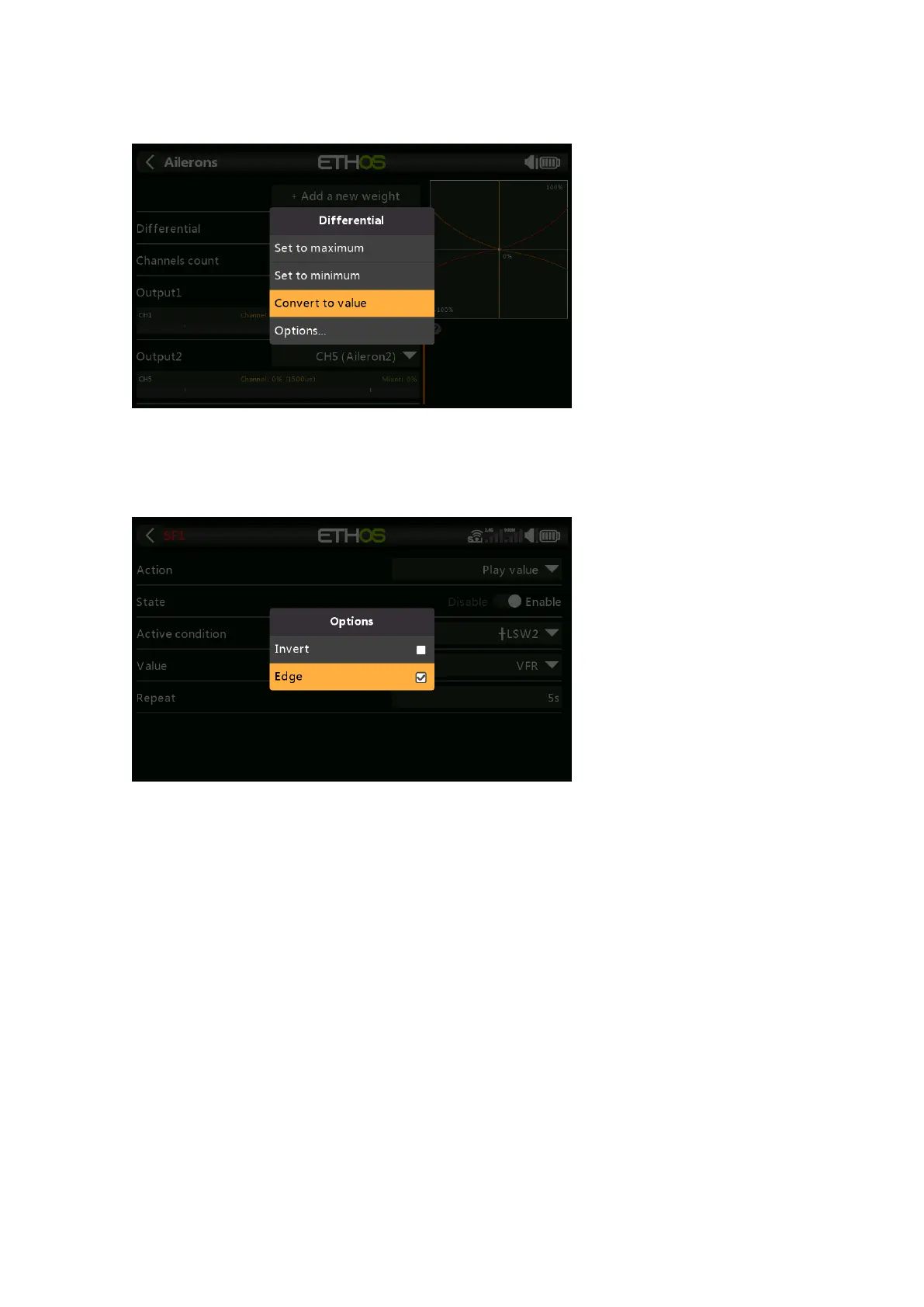
The Value Options dialog shows which parameter is being configured. In this example
you have the choice of setting the Weight/Rates to maximum or minimum, or to use a
source. Using a source like a Pot would allow the Weight/Rates to be adjusted in flight.
If you click on a Value field that has already been changed to use a source, a dialog pops
up allowing you to convert the source's current value to a fixed value. Clicking on
'Options' will bring up options for the source, see below.
Source Options
Invert
Invert allows a source such as a switch position to be negated or inverted. For
example instead of being active when switch SA is up, it would be active when switch
SA is NOT up, i.e. in either the mid or down positions.
Edge
You can select the 'Edge' option if you need a one-time action when the source
transitions from False to True. Only the transition is acted upon, not the True or False
state.
Please refer to the X20 and Ethos thread on rcgroups.com for more details and
discussion on the use of this new feature.



 To Next Page