X20/X20S and Ethos v1.0.11 User Manual
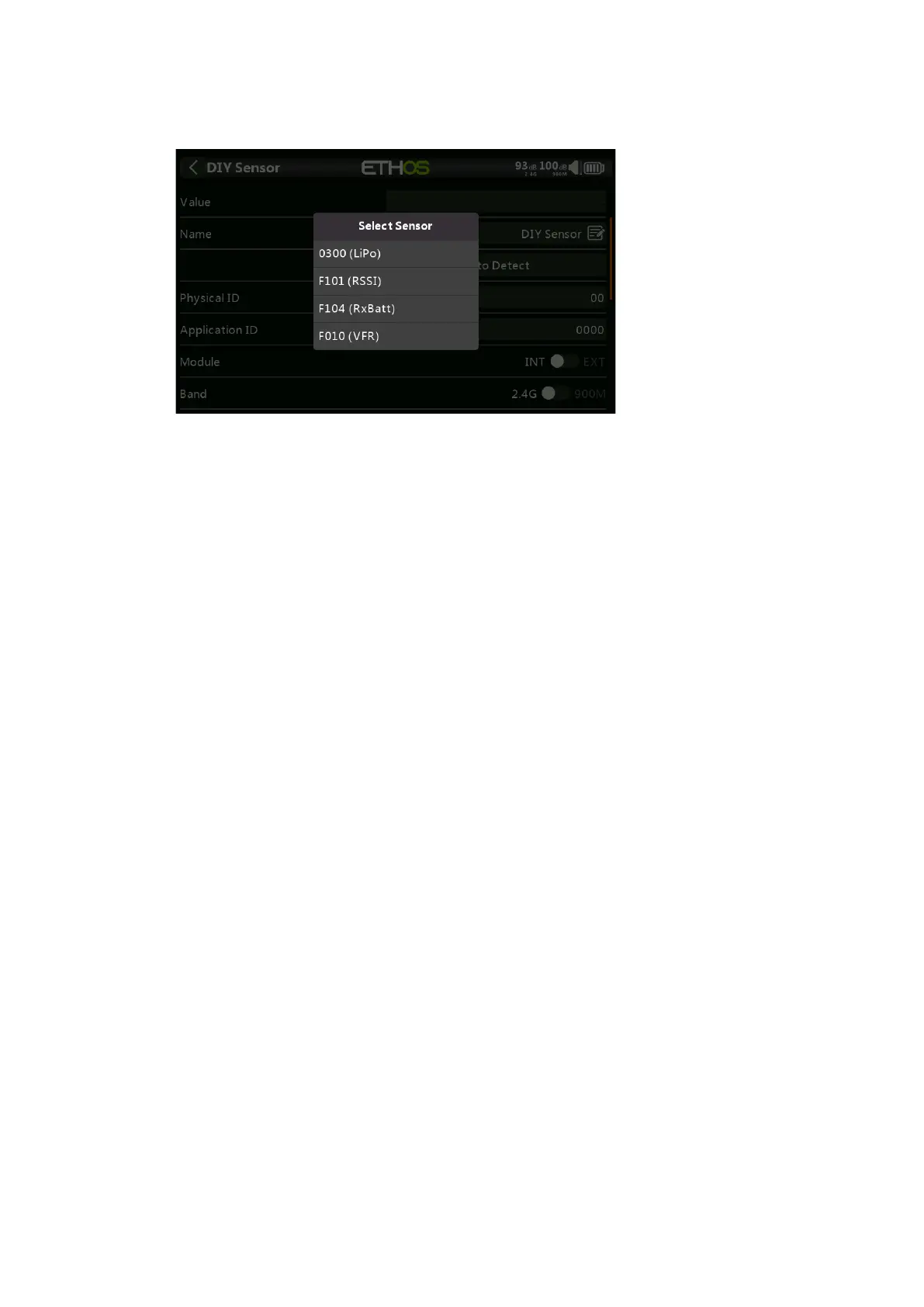
Auto Detect
Auto Detect will list all sensors detected on the S.Port/F.Port connection to the
receiver. Select your DIY sensor from the list.
Physical ID
Two character physical ID of the sensor. This will be populated by Auto Detect if
selected.
Application ID
Four character Application ID of the sensor. This will be populated by Auto Detect if
selected.
Module
Allows Internal or External RF module to be selected. This will be populated by Auto
Detect if selected.
Band
Allows 2.4G or 900M to be selected. This will be populated by Auto Detect if
selected.
RX
Allows RX1, RX2 or RX3 to be selected. This will be populated by Auto Detect if
selected.
Protocol Precision / Unit
Allows the precision for the incoming protocol to be set, from 0 to 3 decimals. It
also allows the measurement units to be selected.
Display Precision / Unit
Allows the precision to be displayed to be set, from 0 to 3 decimals. It also allows
the display measurement units to be selected.
Range
The low and high limits of a range can be set as a fixed value for scaling. This is
mostly used when using a telemetry value as a source for a channel. This allows
the Range to set to the desired scale.
Ratio
The default 100% ratio may be changed to correct readings being received.



 To Next Page