Working with t he notebook
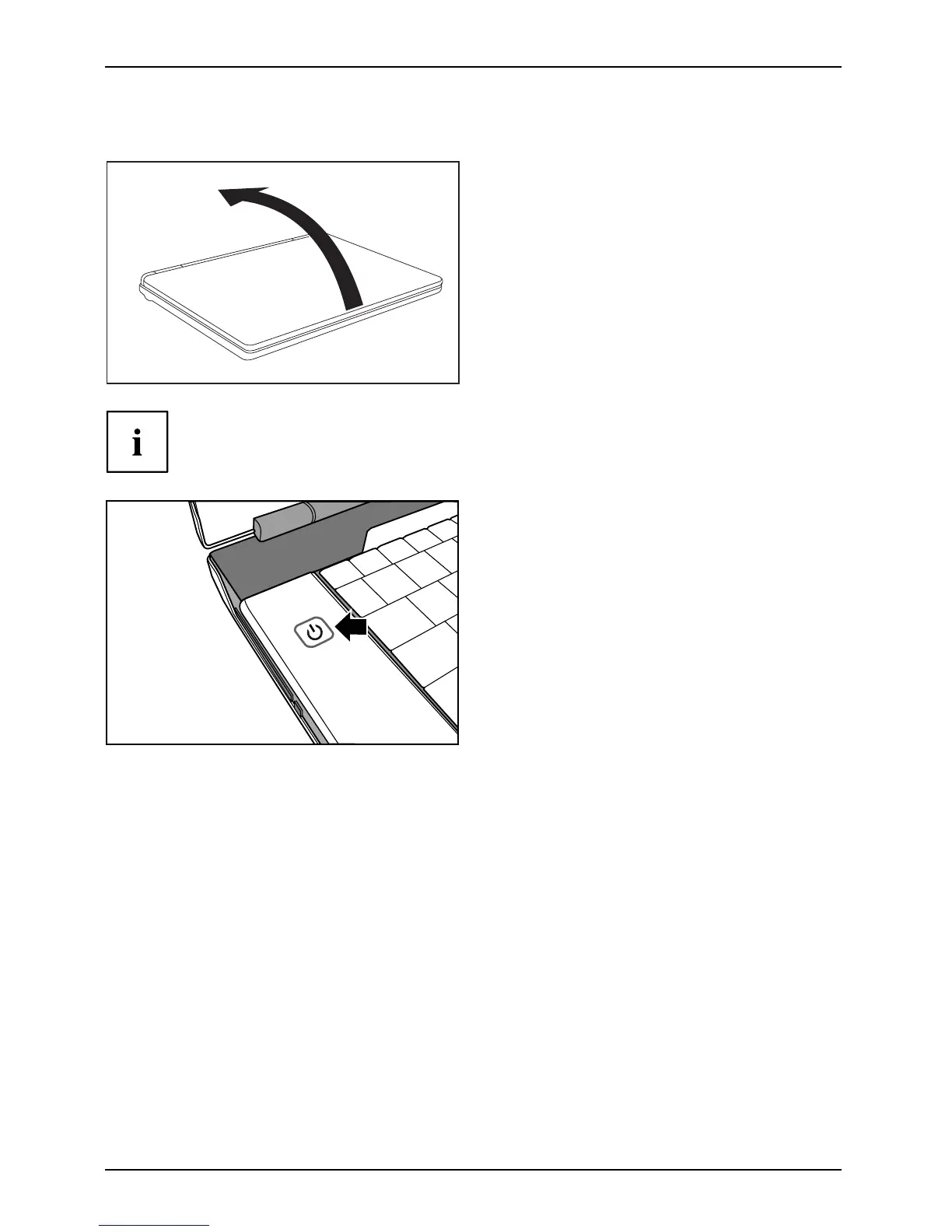
Devices without a release mechanism
1
► Fold up the LCD screen (1).
Notebook
The position of the on /off switch may vary from device to d evice.
1
► Press the ON/OFF swit
ch (1) for
approximately 1 sec
ond to switch
on the notebook.
The power-on indicator of the notebook glows.
12 AMILO Notebook operating manual, edition 3


 To Next Page