CT114_Rev2
Set Up the Cleaver
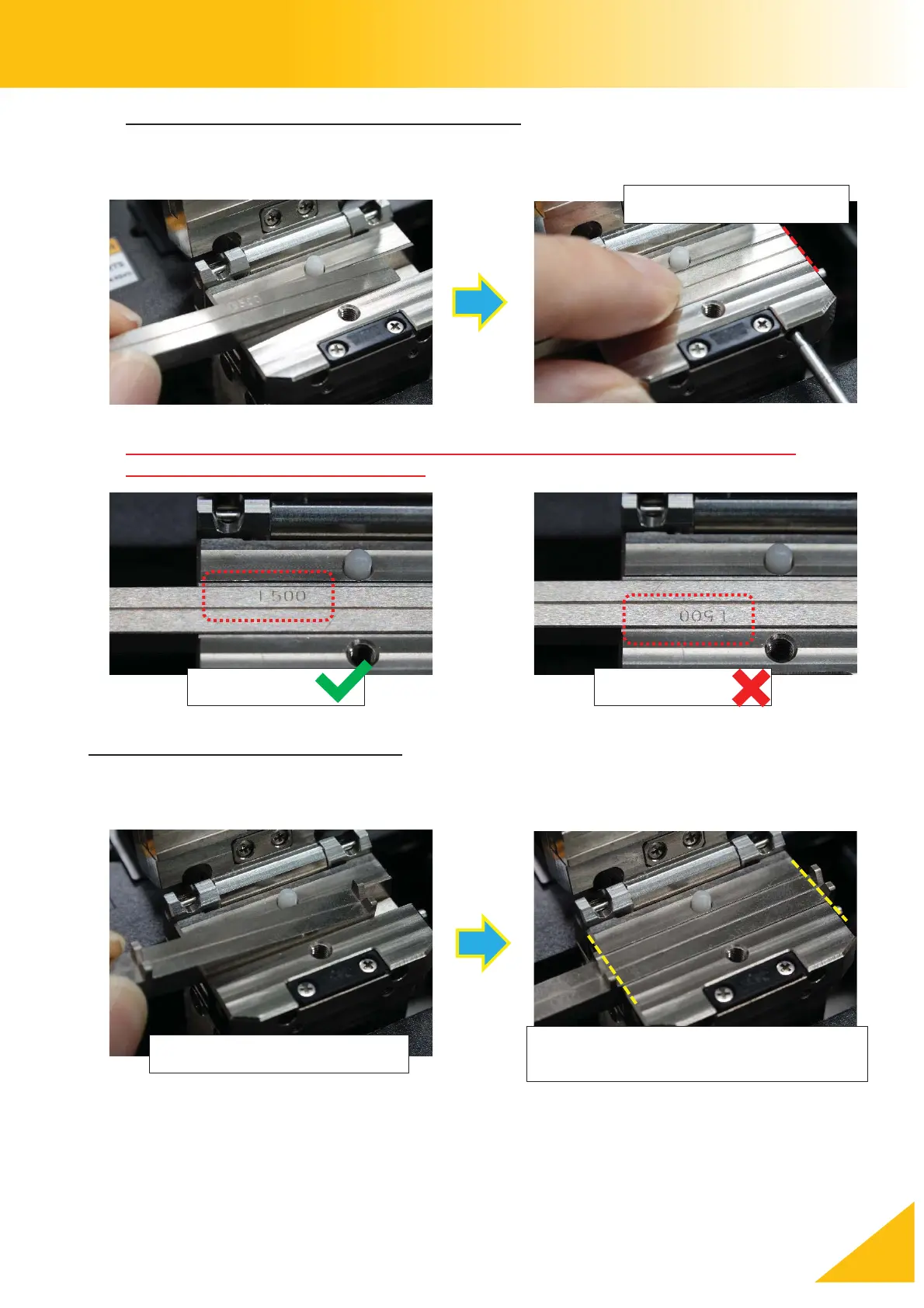
Installing the lower insert with no fiber guide
Confirm that the end of the insert aligns with the edge of the clamp. Install the same type of
inserts on both the left and right side.
When installing the lower insert with no fiber guide, it must be oriented so that the
identification engraving can be read. (see below)
Installing the Insert with fiber guide
Confirm that the clamp can close without hitting the fiber guides before tightening the
set screws.
Check that the fiber guides do not
interfere with the upper clamp



 To Next Page