CT114_Rev2
Maintenance Menu
Touchscreen Calibration
This function enables calibration of the touchscreen.
Use this function if the touchscreen does not respond when you press it
Procedure
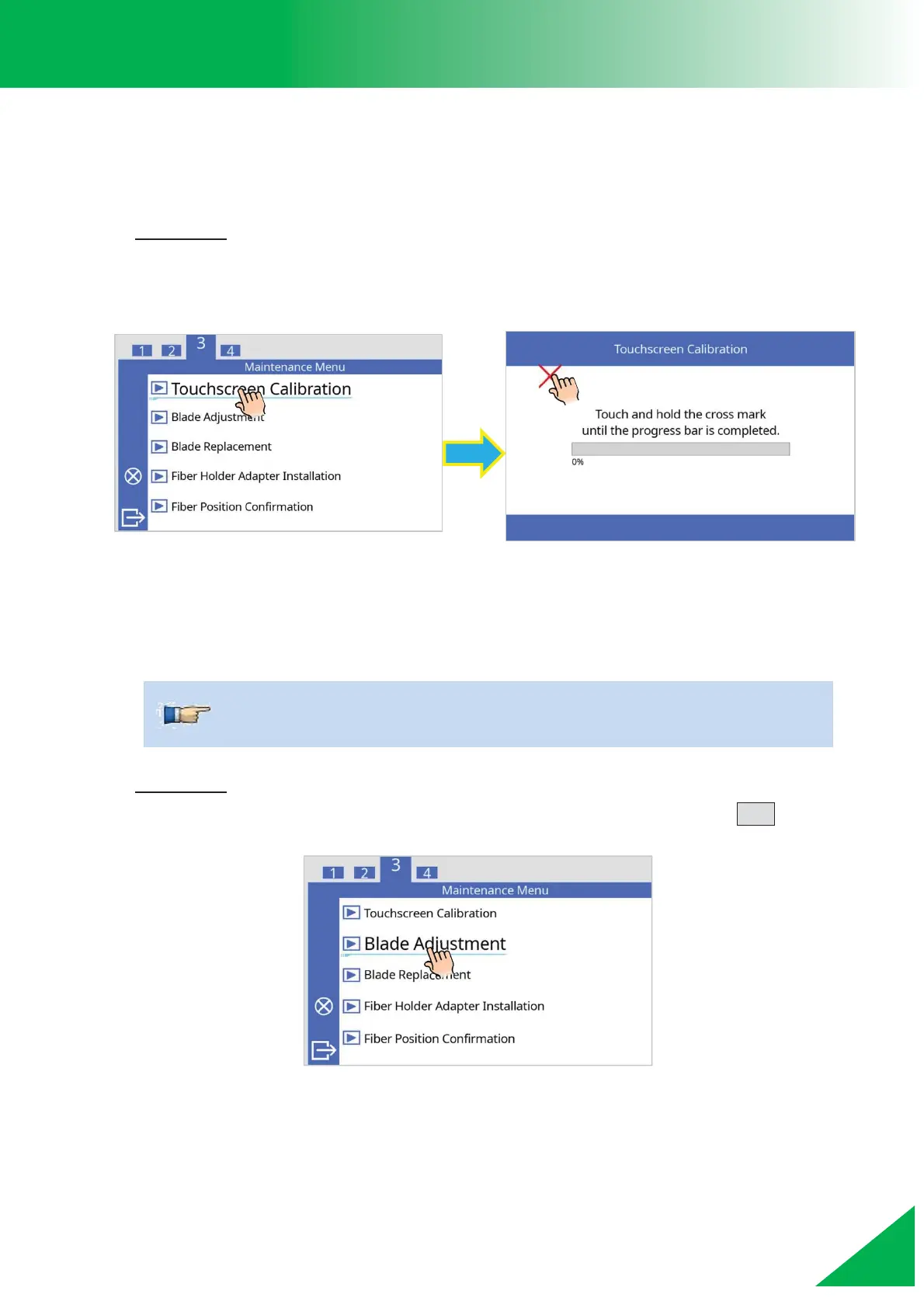
1. Select [Touchscreen Calibration] in the [Maintenance Menu].
2. The screen will change and will display instructions. Follow the instructions to
complete the touchscreen calibration.
Blade Adjustment
This function is used to adjust the position of cleaving blade. After the cleaving blade is
replaced, perform this procedure to calibrate the blade position.
Procedure
1. Select [Blade Adjustment] in the [Maintenance Menu] and press the SET key.
¾ This function is included in “Blade Replacement”.



 To Next Page