CT114_Rev2
Maintenance Menu
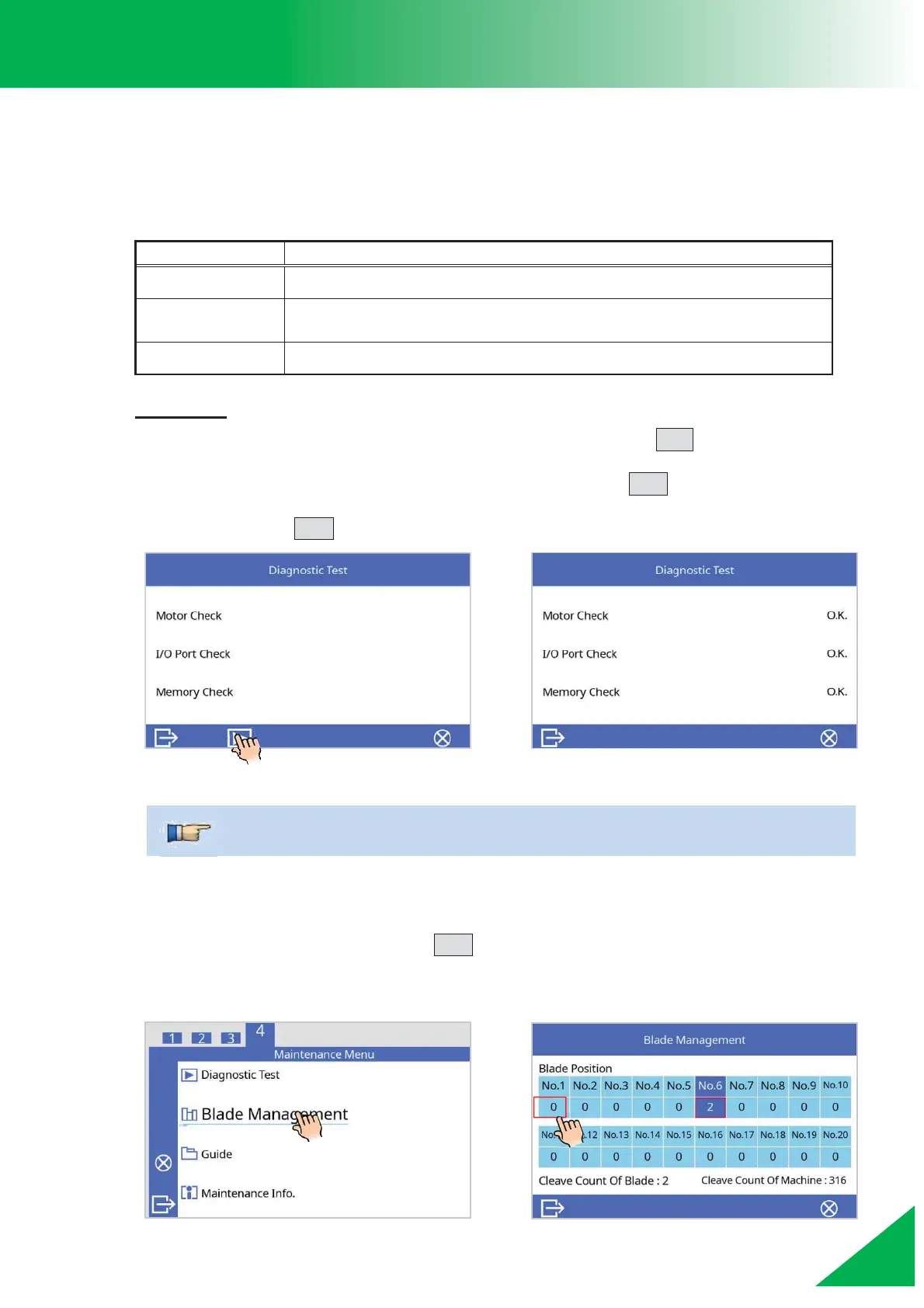
Diagnostic Test
The cleaver has a built in diagnostic test function. This operates as a “check-up” and tests all
the primary mechanized functions of the cleaver. When an issue arises with the cleaver’s
movement, run this function.
Checks the motors’ movement.
Checks for normal operation of the input and output terminals of
the internal circuitry.
Checks the memory of the internal circuitry.
Procedure
1. Select [Diagnostic Test] in [Maintenance Menu] and press SET key.
2. When the [Diagnostic Test] screen is shown, press the ENT key to execute the
check. The results will be shown after the check. Confirm that all results are “O.K.”
and press the ESC key to exit.
Blade Management
In the [Maintenance Menu], press the ENT key to go the [Blade Management] screen. Here,
you can check the current blade position, change the blade position, and read the cleave
count history for each blade position.
¾ If the result is not “O.K.”, contact the nearest distributor.



 To Next Page