CT114_Rev2
Cleave Menu
Cleave Mode Parameters
Cleave modes consists of the following parameters.
x Clamp Control Parameters
x Fiber Tension Parameters
x Cleaving Blade Control Parameters
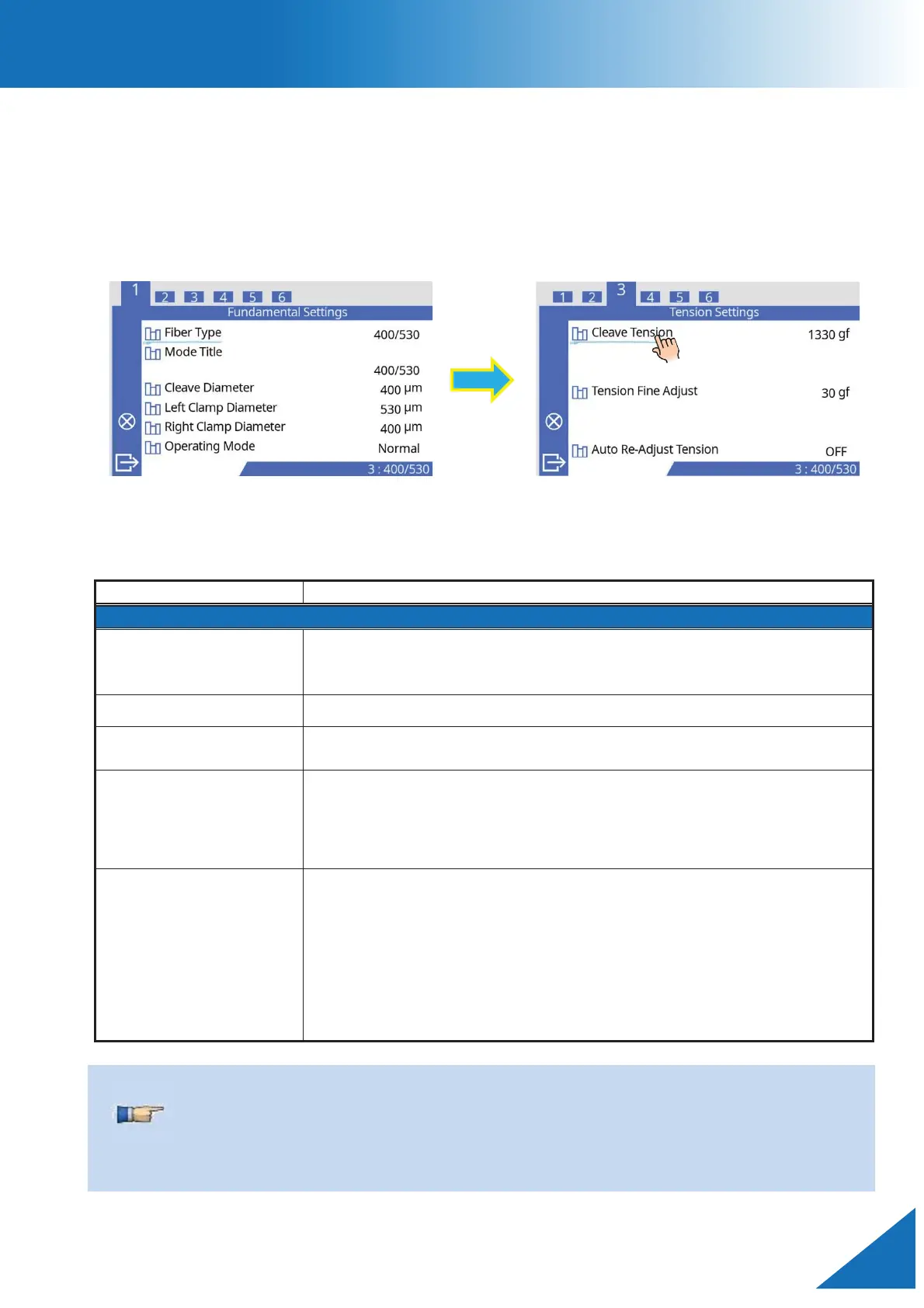
Fundamental Settings
The parameters of the fibers to be cleaved are in the table below.
Displays the stored list of fiber types. The selected fiber type stored
in
the database is copied to the “Selected Fiber Type” slot in the
Input a cleave mode title with up to 21 characters.
Sets the diameter of the fiber to be cleaved. The cleaver will
calculate the fiber tension based on the value of this parameter.
ets the fiber diameter values for each clamp. When these
changed, check the insert names displayed o
Confirm that the correct inserts are
installed in each clamp.
[Normal]: This is the standard mode. The cleaver tensions the
fiber before the blade scores the fiber. Select this mode for normal
operation.
[S
pecial]: If selected, the
[Special Setting] menu appears and the
cleaver operation
will change. The cleaver will score the fiber at
er tension, then increase the tension until the fiber cleaves.
Refer to the “Technical Reference” manual before using this mode.
When the [Cleave Diameter] is changed, the [Cleave Tension] and [Left/Right Clamp
Diameter] are automatically changed to the recommended values.
When the [Left/Right Clamp Diameter] is changed, the [Left/Right Clamp Force] is
automatically changed to the recommended value.



 To Next Page