CT114_Rev2
Maintenance Menu
Fiber Position Confirmation
The fiber height of the left and right fibers can be confirmed with the Fiber Height Checking
Mirror (CM-CT115).
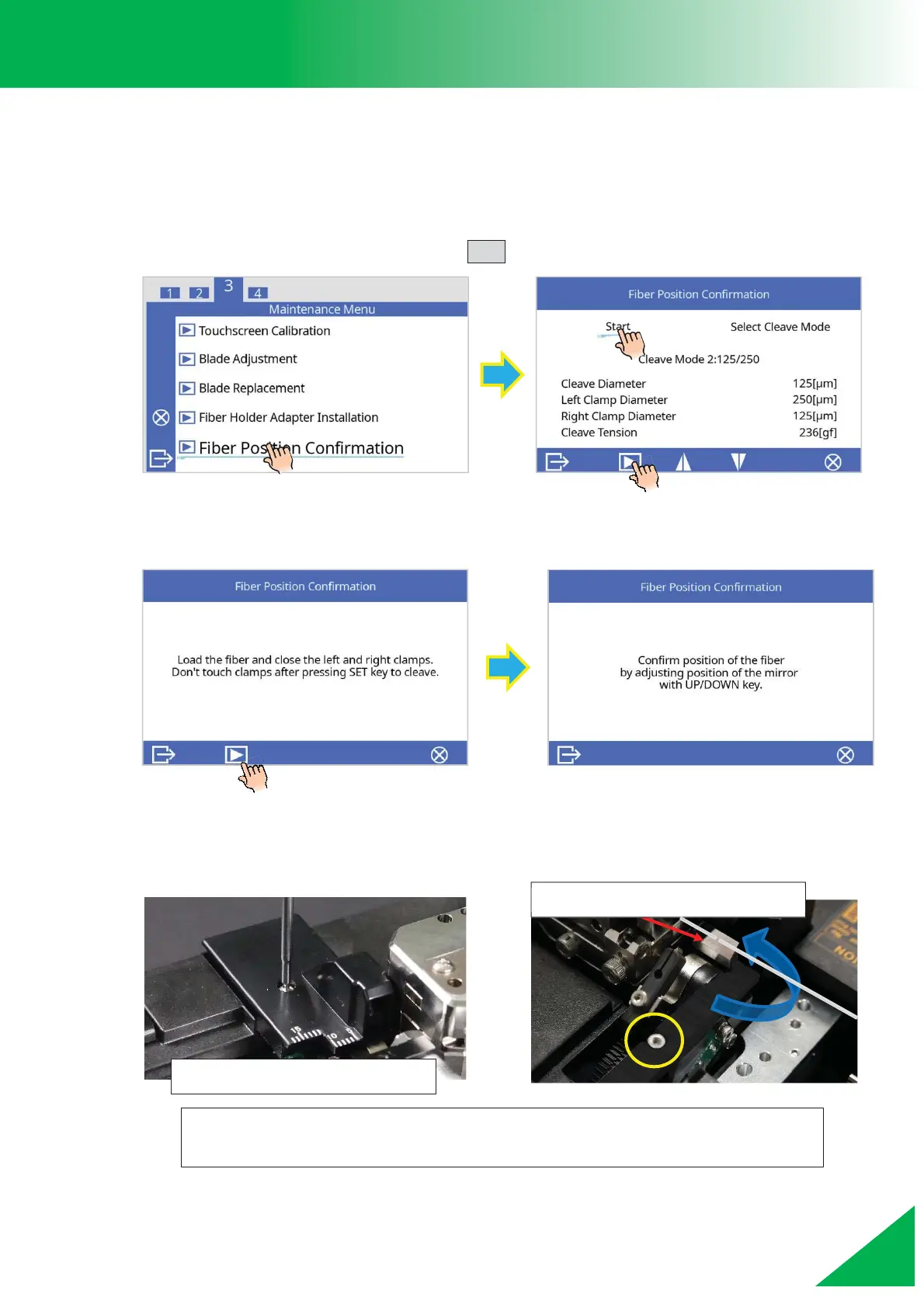
1. Remove the scale base and select the [Fiber Position Confirmation] function in
[Maintenance Menu], then press the SET key.
2. Follow the on-screen instructions. A cleaving operation will start after a fiber is loaded.
After cleaving, the screen will show the message circled below.
3. Remove the blade cover, then attach the Fiber Height Checking Mirror in its place.
The mirror of the Fiber Height Checking Mirror should pass under the
fiber, and be secured with the screw circled in yellow above.
Fiber Height Checking Mirror



 To Next Page