CT114_Rev2
Maintenance Menu
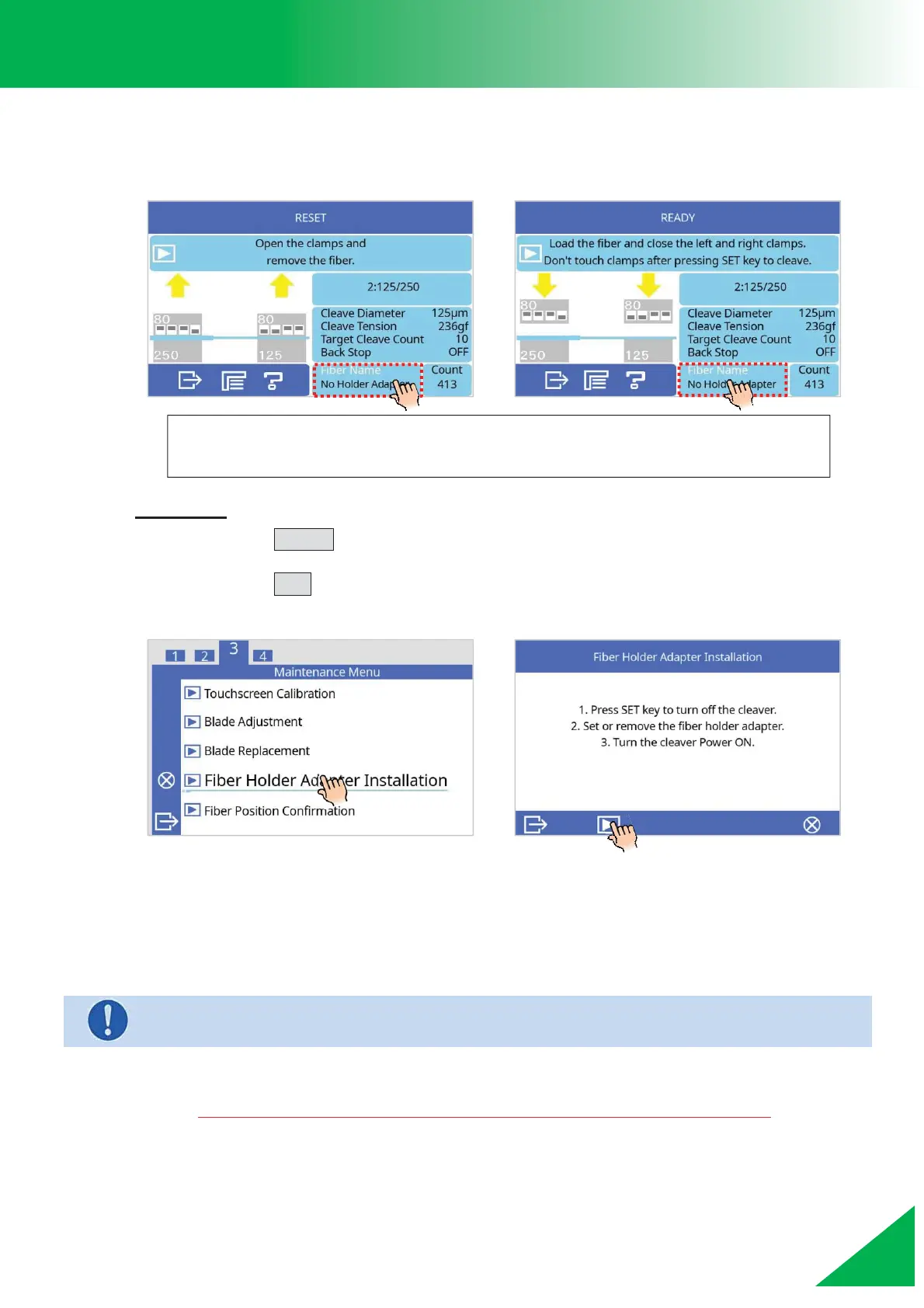
Fiber Holder Adapter Installation
To attach the Fiber Holder Adapter, use the following process:
Procedure
1. Press the DOWN key in the [Ready] or [Reset] state.
2. Select the [Fiber Holder Adapter Installation] function in [Maintenance Menu].
Press the SET key.
3. Unit will reset, then the left clamp will retract.
4. Remove the scale base and the connector cover.
5. Install the Fiber Holder Adapter while the cleaver is powered off.
6. Turn the power ON. The left clamp will move forward and stop at the back of
the fiber holder adapter.
When removing the Fiber Holder Adapter, reverse the above process.
¾ Be careful not to drop the screws or the
Fiber Holder Adapter inside the device.
“Fiber Name” icon is a shortcut to the menu that holds the “Fiber Holder
Adapter installation” function.



 To Next Page