USING SETUP MODE
User's Manual 5-23
Table 5.4 MENU1 and MENU2 Items and Options (Cont.)
NOTES:
• Underlined options are the factory defaults.
• Asterisks identify items and options that differ for the IBM XL24E
and Epson ESC/P2 emulations. The notes are defined at the end of
the table.
MENU1 and
MENU2 Items
Options Description
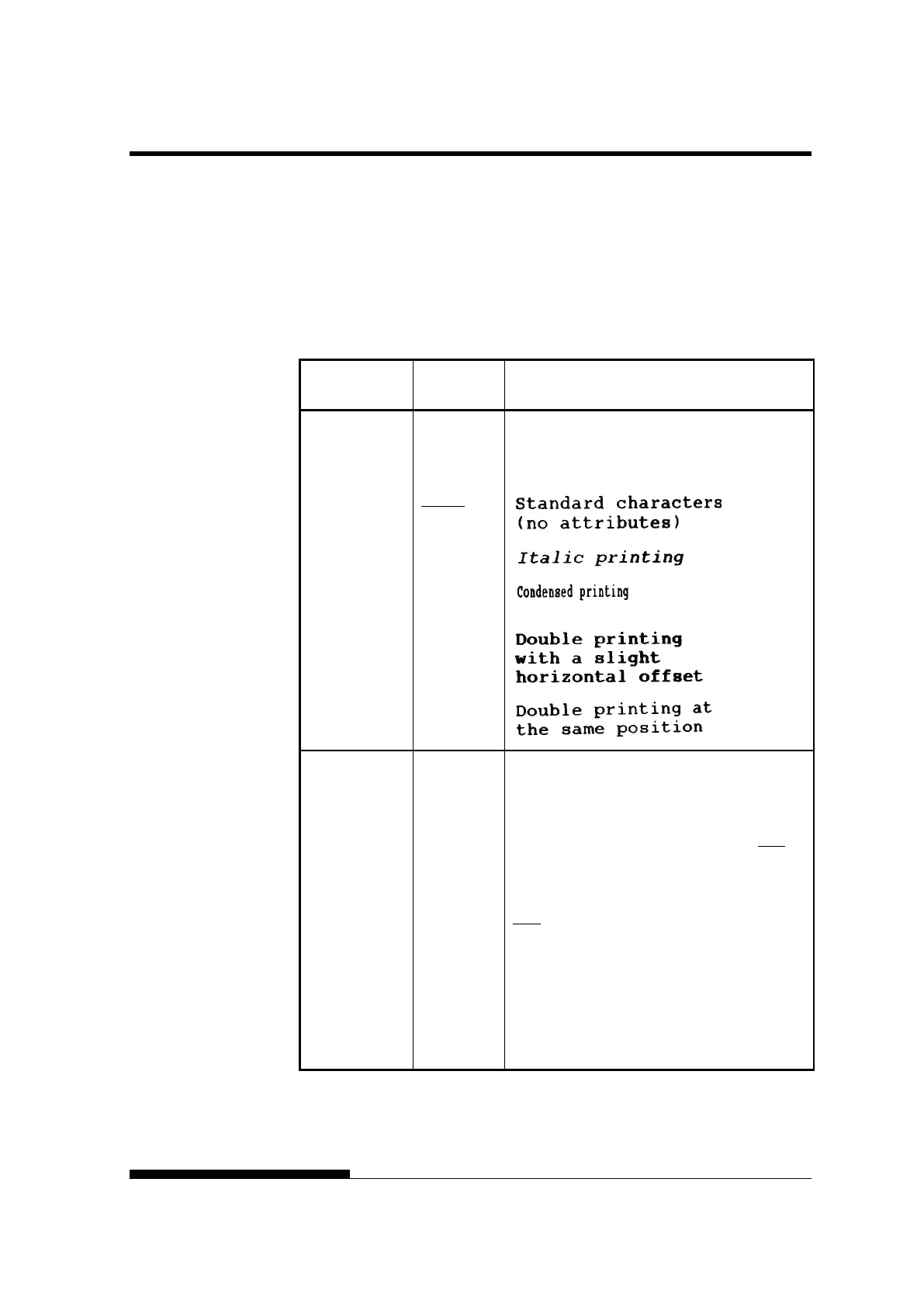
<ATTRIB> Selects an attribute to add emphasis to your
documents.
Only one attribute may be selected at a time.
NONE
ITALICS
CONDNSD
(*1)
SHADOW
BOLD
<PAGE LG> Specifies the length of the page in inches.
## IN For DPL24C PLUS and IBM XL24E
emulations:
3.0, 3.5, 4.0, 5.0, 5.5, 6.0, 7.0, 8.0, 8.5, 11.0
(letter size), 11.6 (A4 size), 12.0, 14.0, 18.0
inches, or LINE
For Epson ESC/P2 emulation: 4.0, 4.5, 5.0, ...,
11.
0, 11.5, ..., 22.0 inches
LINE Selecting the page length by specifying
number of lines per page (default: 66 lines per
page) Selecting this option displays the <PG
LX10> and <PG LX1>. Use in combination
the <PG LX10> to set the tens value of the
lines-per-page setting, and the <PG LX1> to
set the ones value of the lines-per-page setting.



 To Next Page