26
2.8 Event
Click the items shown below to sort by item selected.
Note: You can sort the items in ascending order (△), descending order (▽) and
initialization order (no symbol).
Time: Time an event occurred.
Category: Category of an event.
Name: Name of an event.
Contents1: Display data associated with log.
Contents2: Display data associated with log.
Event Search
Do the following to search events:
1. Click the Search button on the upper right of the Event tab.
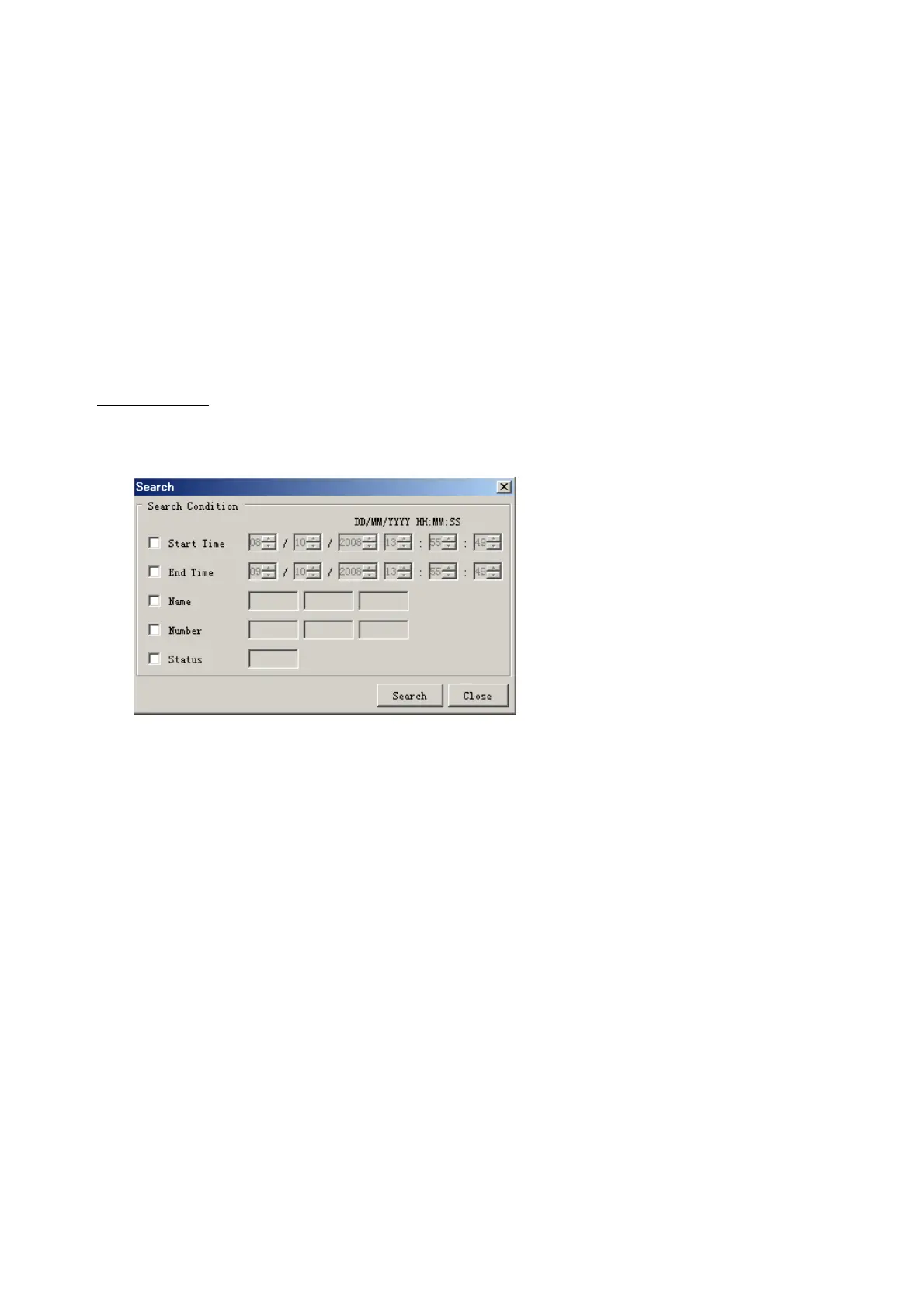
2. In the dialogue box, add a checkmark to desired search items. Multiple items can be
checked.
Start Time: Display name of event generated after a certain time.
End Time: Display name of event generated before a certain time.
Name: Display event names entered.
Number: Display event numbers entered.
Status: Display event status entered.
Enter information about the checked event to search in the character input box.
3. Click the Search button.
Note: The mode changes from Play to Search when performing a search.



 To Next Page