8
2.2 Radar
Radar Setup is performed in the Radar Tab.
Equipment Setup:
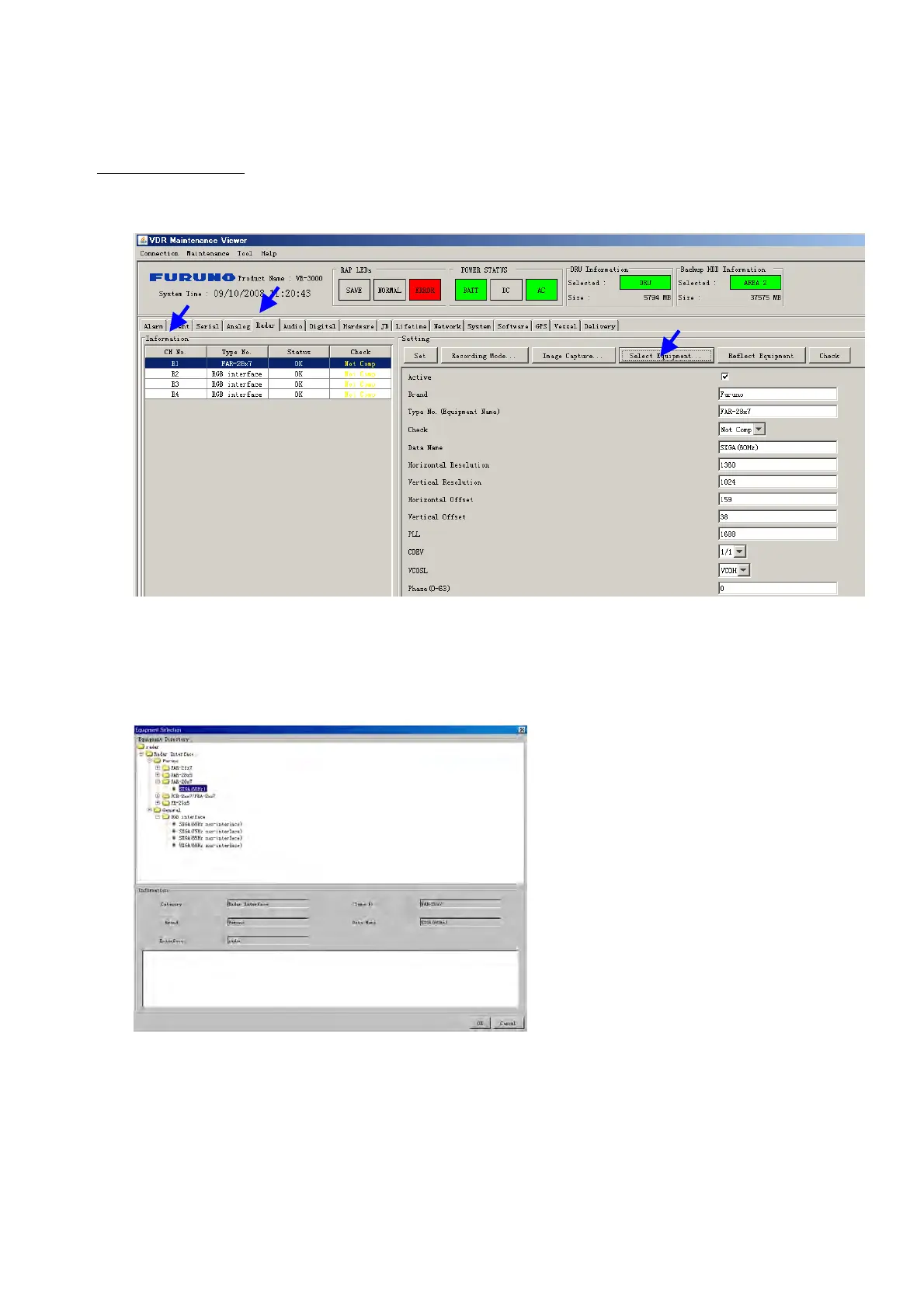
1. Click the Radar tab.
The Radar information setup screen appears.
2. Select a radar channel from the Information area. For example, click the CH No.1 box
to open the corresponding setup.
3. Click the Select Equipment button in the Setting Area. The following dialogue box
appears.
4. Select a radar model.
For example, as in the above illustration, select Radar> Radar
Interface>Furuno>FAR-28x7> SXGA(60Hz) and click the OK button. As in the
following illustration, FAR-28x7 appears in the Type No. field in the CH. No 1 of the
Information Area. Detailed information about the selected radar appears in the Setting
Area.



 To Next Page