46
6. Other Functions
6.1 Software Management
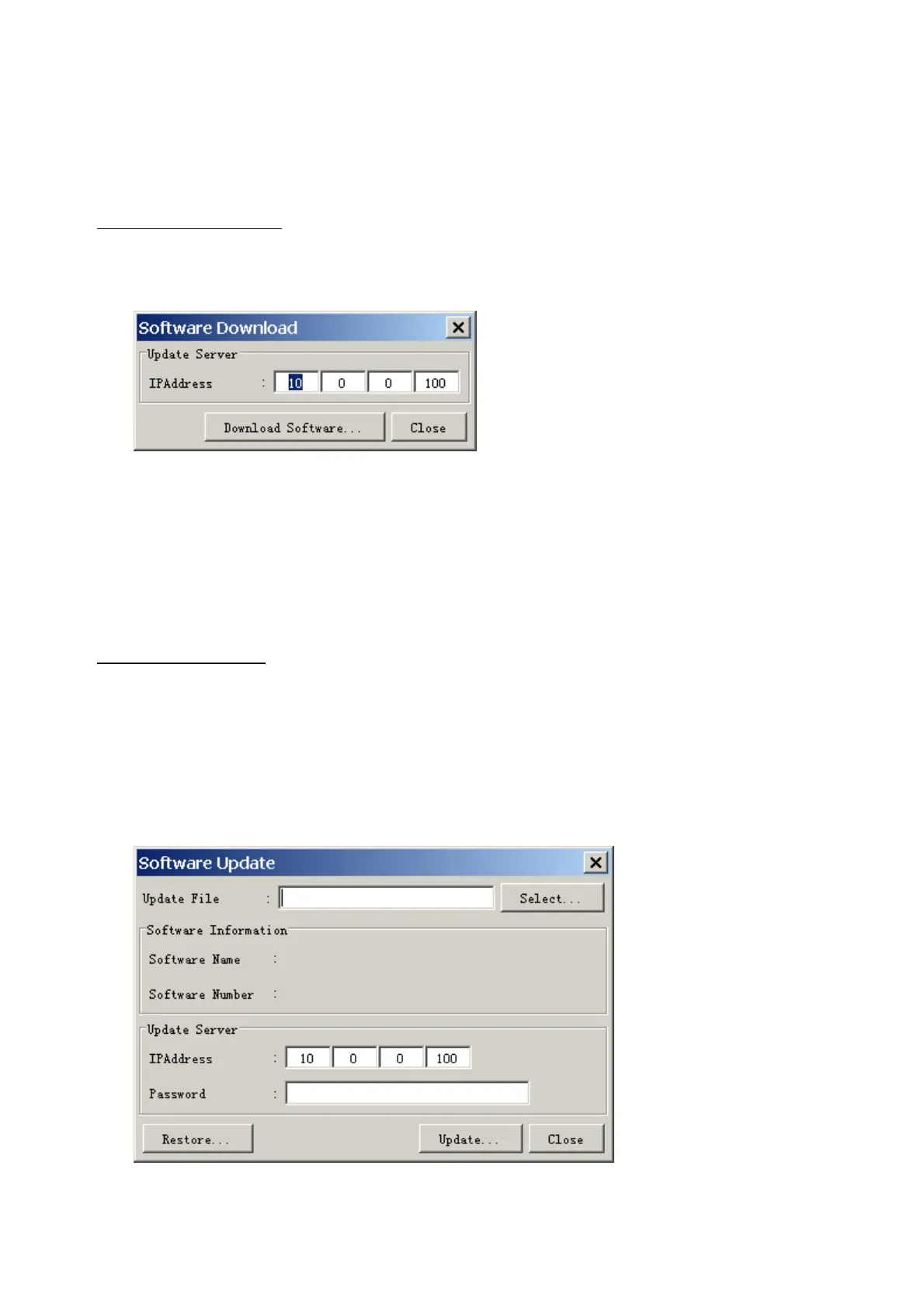
The software download feature downloads VDR system software to the PC.
To download software:
1. Click the Maintenance menu.
2. From the Software Management menu, click Software Download to show the
Software Download window.
3. Enter the IP address 10.0.0.100 in the IP address box in the Update Server area.
4. Click the Download Software button.
5. The confirmation window appears; click the OK button.
The Software Backup Execute window shows the results of the download.
Software is downloaded to C:\Program Files\VDR Viewer\Viewer\Backup. The software file
name is vdr.tar.
To Update Software:
VDR system program version 2.60 or higher can update the software with the procedure
shown below.
Note: Do not update the file downloaded in procedures above.
1. Click the Maintenance menu.
2. From the Software Management menu, click Software Upload to show the Software
Upload area.
3. Click the Select button to show the Open window.
4. Select update file (vdr.tar) and click the Open button.



 To Next Page