30
2.12 Network
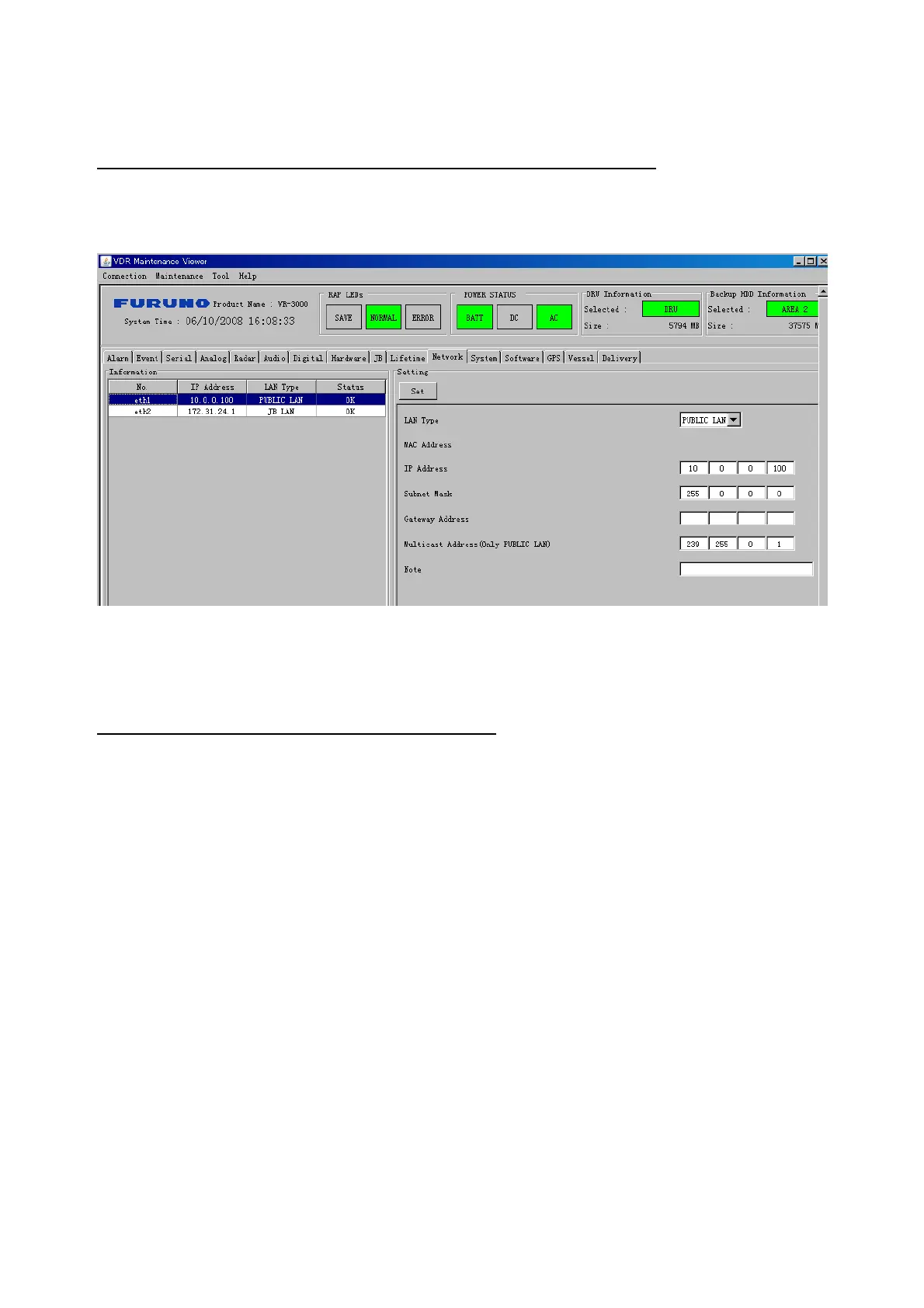
The Network tab sets the system network.
The basic procedure for setting up the system network is as follows:
1. Click the Network tab.
2. Select a port from the Information Area.
3. Set up the network from the Setting Area.
4. Click the Set button.
Note1: Be sure to click the Set button before moving to set up a different Port.
Note2: After setting the system network, reboot the VDR to apply the settings.
The items in the Setting window work as follows:
LAN Type: Enter LAN type; Public LAN or JB LAN.
MAC Address: Enter MAC address.
IP Address: Enter IP address.
Subnet Mask: Enter subnet mask.
Gateway Address*: Enter gateway address
Live Play Multicast Mode (Only JB LAN): Check box to enable live player multicast
mode.
Multicast Address (Only Public LAN): Enter and display live player multicast address.
Note*: Enter note.
* Marked items are optional.



 To Next Page