37
3. How to Back up Configuration Data
This chapter shows how to back up configuration data to various storage media.
Configuration data can be opened with Word Pad or any text editor other than Notepad.
3.1 How to Back up Configuration Data to the Startup Compact
Flash (CF)
Back up data to the startup CF after setting the VDR. Configuration data is created on the
CF as a config.ini file.
Note: When the error shown below occurs during the downloading or uploading of
configuration data, check the connection of the DRU, Backup HDD and CF, and then
upload or download the configuration data again.
・ [CONN] Download failed.
・ [CONN] Could not upload config file.
If error occurs again, re-install the VDR Maintenance Viewer.
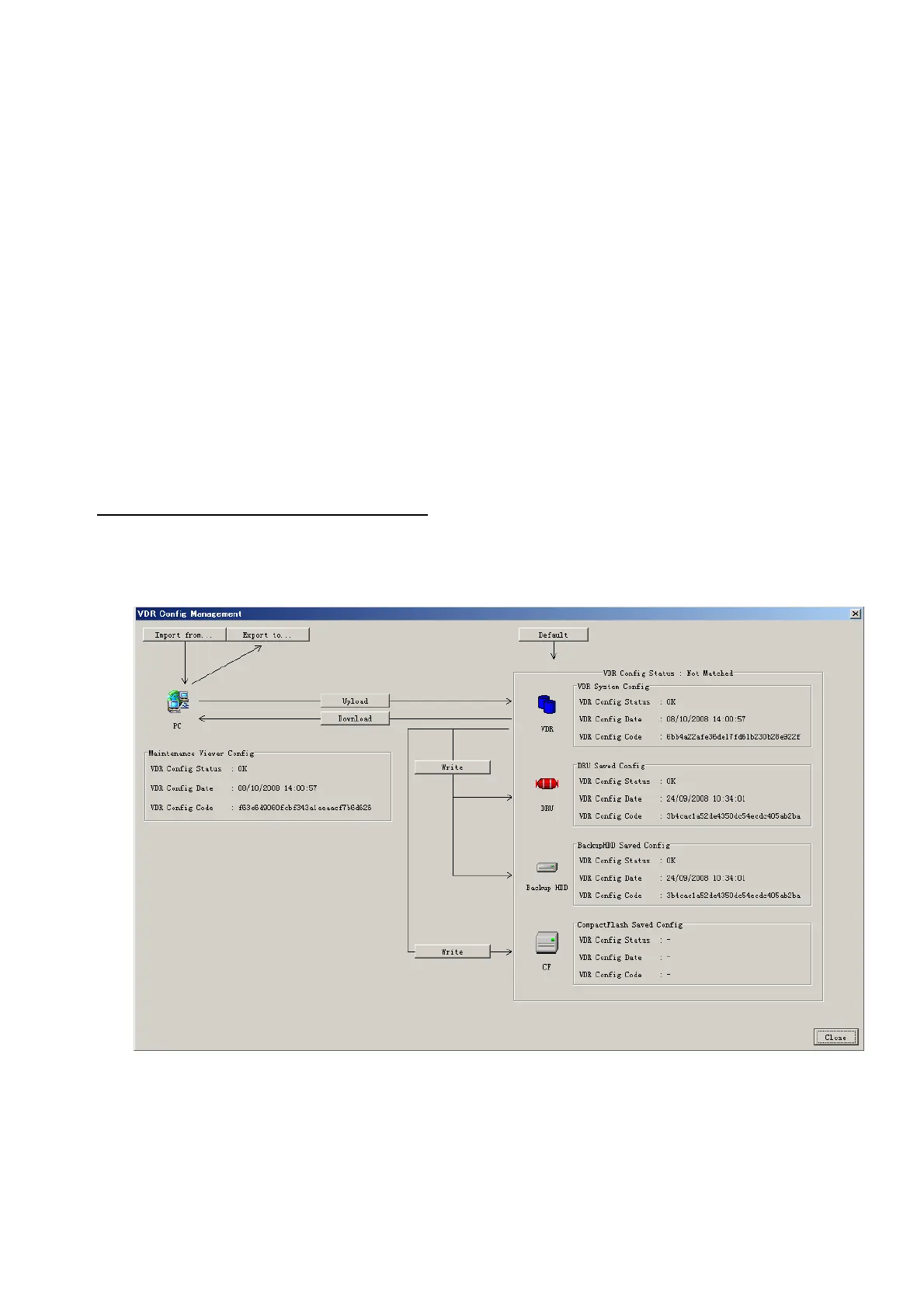
Do the following to back up data to a CF
:
1. Set up parameters on the tabs, referring to Chapter 2.
2. Click the Maintenance menu.
3. Select VDR Config Management.
4. Click the Upload button.
5. A confirmation box appears; click the OK button to start uploading to the VDR.
6. Click the Write button where the arrow connects between VDR and DRU, Backup
HDD.
7. A confirmation window appears; click the OK button to save the configuration data to
the DRU, and Backup HDD.



 To Next Page