31
2.13 System
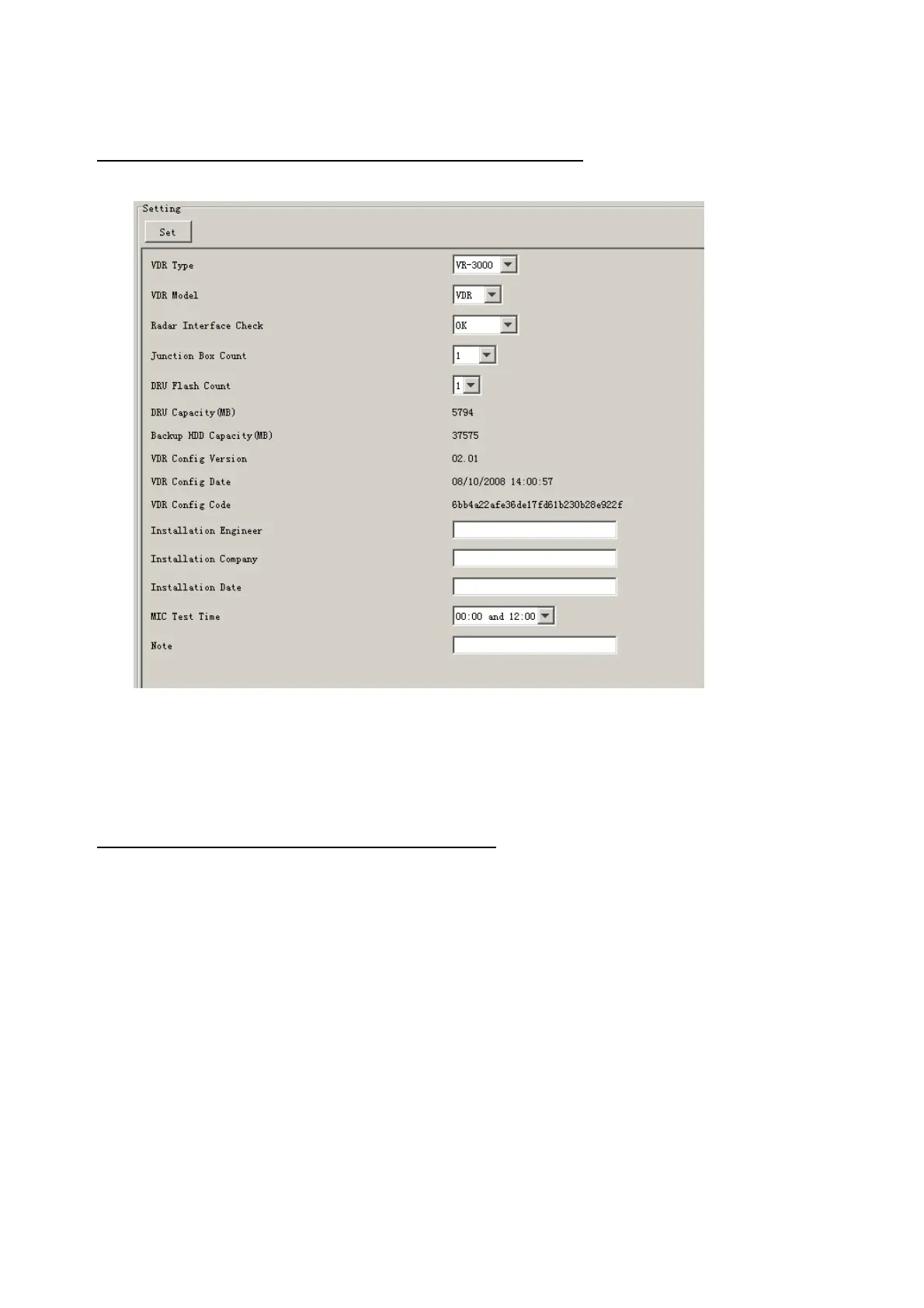
The System tab sets system related functions.
The basic procedure for using the System tab is as follows:
1. Click the System tab.
2. Set up the chosen item from the Setting Area.
3. Click the Set button.
Note: Be sure to click the Set button before moving to a different tab.
The items in the Setting window work as follows:
VDR Type: Enter type of VDR.
VDR Model: Enter model number of VDR.
Radar Interface Check: Enable and disable checking of the Radar Interface board.
Junction Box Count: Enter number of junction boxes in system.
DRU Flash Count: Enter number of DRU flash disks in system. Set 1 when DRU
serial no. is 5000 and more. Set 3 when DRU serial no. is less
than 5000.
DRU Capacity: Display capacity of DRU.
Backup HDD Capacity: Display capacity of backup HDD.
VDR Config Version: Display version no. of VDR. VCO2.25 for V2.25, VCO2.28
for V2.50, VCO2.29 for V2.51, VC2.30 for V2.52
VDR Config Date: Display the number of hours the VDR settings have
been saved.
VDR Config Code: Display configuration identity code.
Installation Engineer: Enter name of the equipment installer.
Installation Company: Enter name of installer's company.



 To Next Page