52
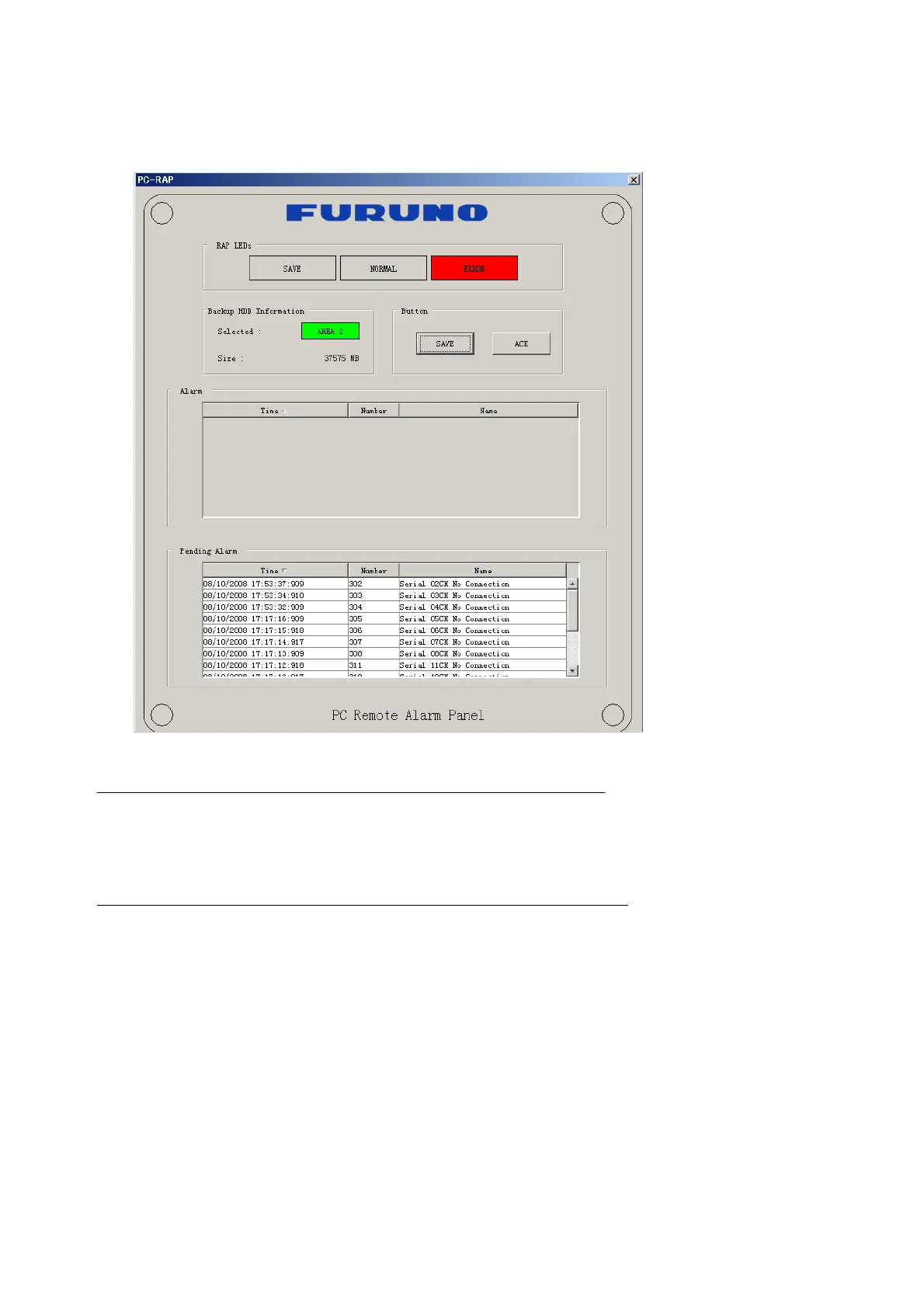
6.7 PC_RAP
This feature enables the same operation of the RAP (Remote Alarm Panel) from a PC.
Select PC_RAP from the Tool menu to show the PC_RAP window.
The buttons in the PC_RAP window function as shown below:
SAVE: Stop recording in the area where recording is currently being done.
ACK: Silence audio alarm.
The PC_RAP display shows the following information with LEDs:
RAP_LEDs: Display the status of LEDs on the RAP.
Save: The Save button blinks yellow when pushed. When the 4 memory
areas have data recorded to them, the Save button lights orange when
pushed.
Normal: Lights (green) where there are no unconfirmed or not restored
alarms.
Error: Flashes (red) for not confirmed alarm. Lights (red) for unrestored
alarm.



 To Next Page