21
2.6 Audio
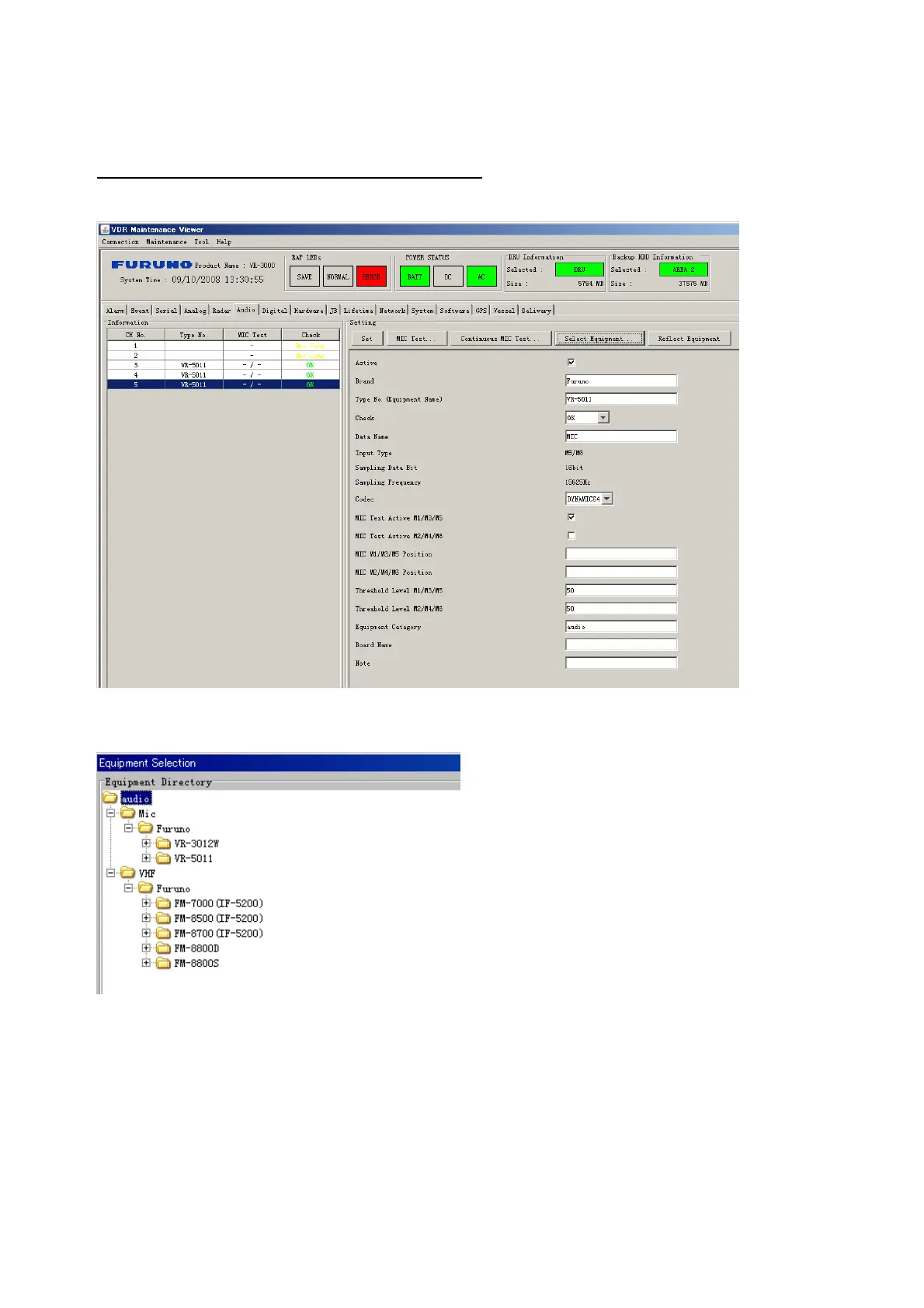
Microphone and VHF audio settings are performed in the Audio tab.
Set the items in the Audio tab as shown below:
1. Click the Audio tab.
2. Select channel from the Information Area.
3. Click Select Equipment in the Setting Area.
4. Click on the connected device in the indicated channel. The setting contents are
displayed in the Information and Setting Areas.
5. If required, update the item contents in the Setting Area. Refer to the detailed item
explanation below.
6. After completing settings for a channel, click the Set button.
Note: Be sure to click the Set button before moving to another channel.
7. Repeat steps 2-6 to set up other channels.



 To Next Page