22
When using Config Manager with tabs
1 From the Maintenance menu, click VDR Config Management.
2 Click the Upload button to record to VDR memory.
3 Click the Write buttons to record to DRU, Backup HDD and CF memory.
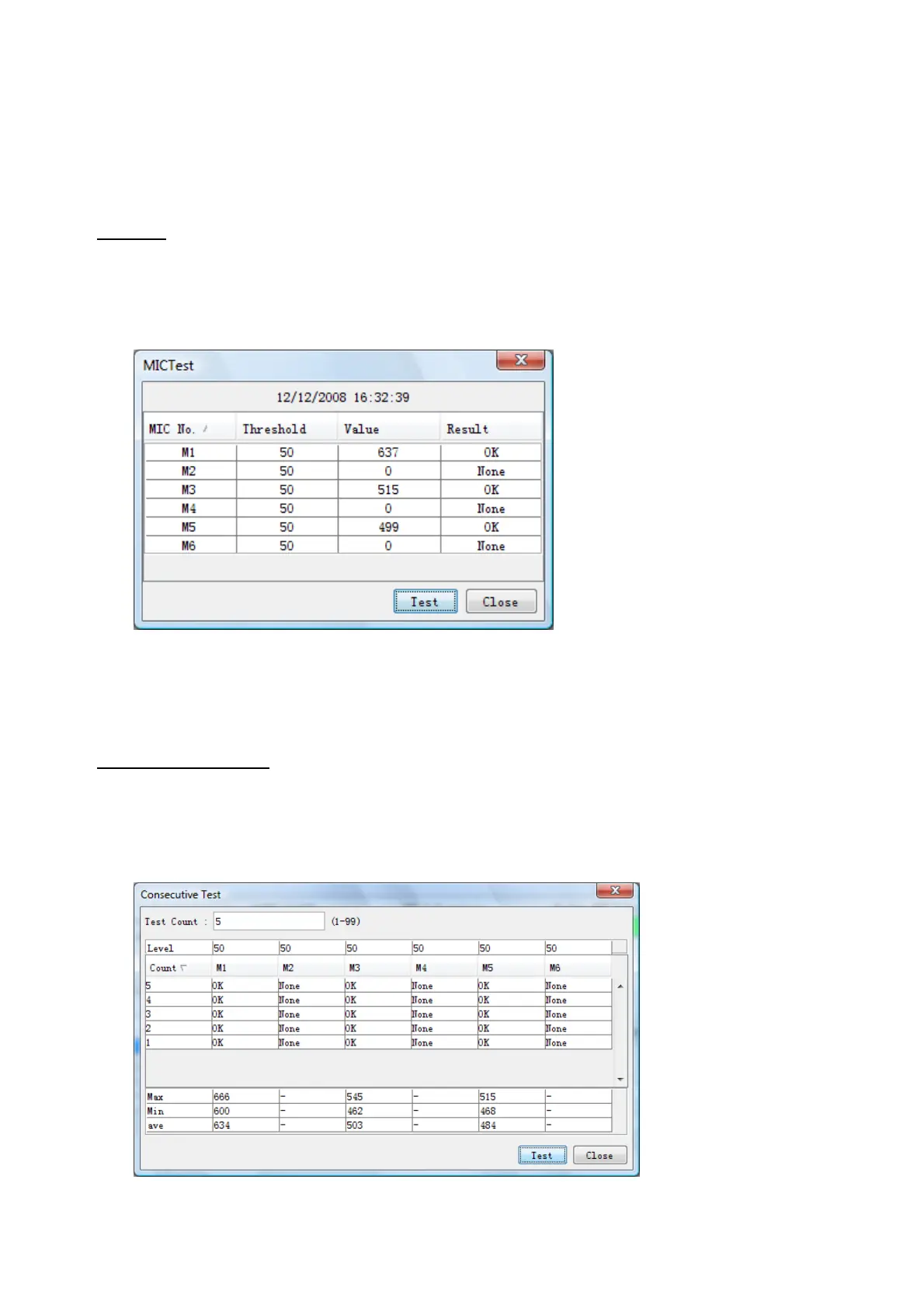
MIC test
Do the MIC test to check whether audio is received clearly in adequate level or not.
1. Click the MIC TEST button in the Setting Area.
2. Click the TEST button in the MIC Test dialogue box. MIC test results are displayed in
the MIC Test dialogue box.
3. Click the Close button to close the dialogue box.
Note: Not the same recording/playback function as the previous Web Configurator
software.
Continuous MIC Test
Run the continuous MIC test as needed accordingly.
1. Click the Continuous MIC Test button in the Setting Area
2. Set up how many times to perform in the Continuous MIC Test dialogue box and click
the Test button.
3. Click the Close button to close the dialogue box.



 To Next Page