29
2.11 Life Time
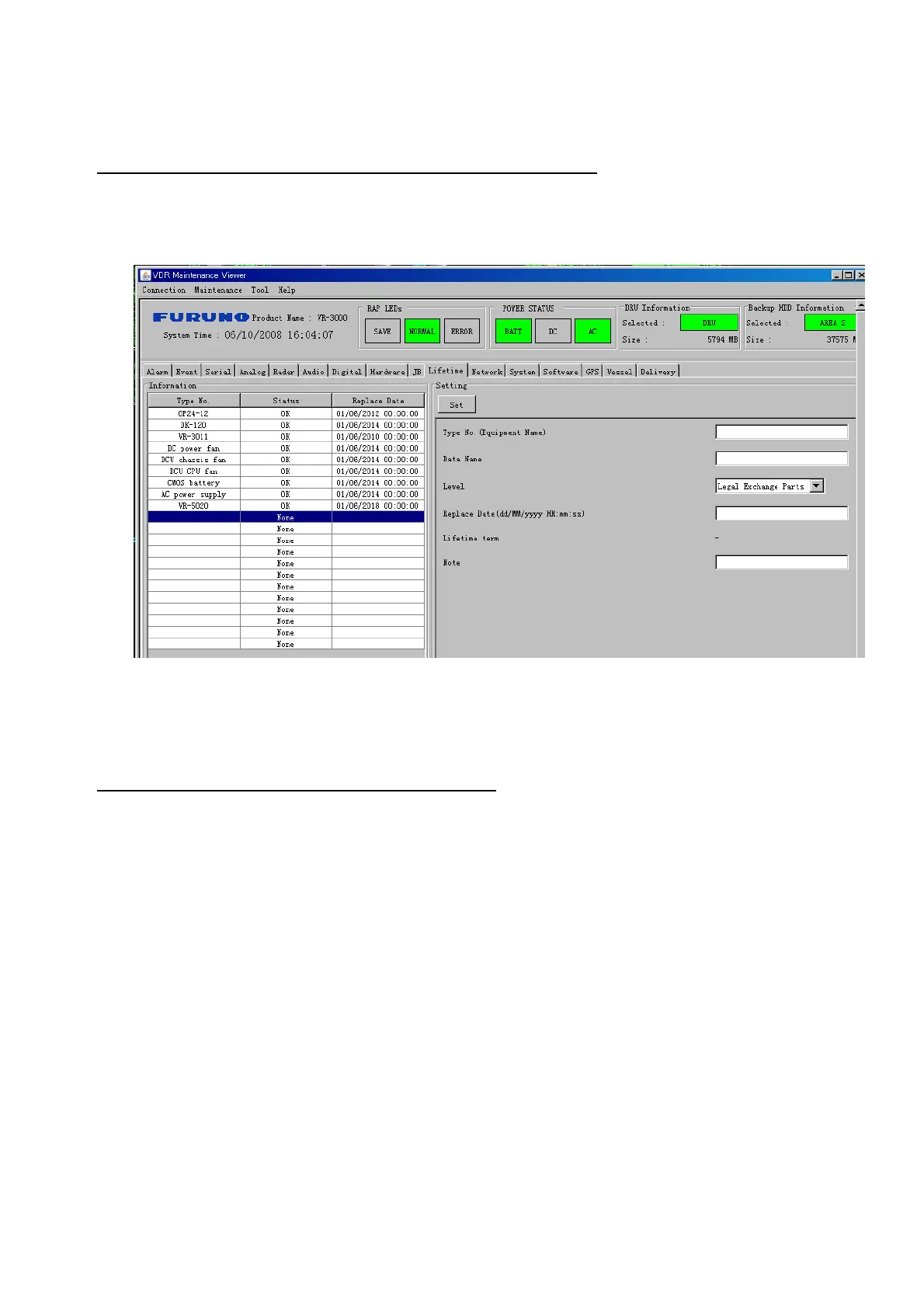
The Life Time tab controls consumable parts.
The basic procedure for using the Life Time tab is as follows:
1. Click the Life Time tab.
2. Select a Type No. in the Information Area.
3. Set up the chosen part from Setting Area.
4. Click the Set button.
Note: Be sure to click the Set button before moving to set up a different Type.
The items in the Setting window work as follows:
Type No.*: Enter and display type no.
Data Name*: Enter and display data name.
Level*: Set replacement level. Legal Exchange Parts or Normal Exchange Parts.
Replace Date: Enter and display recommended day of replacement.
Lifetime Term: Not used.
Note*: Enter and display note.
The Status column of the Information Area displays as follows:
OK: The recommended date of replacement shown in the Replace Date
box in the Information window has not passed.
Out of Date: The date of replacement has passed.
None: The date of replacement has not been set.



 To Next Page