34
2.15 GPS
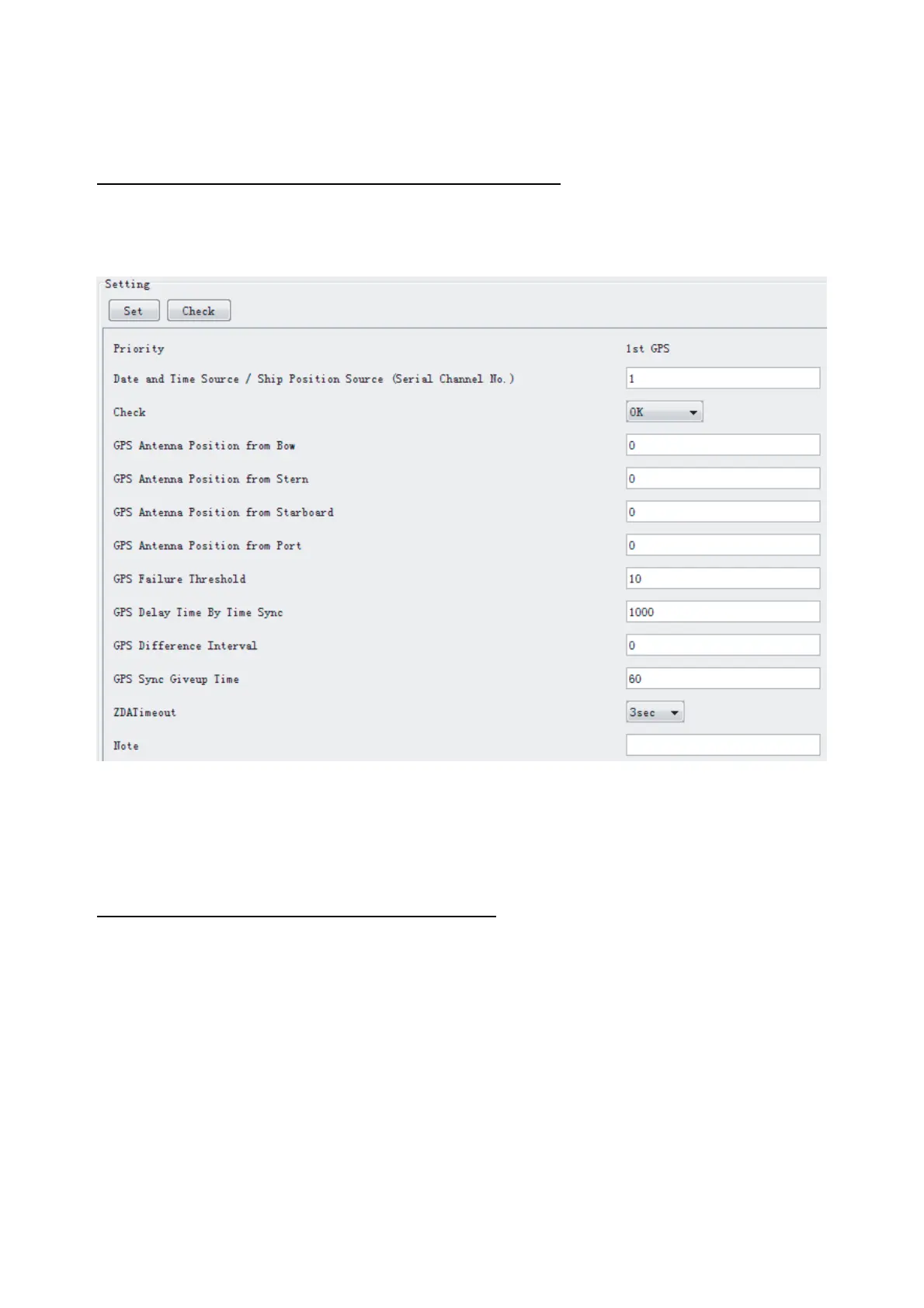
The GPS tab sets GPS-related parameters.
The basic procedure for using the GPS tab is as follows:
1. Click the GPS tab.
2. Set up the chosen channel from the Information window.
3. Set up the chosen item in the Setting Area.
4. Click the Set button.
5. Repeat steps 2-4 to set up each Channel.
6. Click the Check button to perform an inspection on all channels. In the Information
Area check column, either OK or NG (No Good) is displayed.
The items in the Setting window work as follows:
Priority: Display priority order.
Date and Time Source/Ship Position Source: Set GPS source channel (serial channel
number for ZDA sentence)
Check*: Enable and disable checking.
GPS Antenna Position From Bow: Enter position of GPS antenna from bow.
GPS Antenna Position From Stern: Enter position of GPS antenna from stern.
GPS Antenna Position From Port: Enter position of GPS antenna from port.
GPS Antenna Position From Starboard: Enter position of GPS antenna from starboard.
GPS Failure Threshold: If the ZDA is input within the set time limit,
the system restarts synchronized. If not
input within the time limit, the system restarts
without synchronization.



 To Next Page