28
2.10 JB
Connect the Junction Box to the DCU before turning on the system.
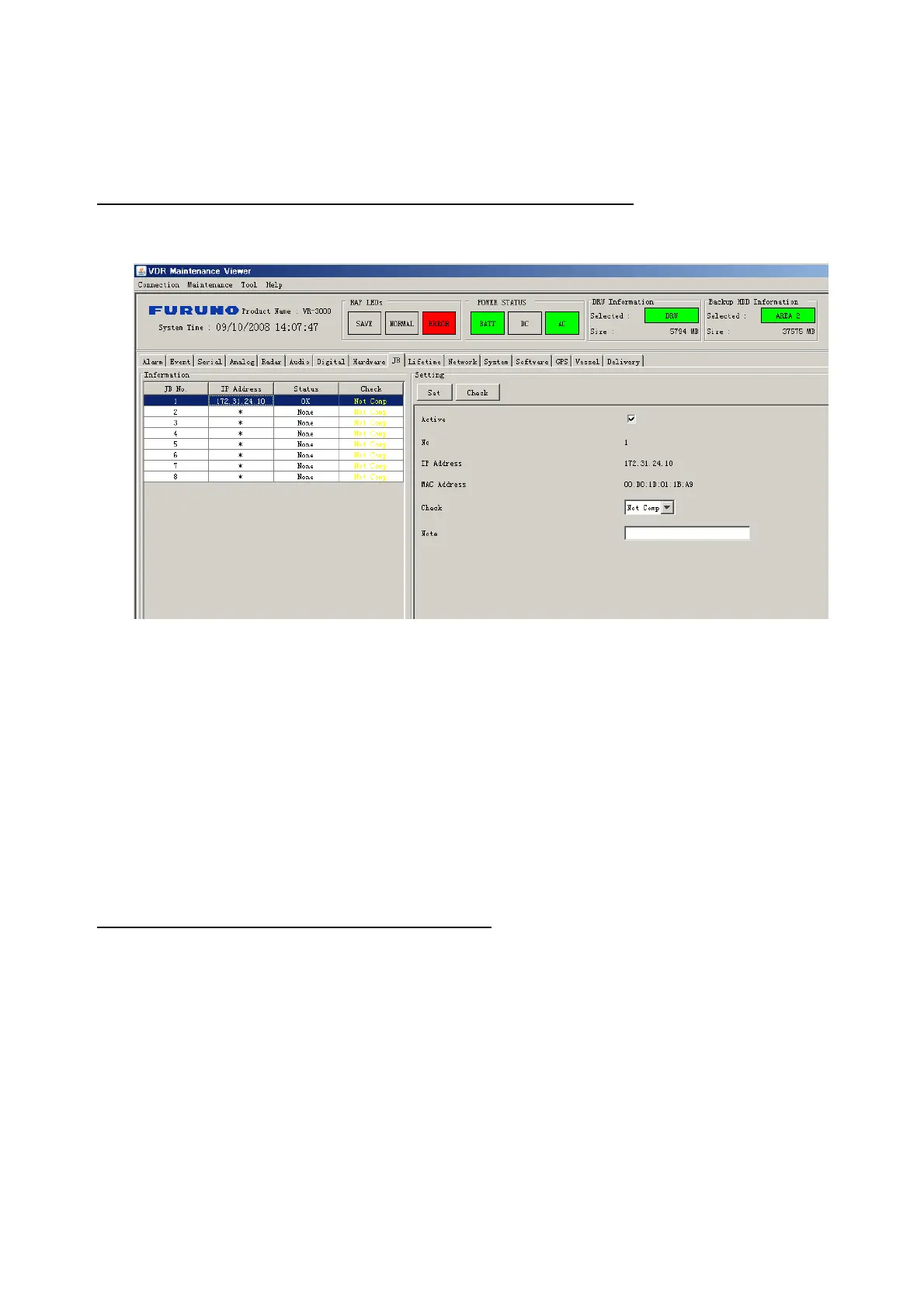
The JB tab functions to set up the Junction Box.
The basic procedure for setting up the Junction Box is as follows:
1. Click the JB tab.
2. Select a Junction Box from the Information Area.
3. Set up the Junction Box from the Setting Area.
4. Click the Set button. (Be sure to do this before moving to another channel).
5. Click the Check button to perform an inspection on all channels. In the Information
Area check column, either OK or NG (No Good) is displayed.
When using Config Manager with Tabs
1. From the Maintenance menu, click VDR Config Management.
2. Click the Upload button to record to VDR memory.
3. Click the Write buttons to record to DRU, Backup HDD and CF.
The items in the Setting window work as follows:
Active: Put check in check box to make channel active.
No: Display Junction Box number.
IP Address: Display IP address of Junction Box, acquired by VDR.
MAC Address: Display MAC address of Junction Box, acquired by VDR.
Check: Enable and disable equipment check.
Note*: Enter note.
*Marked items are optional


 To Next Page
 Loading...








