9
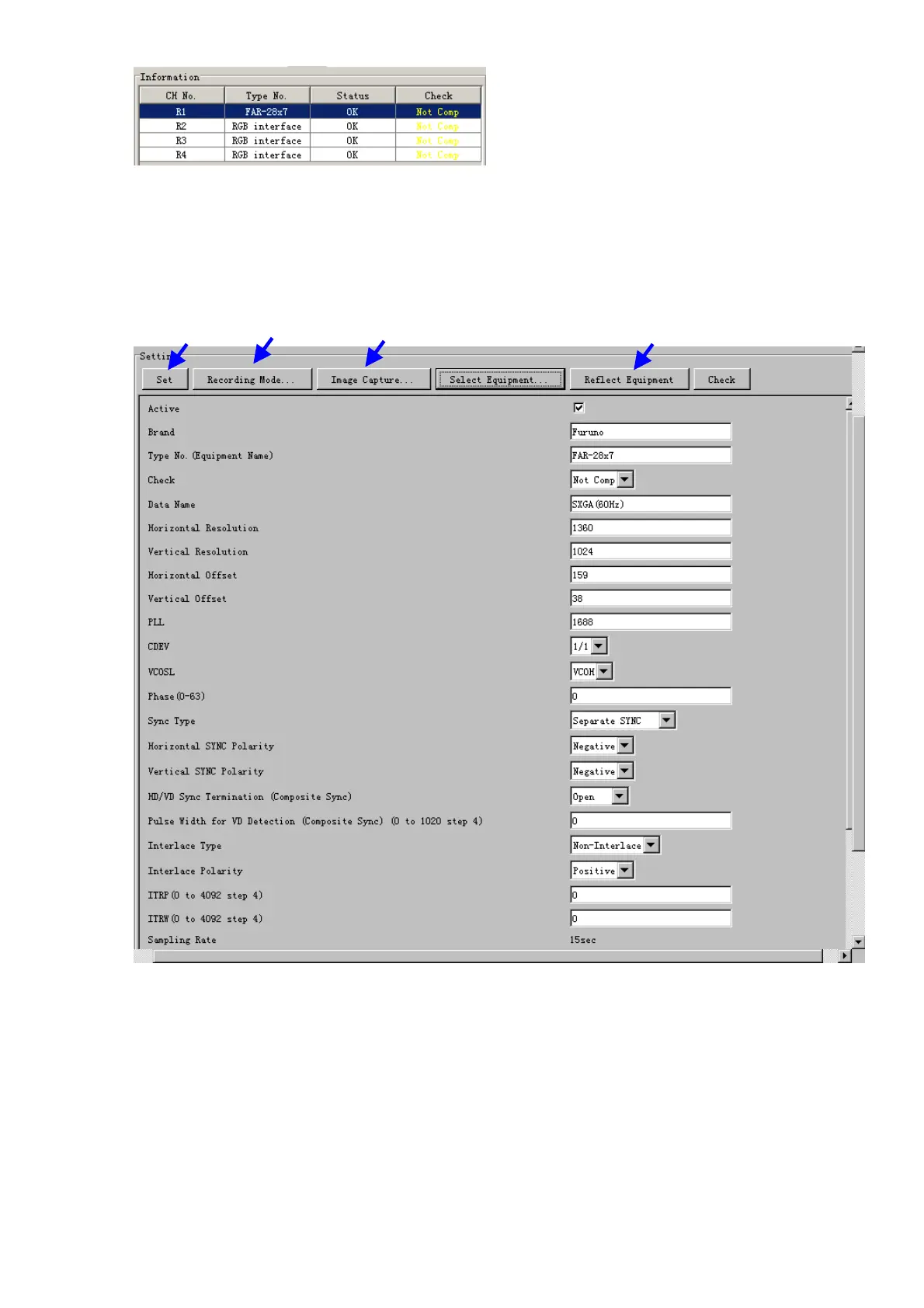
If your radar model is not in the list, enter the required information manually. The
setting values are the same as the previous Web Configuration values.
5. Click the Image Capture button in the Setting Area. Confirm the correct video signal.
6. If required, update the Setting Area item contents.
It is not necessary to enter information very every item in the Setting Area. For easy
identification of Input Source, enter Equipment Category, Brand, Type No and Data
Name.
7. Click the Set button to finish.
8. To setup multiple radars, repeat steps 2 through 7.
9. Click the Check button in the setting area to perform radar check. Results appear in
the Check section of the Information Area.


 To Next Page
 Loading...








