7
Example of acceptable memory size displays:
Backup HDD Information
Selected: AREA2
Size: 37864 MB
6GB DRU Information
Selected: DRU
Size: 5794 MB or more
9GB DRU Information
Selected: DRU
Size: 8822 MB or more
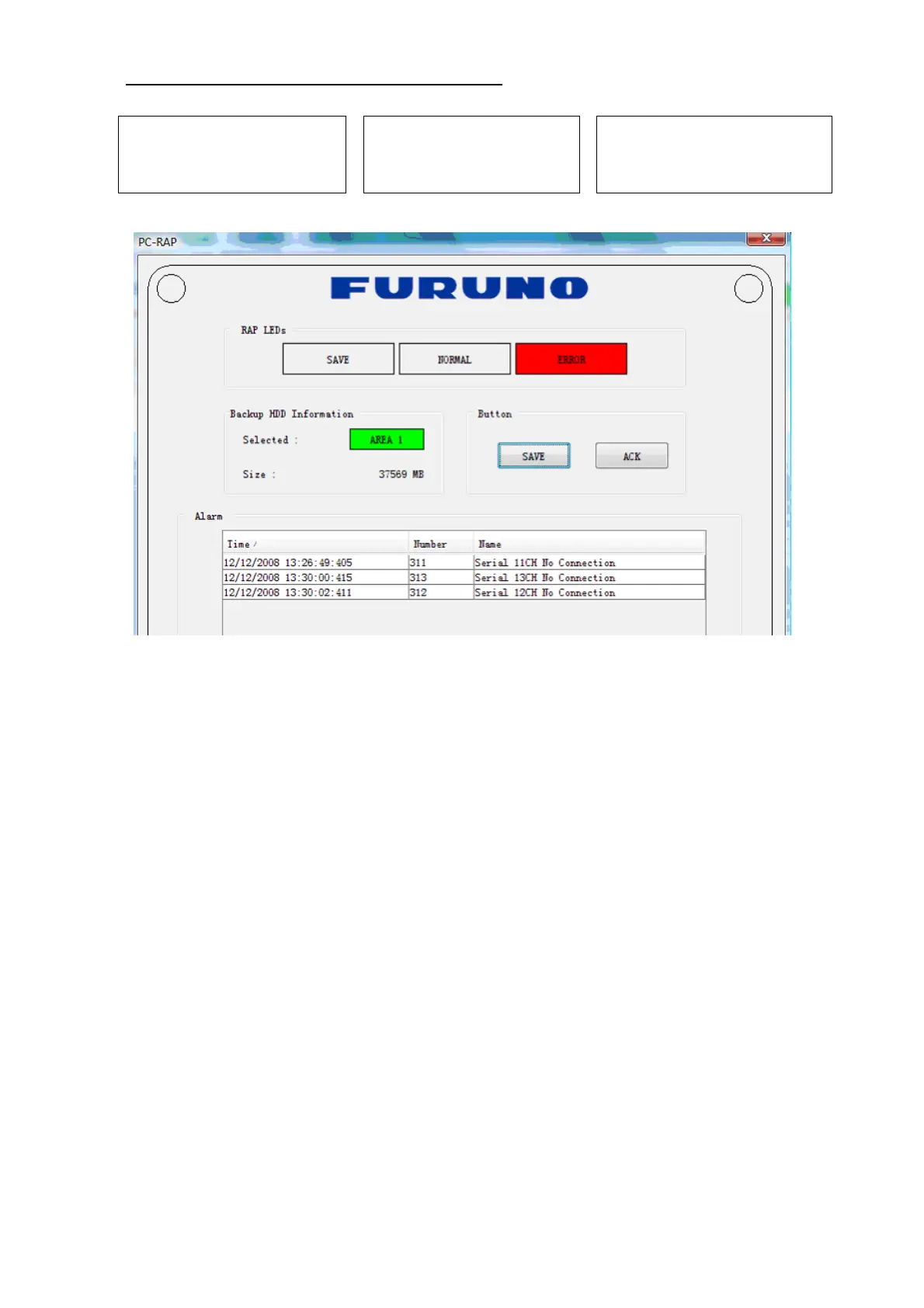
8. Select PC_RAP from the Tool menu.
Confirm Alarm box in PC_RAP. When a 3xx error is displayed as above, the data is not
input correctly. Data settings are explained on the page 12. If error messages 094, 098,
018, 022 etc. are displayed, remove the error before going to the next step. Refer to the
VDR Operator’s Manual or error code list for definitions of the meanings of individual
error codes.
9. Click the X button at the top right corner to close the PC_RAP.
10. From the menu, select Maintenance> Equipment Management> Import.
11. Select the file “equip.xml” from the desktop and click [open].
12. From the menu, select Maintenance> VDR Config Management> Download. Click
the OK button, and then [Close].
If the configuration file has already been downloaded, the 12
th
step is not necessary.
The following explanation refers to setting individual tabs.
On the signal tab, there is an Information Area (left) and a Setting Area (right). Select the
channel to set in the Information Area on the left by selecting it with the cursor, and then
set it in the Setting Area on the right. The results of the updated setting are displayed in
the Information Area. After setting each channel, click SET to finish.



 To Next Page