41
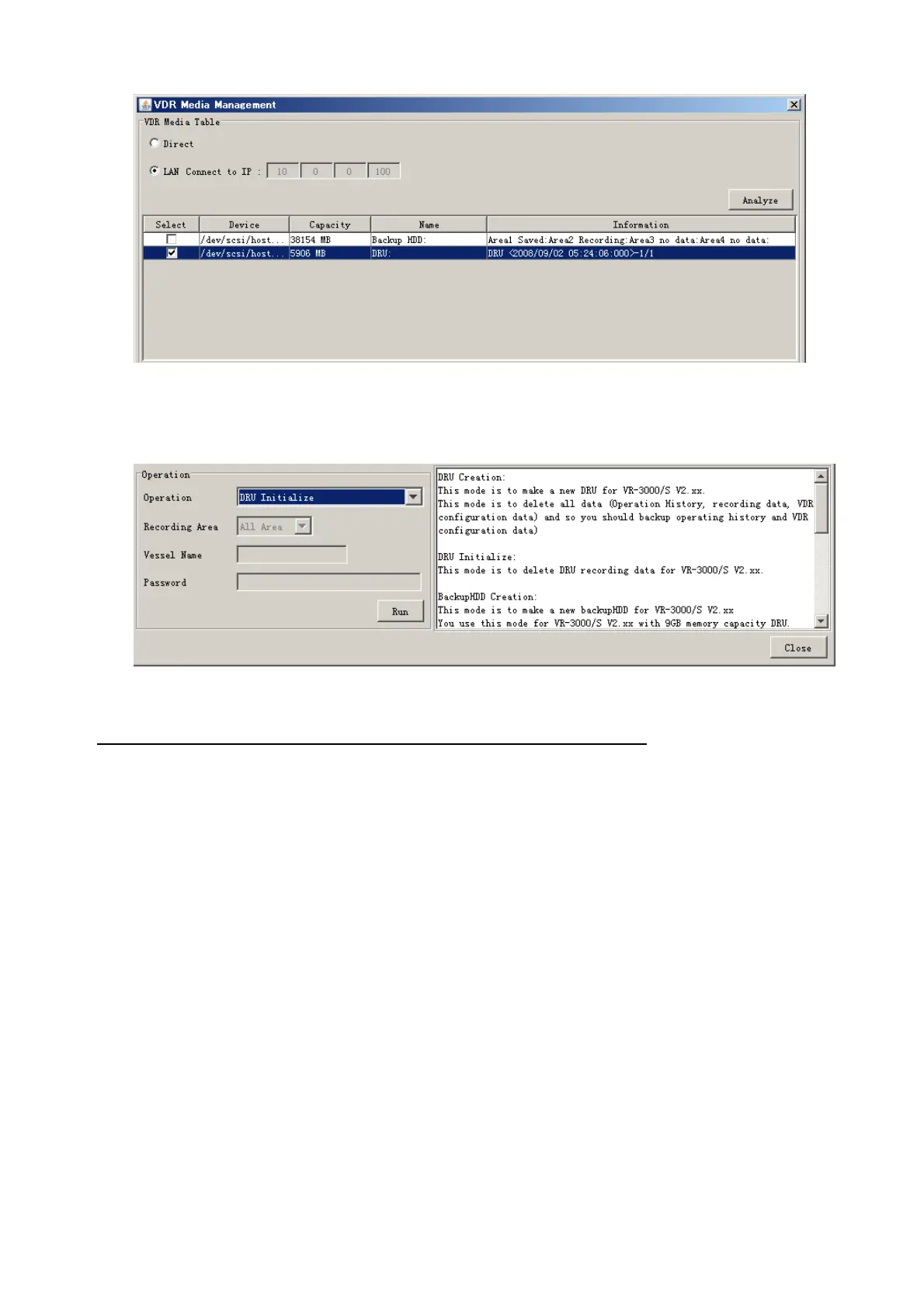
7. Click the Analyze button. A list of recording media connected to the VDR appears.
Put a checkmark in the checkbox of the Select column for the DRU in the Name column.
Note: If there are several flash memories in the DRU, all flash memories are shown.
Check all flash memories shown.
8. Select “DRU Initialize” from the Operation dropdown list in the Operation area.
9. Click the Run button.
Do the following to delete data from the DRU (Direct connection):
1. Start Live Player V4 software.
2. Open the Tool menu and select Source Select. Select Live from the pull-down
menu.
3. Click the Alarm tab and open Alarm History.
4. Set the Playback/CPU switch in the DCU to the Playback position.
5. Wait approx. 10 minutes and confirm that Alarm 174 occurs on Alarm History of Live
Player V4.
6. Connect an IEEEE1394 cable between J6 in the DCU and the PC.
7. Open the Tool menu.
8. Select Media Management to show the VDR Media Management window.
9. Select Direct in the VDR Media Table column.
10. Click the Analyze button. A list of recording media connected to the VDR appears.
11. Put a checkmark in the checkbox of the Select column for the DRU in the Name
column.
Note: If there are several flash memories in the DRU, all flash memories are shown.
Check all flash memories shown.
12. Select “DRU Initialize” from the Operation dropdown list in the Operation area.
13. Enter password in the password column.
14. Click the RUN button.



 To Next Page