Garmin GPSMAP 695/696 Owner’s Manual
190-00919-00 Rev. G
145
Hazard Avoidance
Overview GPS Navigation Flight Planning Hazard Avoidance Additional Features Appendices Index
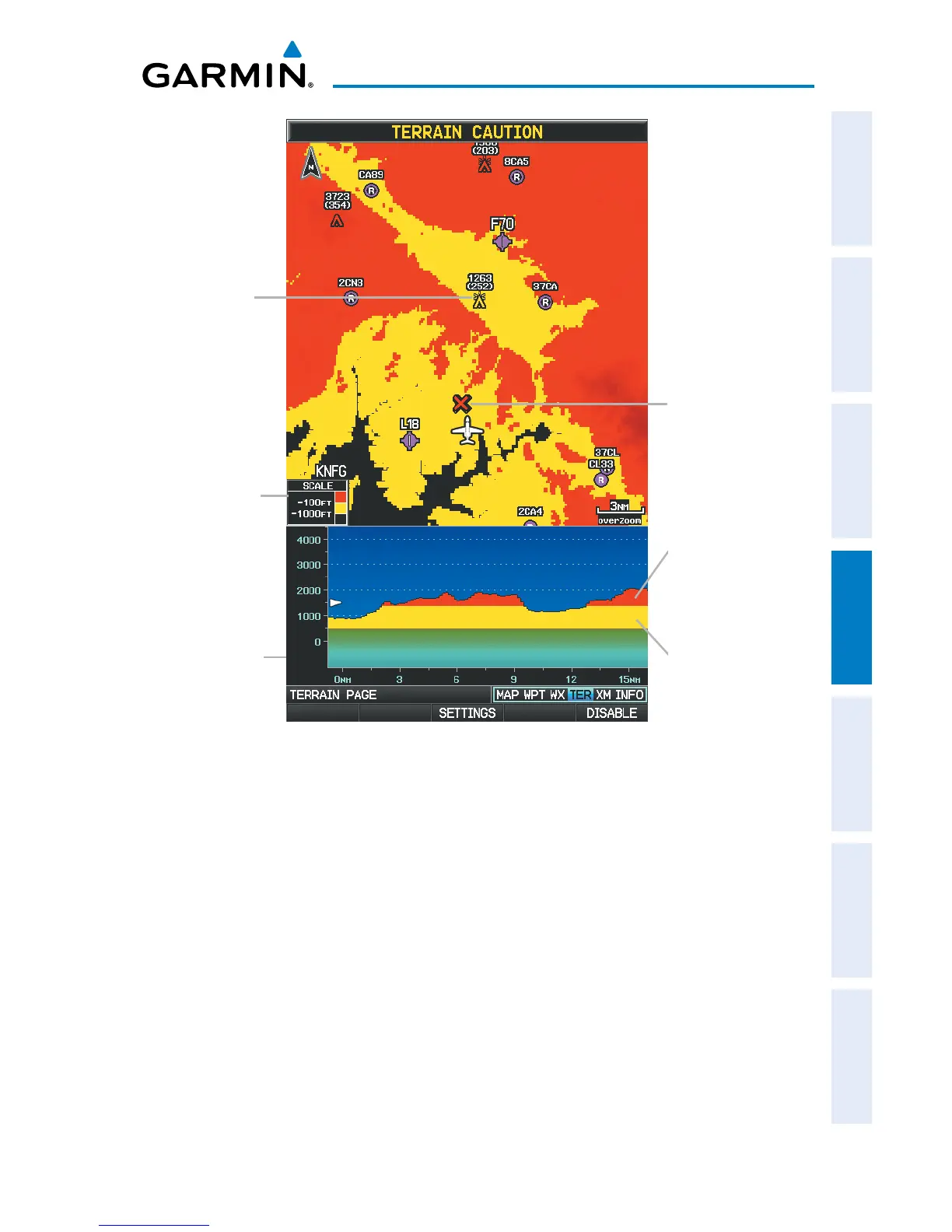
Terrain Page
Terrain Profile
View
Red Terrain is
within 100 ft
above or below
the aircraft.
Yellow Terrain is
Between the User-
defined Caution
Elevation and
100 ft Below the
Aircraft
Potential Impact
Point
Terrain Legend
Obstacle
Setting up the Terrain Page:
1)
On the Terrain Page, press MENU to access the Page Menu.
2)
Turn or move the FMS Joystick to highlight ‘Set Up Terrain’ and press the
ENT Key.
3)
Move the FMS Joystick to highlight the desired field.
4)
Turn the FMS Joystick to make changes to the highlighted field.
5)
With ‘Done’ highlighted press the ENT Key, or press the CLR Key to accept
the changes and exit the Terrain Setup window.














 To Next Page