Garmin GPSMAP 695/696 Owner’s Manual
190-00919-00 Rev. G
Appendix C
204
OverviewGPS NavigationFlight PlanningHazard AvoidanceAdditional FeaturesAppendicesIndex
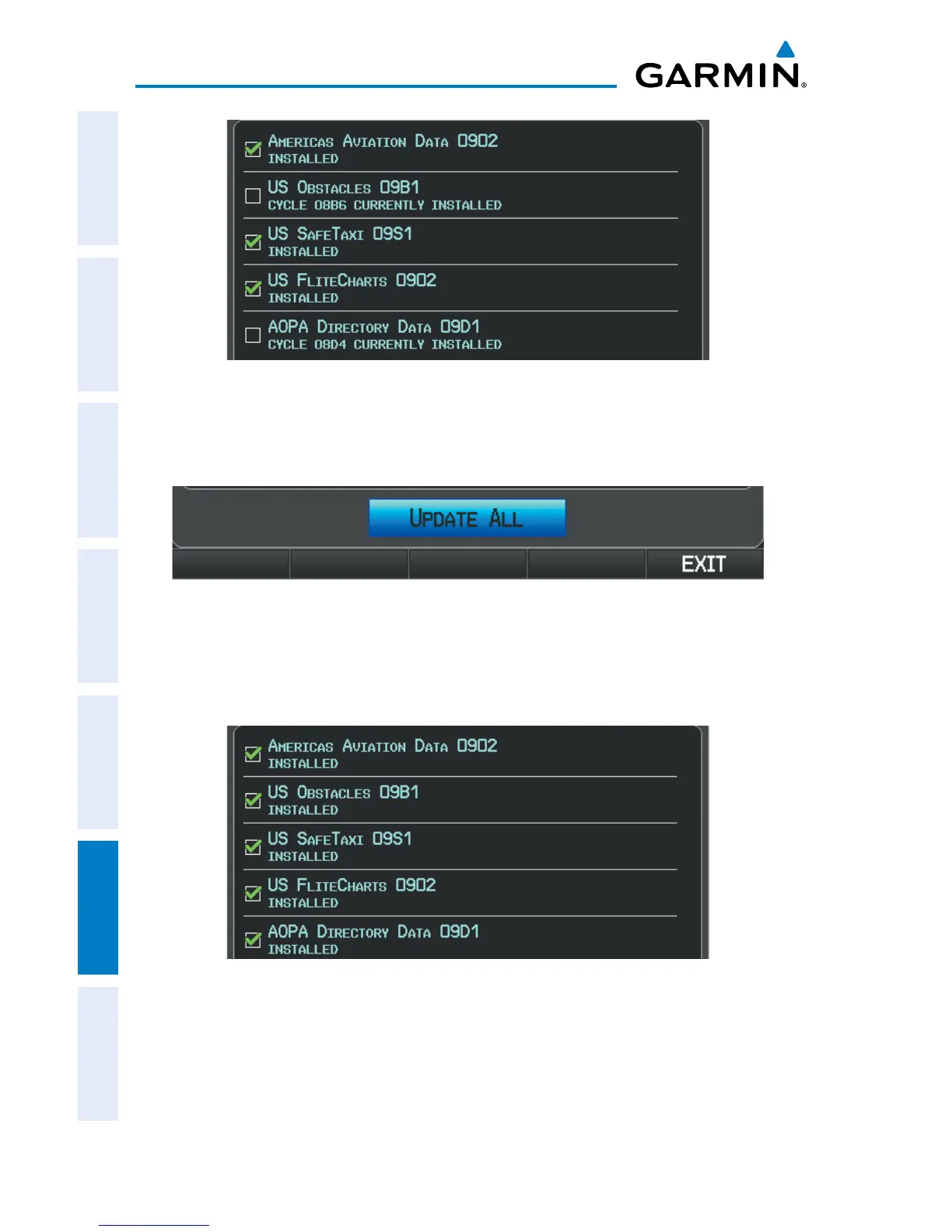
Update Databases Page
3)
With ‘Update All’ highlighted, press the ENT Key. The database status is
updated.
Update Databases Page
Or
:
Move the FMS Joystick to highlight a single database to update, and press
the ENT Key. The database status is updated.
Update Databases Page
(Database Status Updated)
4)
Press the RESTART Softkey. Once the database(s) have been successfully
updated, the SD Card can be removed from the unit.














 To Next Page