Garmin GPSMAP 695/696 Owner’s Manual
190-00919-00 Rev. G
Appendix D
215
Overview GPS Navigation Flight Planning Hazard Avoidance Additional Features Appendices Index
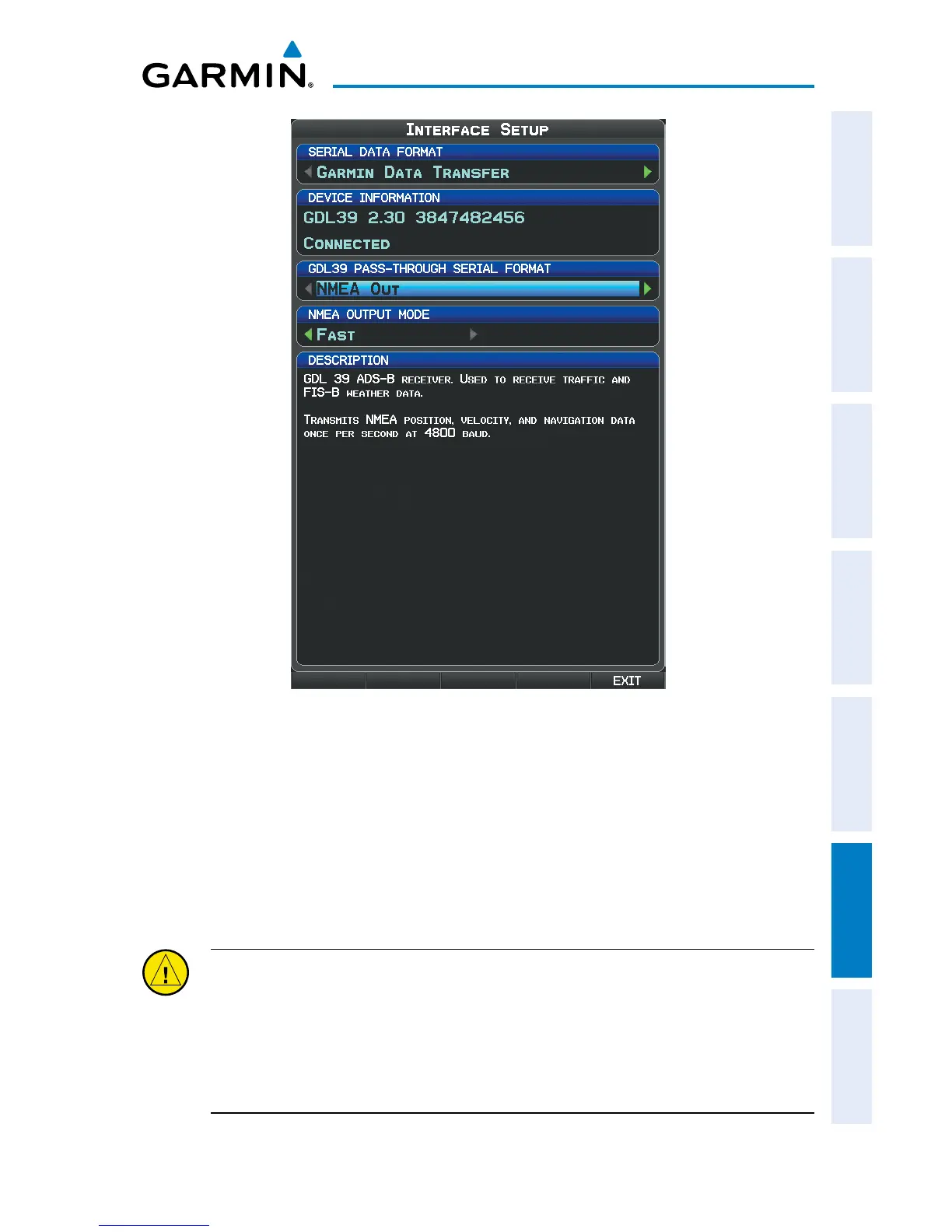
GDL 39 Interface Setup
Viewing GDL 39 Connection/Update Status:
1)
Press the MENU Key twice to display the Main Menu.
2)
Turn or move the FMS Joystick to highlight ‘Data Link Information’ and
press the ENT Key.
Or:
1)
From the Weather Page, press the INFO Softkey.
CAUTION:
Never remove power from the GPSMAP 695/696 or GDL 39 during a
software update. Anytime the GPSMAP 695/696 software is updated it may also
contain firmware updates for products such as the GDL 39. The GPSMAP 695/696
software will update first, after the unit reboots it will update the firmware of a
connected GDL 39. You can view the GDL 39 update progress on the Data Link
Information Page.














 To Next Page