188 232003110G (03)
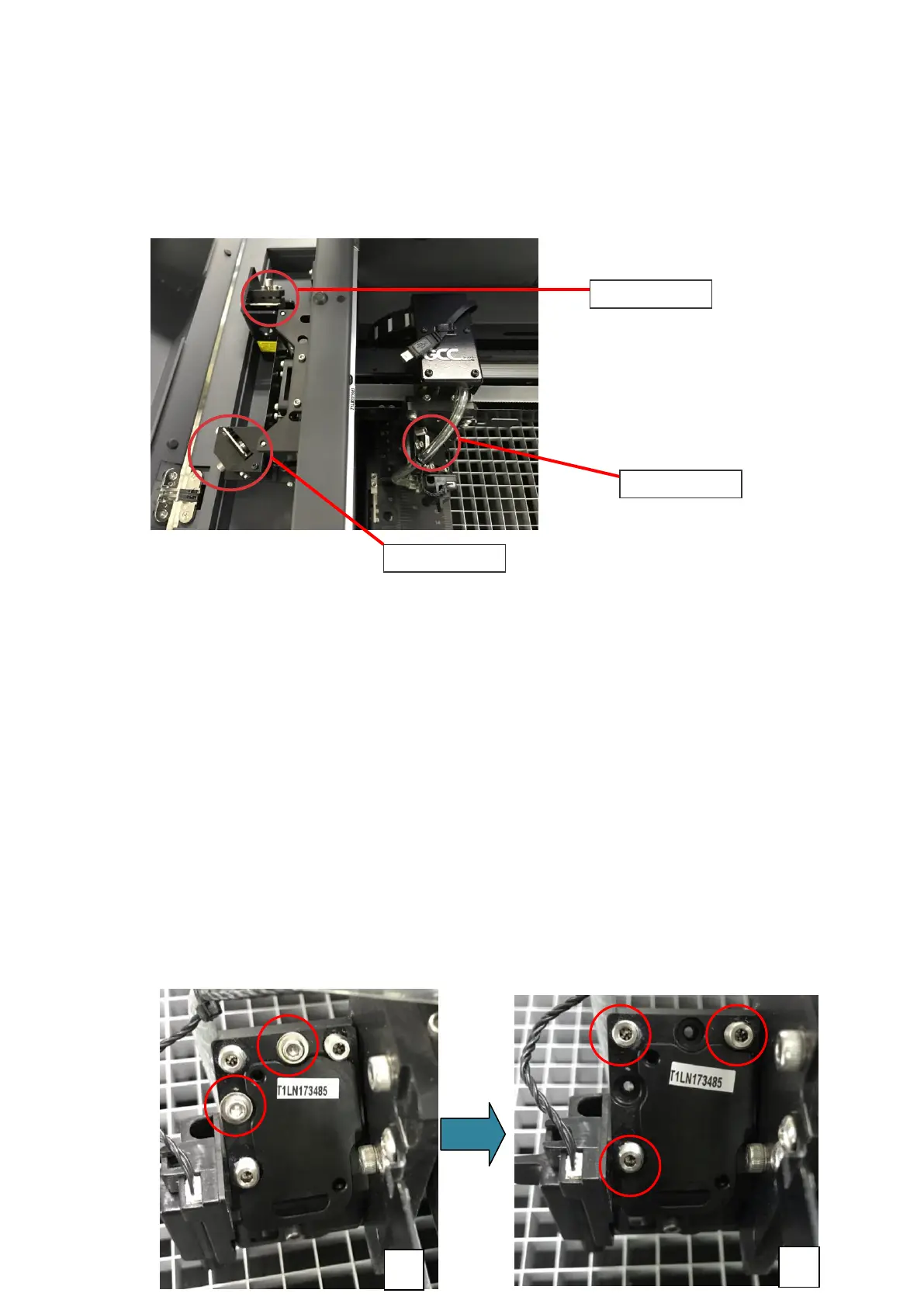
Mirror 2, 3, 4
These mirrors are located in the work table area of the LaserPro S400.
Mirror
2
1) Unscrew and remove the black dust cover covering mirror 2.
2) Unscrew the thumbscrew holding mirror 2 in place.
3) Clean the lens in the proper manner.
4) Place the mirror back to the optics holder after cleaning.
5) Tighten the thumbscrew.
6) Close and secure the black dust cover.
Mirror 3
1) Unscrew the thumbscrew holding mirror 3 in place.
2) Clean the lens in the proper manner.
3) Place the mirror back to the optics holder after cleaning.
4) Tighten the thumbscrew.
Mirror 4
1) Unscrew the two screws securing the lens carriage panel as below picture A.
2) Loosen the three screws to remove mirror 4 as below picture B.



 To Next Page