14-2 ALPS Advanced Line Protection System
GE Power Management
14.1 INTRODUCTION 14 ALPS-SET PC SOFTWARE
14
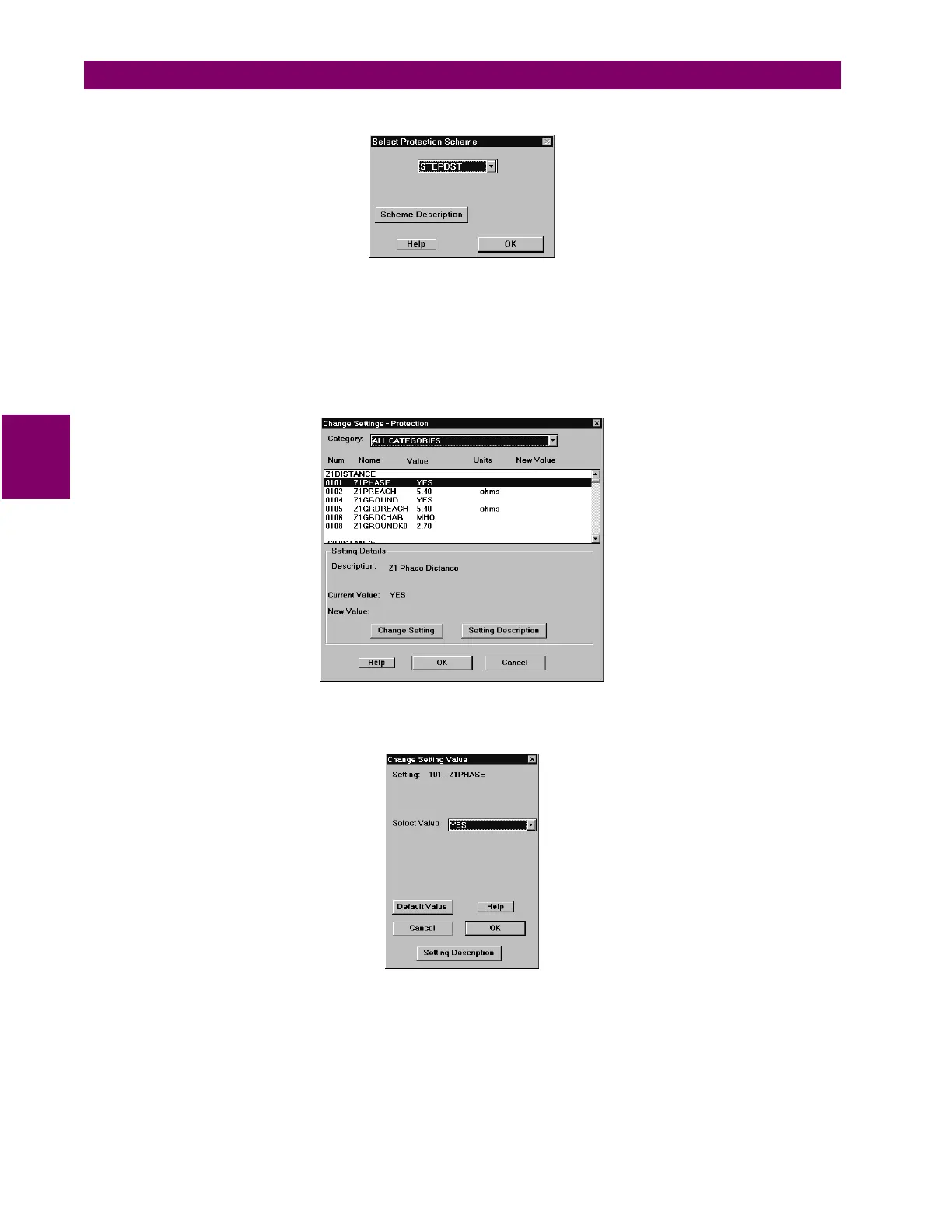
Select OK to create settings for the model number. Verify that the Select Protection Scheme dialog box is displayed:
Figure 14–3: SELECT PROTECTION SCHEME DIALOG BOX
Note that there is no Cancel button. For new settings, the user must make a scheme selection. Click on the Help button.
This displays the help text for the Select Protection Scheme dialog box.
Select a scheme and click OK. An instruction box provides instructions on changing the selected scheme. For the STEP-
DST scheme, choose the Settings > Protection Settings menu item. The Change Settings – Protection dialog box is
displayed. Individual settings for the scheme selected may now be changed.
• Only the protection settings that apply to the model number and the firmware version are displayed in the list box.
Figure 14–4: CHANGE SETTINGS – PROTECTION DIALOG BOX
Click on the Change Setting button in the Change Settings – Protection dialog box. This displays the Change Setting
Value dialog box:
Figure 14–5: CHANGE SETTING VALUE DIALOG BOX
• Each setting may be individually changed by selecting the setting and entering the required value. The range of the
setting is displayed.
• The help command will give you detailed information about the setting to be changed.
• If a setting is selected that has specific values, the following dialog box is displayed.
Select Cancel to close the Change Settings – Protection dialog box.



 To Next Page